
New Additions to Xiaomi Smart Home
Experience with AI Speaker, Temperature and Humidity Sensor, Body Scale 2, and DC Inverter Fan
Getting Started
Following the previous article “First Experience with Smart Home — Apple HomeKit & Xiaomi Mijia” where I introduced how to use Xiaomi smart home products, I continued buying several Xiaomi home devices and tried to make all appliances smart… I can only say it’s truly a rabbit hole. Initially, I just wanted to buy a stylish desk lamp from Xiaomi and ended up exploring smart features, which led me down this path!
New Purchase — Xiaomi AI Speaker
Price: NT$ 1,495
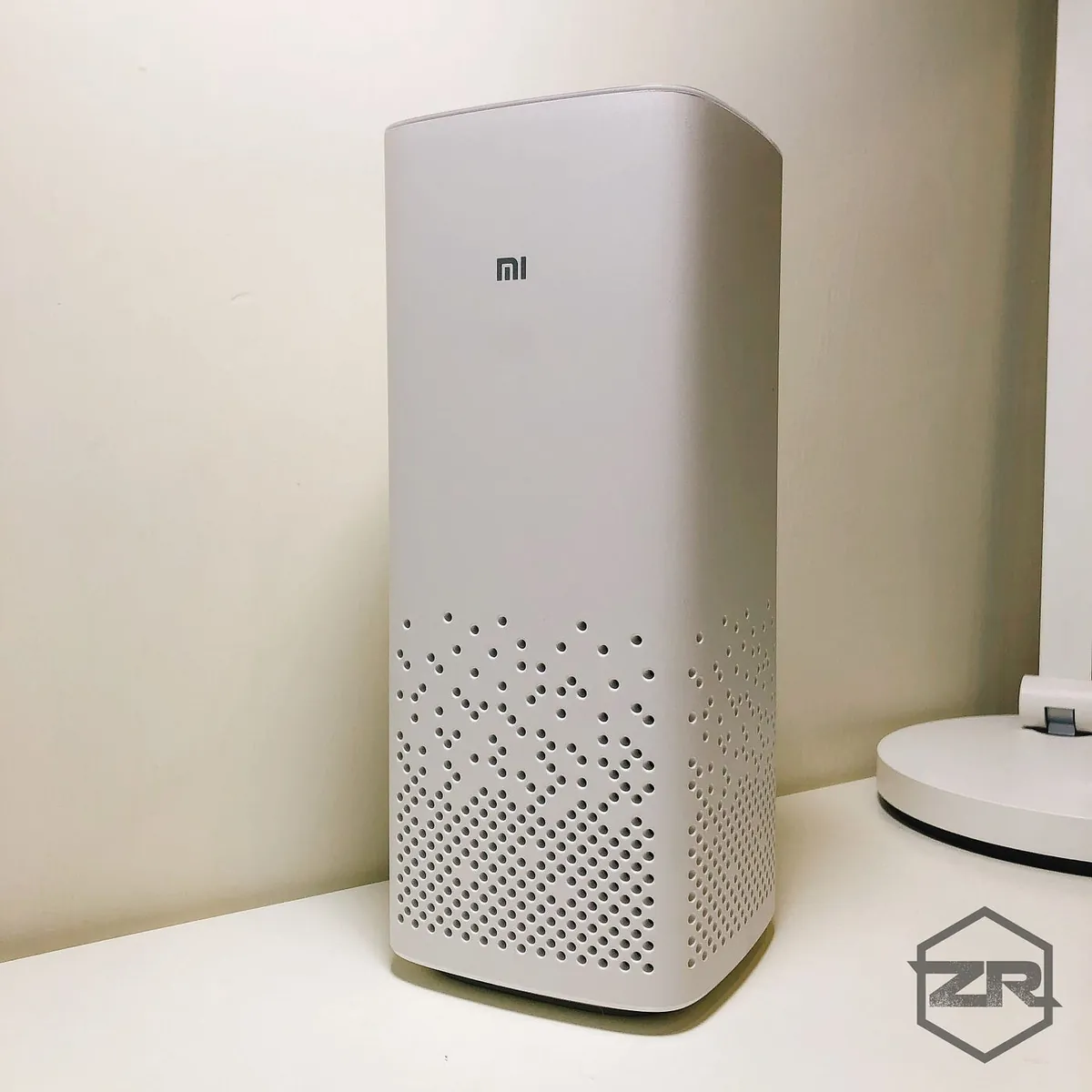
Features:
-
Can control all connected Mi Home smart devices via voice commands
-
KKBOX membership free for 3 months in Taiwan region
-
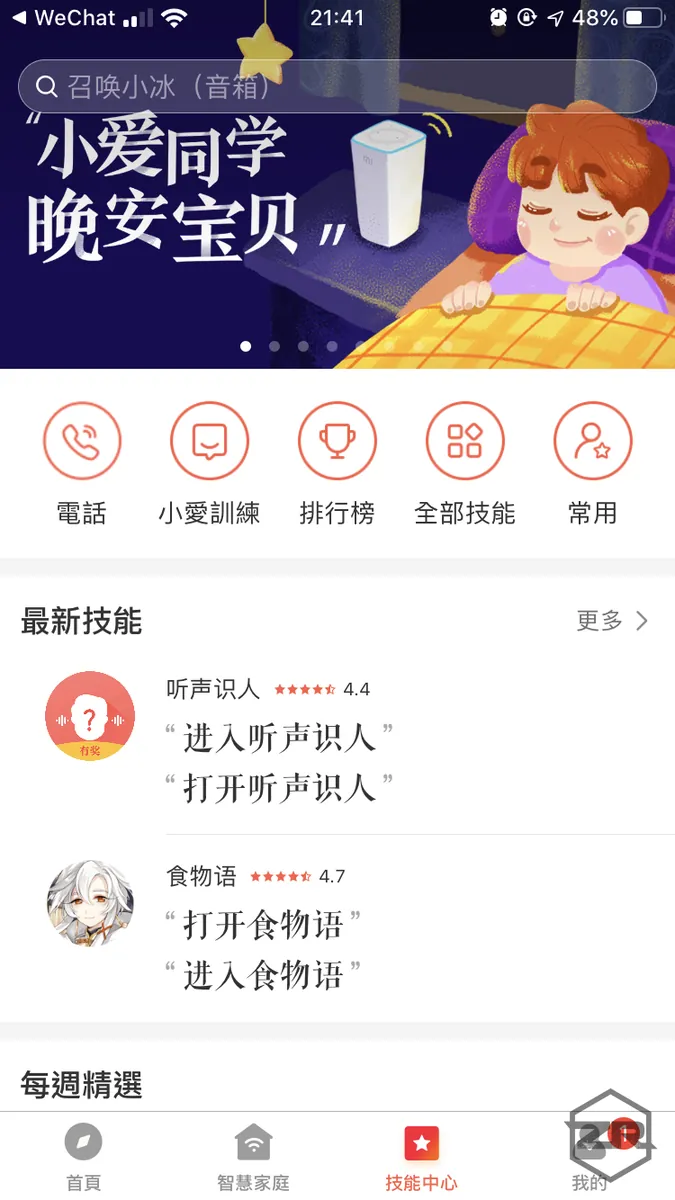
Voice intelligence is powerful; compared to Siri, Siri is like a 3-year-old child
¶Xiao Ai not only has basic voice assistant functions (checking weather, news, information, controlling appliances, playing music…)
¶but also many extended skills (asking about TV shows, playing mini-games, chatting, telling comic dialogues, acting as a maid, yes, speaking to you in a maid tone!!)
¶Supports customization (custom phrases and corresponding actions) -
Another major difference is that it can infer and extend beyond the question. Unlike Siri, which only responds with the weather when asked, Xiao Ai will also ask if you want a reminder to bring an umbrella or something similar, making it more thoughtful and warm.
-
360-degree audio input and output, with ample volume; voice commands are very responsive and accurate.
-
Can be used directly as a Bluetooth music speaker
Disadvantages:
-
When used as a Bluetooth speaker, there is a serious 1–2 second delay when watching videos; this is quite a significant flaw. After checking forums in China, there is no solution, and the official stance is indifferent. It seems to be a hardware issue.
-
No support for Spotify / Apple Music. Since I’m not a KKBOX user, after the free 3-month trial expires, I don’t want to pay, so I can only switch to using QQ Music in the China region.
-
Unlike the HomePod, which supports a home hub function, I originally expected to use the Xiaomi speaker as the smart home hub. Then, when I arrive home, the Mi Home system would detect the Xiaomi speaker and automatically execute corresponding actions (like the Apple HomePod + HomeKit setup); it seems this is not possible!
-
You need to install a separate Xiao Ai Speaker app.
-
Set the same region in the Mi Home app. I set my Mi Home app to Mainland China (because it has more features), so Xiao Ai can only be set to Mainland China as well.
In summary, in daily use, it’s just a Bluetooth speaker that can only play music and occasionally reminds me when the time is up by calling Xiao Ai. Actually, Siri can do this too. Not being able to use it as a Bluetooth speaker for the computer is really a downside for me, but I have to admit its voice features are very smart and impressive! It’s worth buying just to try out.
New Purchase — Xiaomi Bluetooth Temperature and Humidity Sensor
Small item, NT$ 365
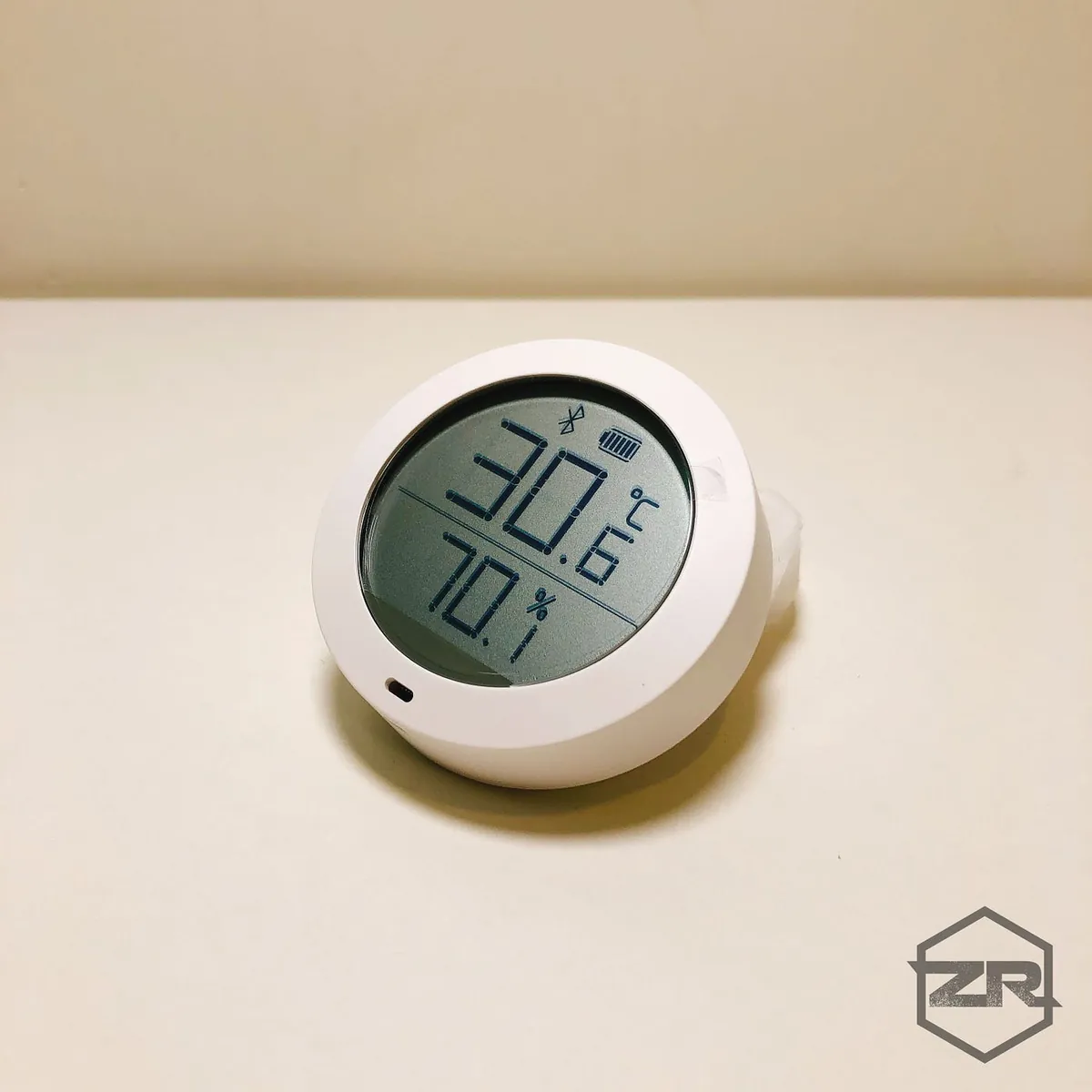
You need to buy an additional AA battery; the official claim is that the battery life can last up to one year. It has a small, round shape with a magnetic mount design, making it easy to take off and handle anytime. The dual-row display screen allows you to quickly check the current temperature and humidity.
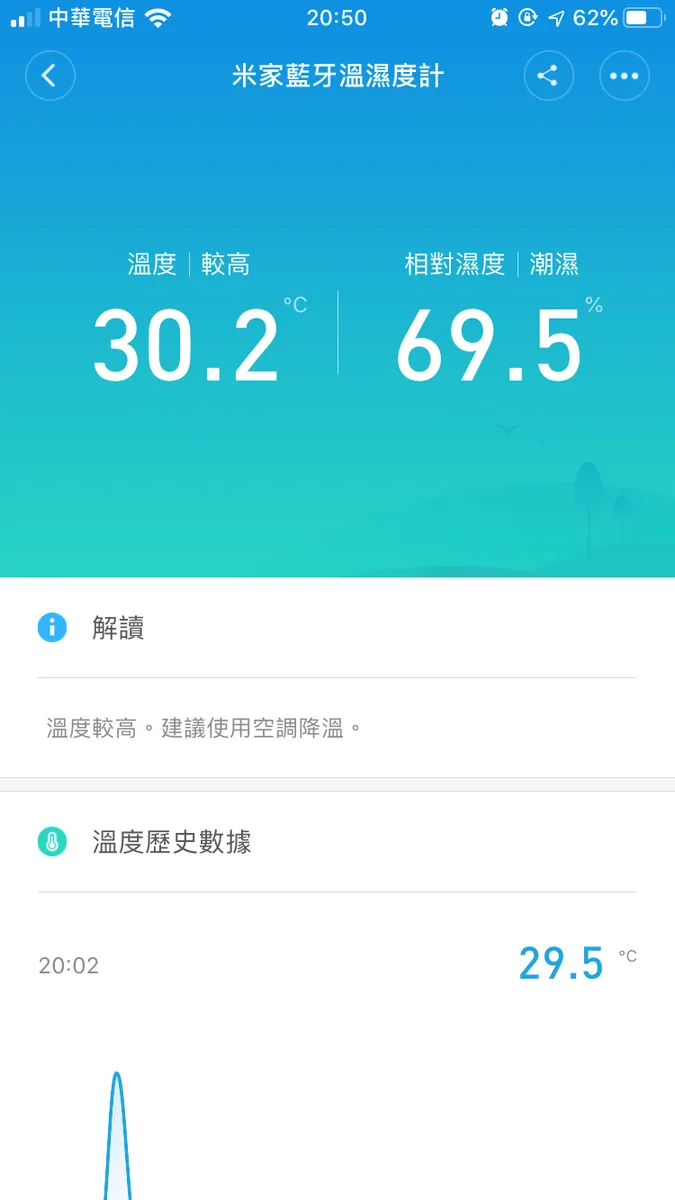
APP Temperature Records
Only supports Bluetooth connection, so the phone cannot read data once it is out of Bluetooth range; unless you purchase a Bluetooth gateway or other Mi Home devices that support Bluetooth gateway functionality.
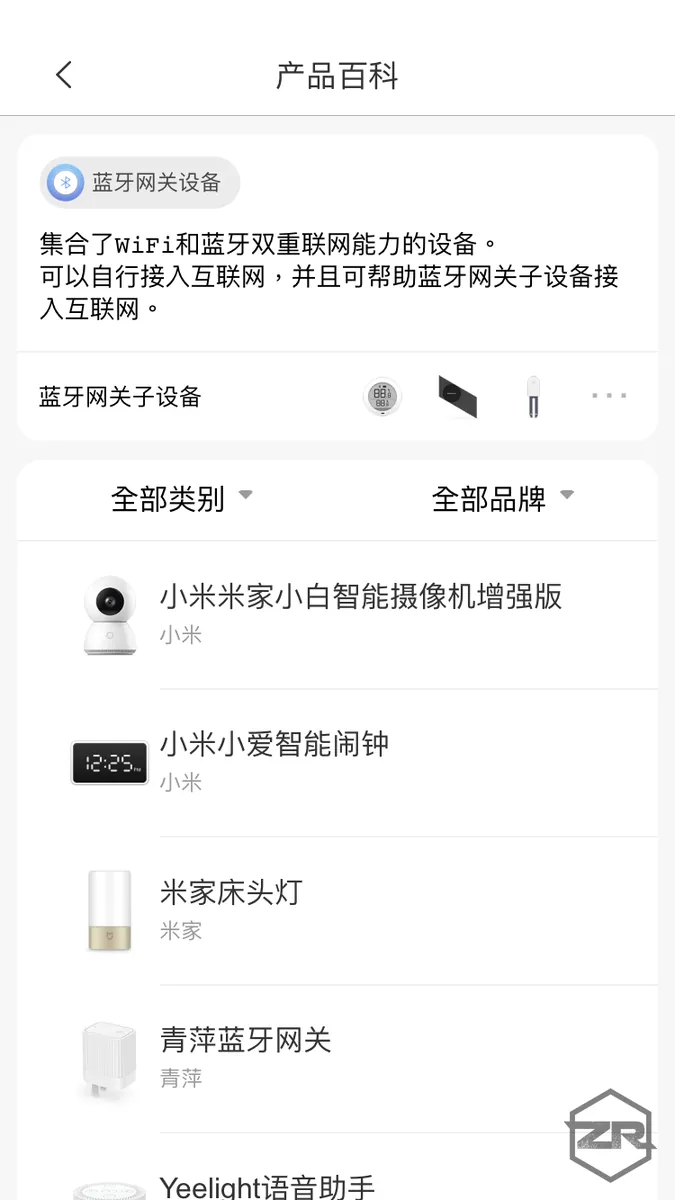
Official Document Supported Bluetooth Gateway Device List
Generally, devices that support both WiFi and Bluetooth are compatible, but Xiaomi AI Speaker surprisingly is not!!
And I discovered something amazing: the Xiaomi DC inverter fan actually can do this, WTF!!!! So currently, I use the Xiaomi fan to send the temperature and humidity sensor data to the internet via WiFi.
It’s really strange… Xiaomi AI Speaker, desk lamp, table lamp, and camera do not support Bluetooth gateway function, but the fan actually does!
Not sure if only the temperature and humidity sensor can do this
Additionally, the temperature and humidity meter does not constantly send push notifications
Push notifications for temperature being too high or humidity being too damp (though these temperature and humidity levels are normal in Taiwan…)
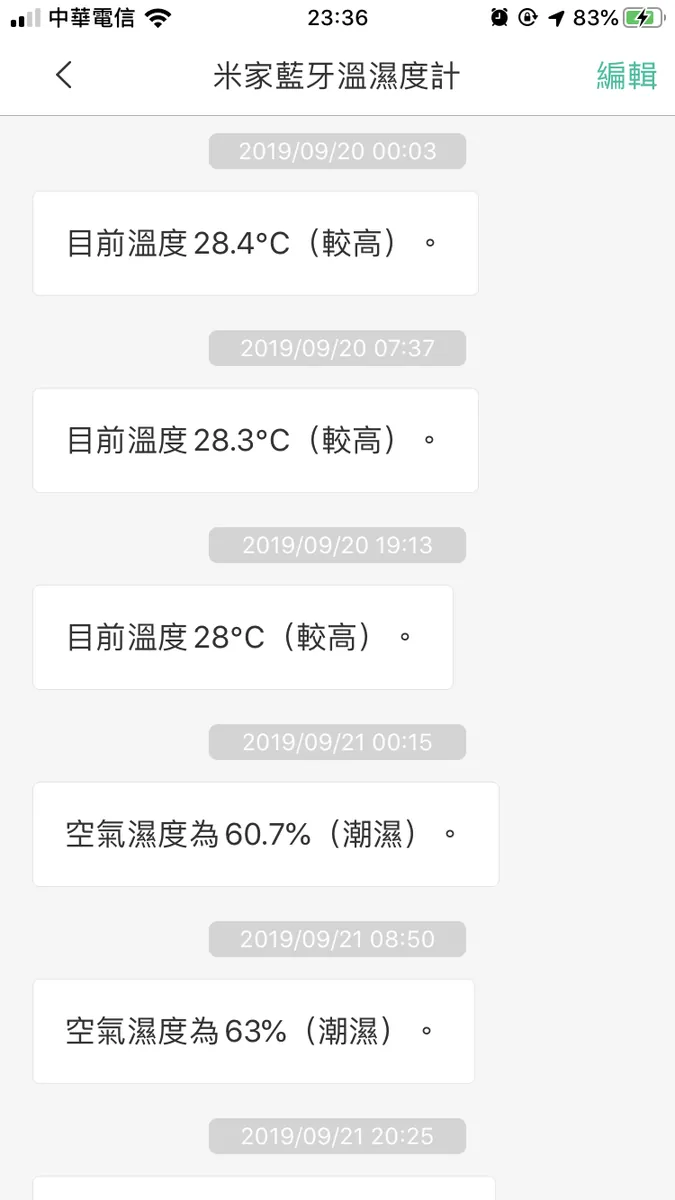
How to Turn Off:
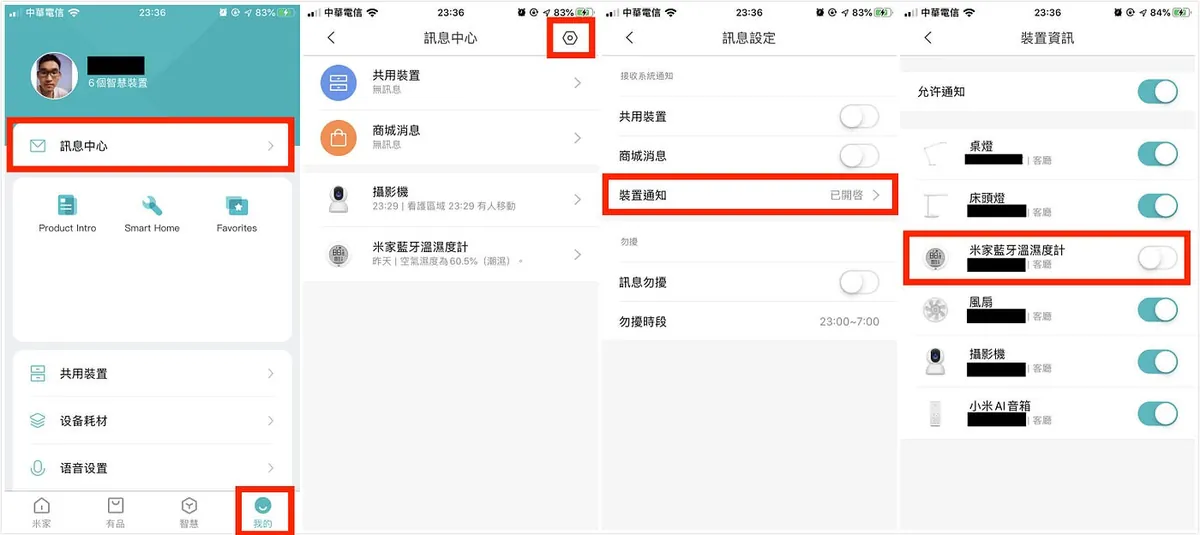
Go to “My” -> top right corner “Settings” -> Device Notifications -> find Mi Home Bluetooth Temperature and Humidity Sensor -> turn off
Once turned off, you will no longer receive push notification messages!
New Purchase — Body Scale 2
It’s just a scale, NT$ 395
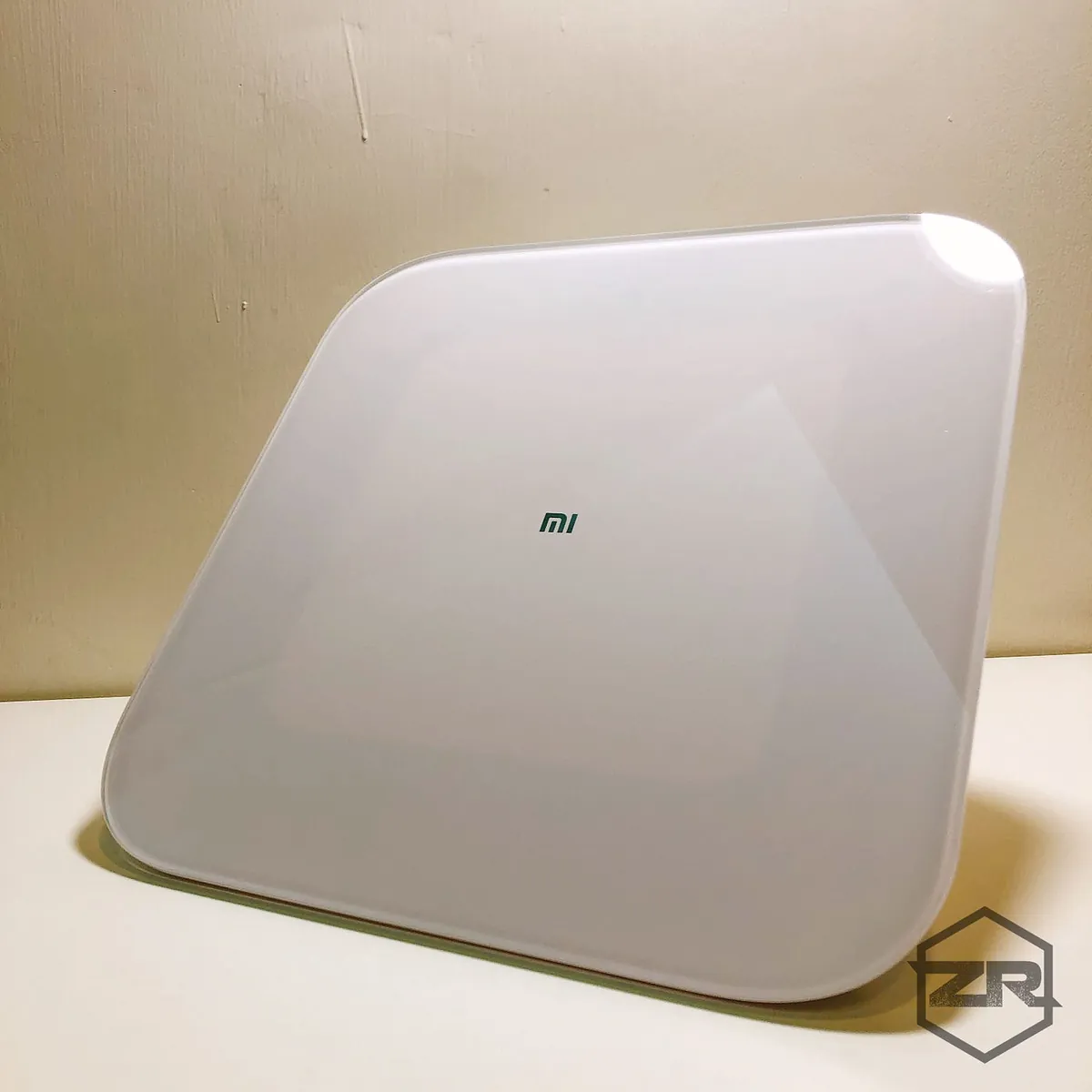
In addition to recording weight in the app, it also offers functions like weighing objects and balance testing… but it’s still primarily a scale, so the most common use is measuring body weight. The design is elegant, enhancing the home’s aesthetic even when not in use!
The body scale requires a separate Xiaomi Health app. Open the app while weighing to sync and record your weight.
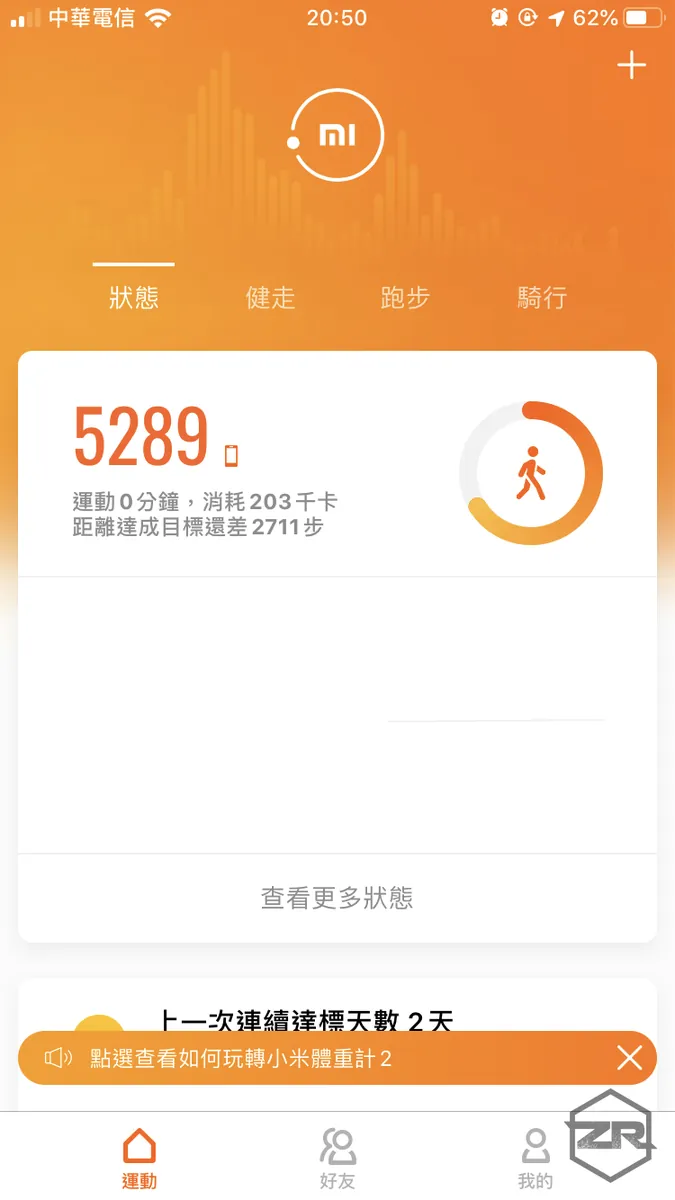
Xiaomi Health APP
New Purchase — DC Inverter Fan
The most satisfying appliance in this purchase, NT$ 1995
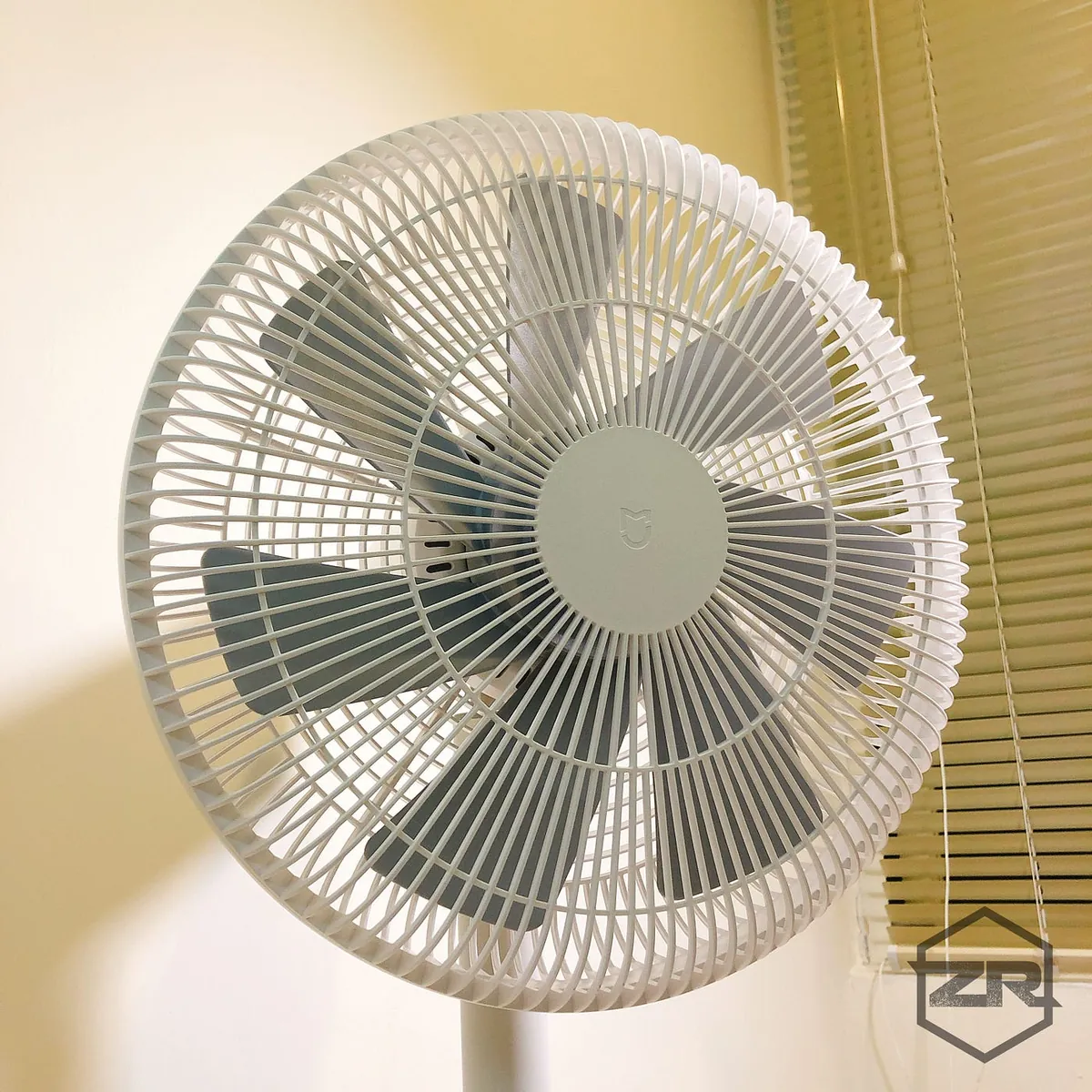
First, the basic functions of the fan
The left-right swing covers a wide range of 120 degrees, and the wind power can be adjusted in 1–100 levels, allowing you to control the wind strength as you like. My favorite feature is the “Natural Wind” mode. Since I get hot and like direct airflow, but often feel uncomfortable after a while, this natural wind mode lets me stay in direct airflow without discomfort!
Appearance Design
Keeping the same simple white design as other Xiaomi products, I personally don’t like fans that look too metallic (they feel dirty). The Xiaomi fan is lightweight and clean-looking; even when not in use, it looks pleasant.
Intelligence Features
After adding it to the Mi Home app, you can control all parameters (mode, power, wind speed, angle) from the app. You can also set scheduled timers (e.g., turn off at 7:00 AM from Monday to Friday) and link it with other Mi Home devices (e.g., automatically turn on when you arrive home, turn on automatically when the temperature exceeds 30°C). These smart home features offer plenty of possibilities.
Additionally, I found that it can act as a Bluetooth gateway, helping to transmit data from the Mi Home Bluetooth temperature and humidity sensor.
Not sure if only the temperature and humidity sensor can do this
Current Device Inventory
-
Mi Home Smart Camera PTZ Edition 1080P (Supported: Mi Home)
-
Xiaomi AI Speaker
-
Mi Home Bluetooth Temperature and Humidity Sensor
-
Xiaomi Body Composition Scale 2
-
Mi Home DC Inverter Fan
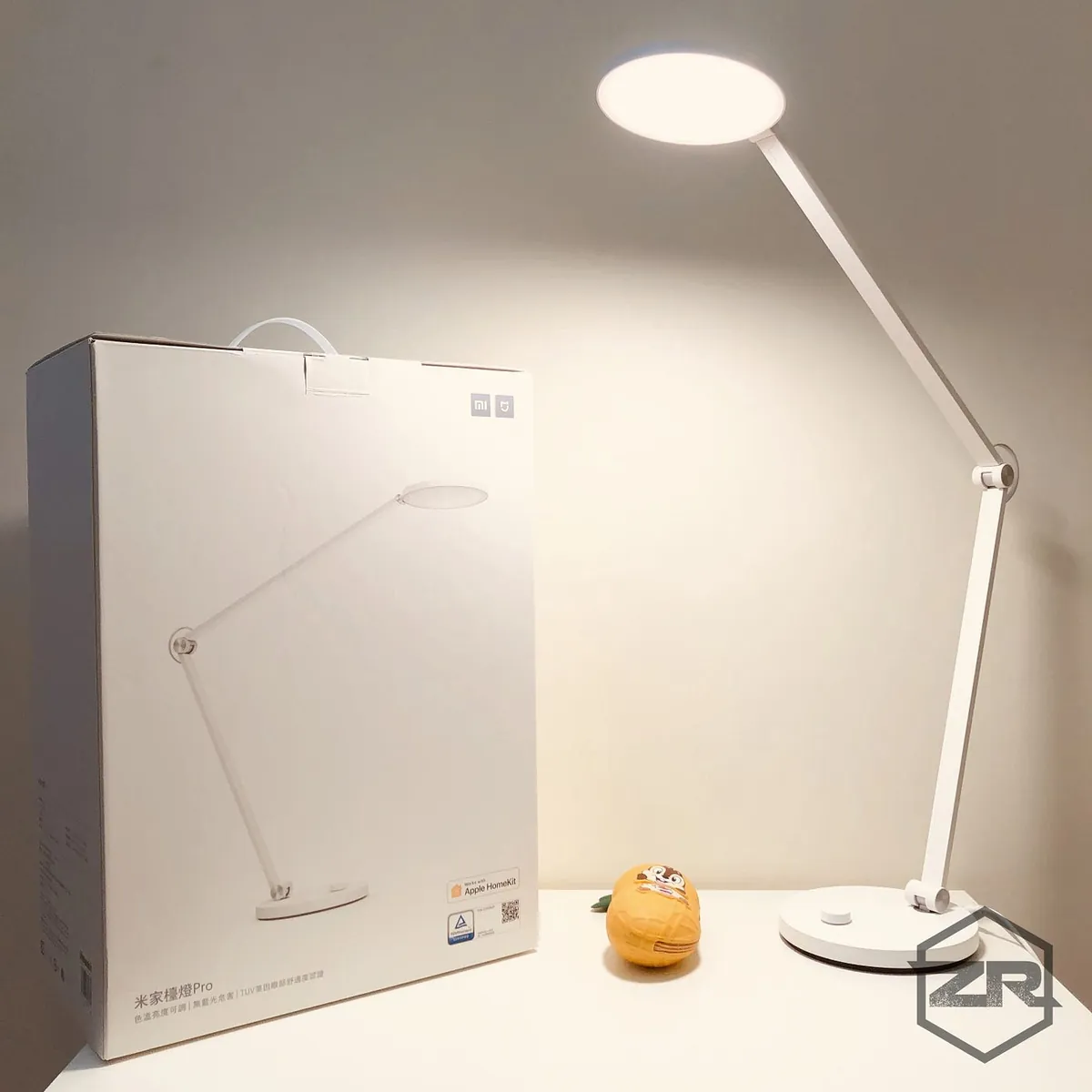
Summary
This concludes the summary of my latest purchases. There’s still a long way to go to reach my ideal setup (auto AC when temperature is high, fan follows people, lights turn on when I arrive home, lights off and cameras on when I leave, dehumidifier activates when humidity is high), and the path is quite challenging… I’ll need to modify circuits, and I found out my dehumidifier lacks a return function, plus my AC is an older model. Many Mi Home devices aren’t available in Taiwan (e.g., universal remote). I initially wanted to build a smart home kit, but it doesn’t seem very practical now. For the time being, I’ll keep exploring what can be made smarter!

Comments