
AirPods 2 Unboxing and First Impressions (Laser Engraved Edition)
Even Smarter, Absolutely Amazing.
[Latest] Apple Watch Series 6 Unboxing & 2-Year Usage Experience »> Click Here
When AirPods first came out, I didn’t pay much attention; at first glance, they just looked like wireless Bluetooth earbuds shaped like a showerhead. At that time, the wireless Bluetooth earbud market was very crowded, with every style and need covered, plus the prices weren’t affordable. What was so special about them?
I only truly felt its “wow” factor after using it myself. Since its launch, AirPods have consistently ranked among the top-selling Bluetooth earphones, and this success is not just due to Apple fans’ loyalty. So what makes it so good? Let’s keep reading.

Purchase Background
Originally just a simple iPhone user, last year I got a MacBook Pro and an Apple Watch S4, starting to fall into the Apple ecosystem (commonly called the Apple family bucket). I had the watch but was missing a pair of earphones.
The Bluetooth earphones I was originally using had been in service for a while. They were an average pair—not bad, but nothing special. The sound quality was mediocre, but the battery life was sufficient. The main issues were unclear call quality, signal interference, long presses needed to power on/off, waiting for pairing, and unclear battery indicators—these were minor annoyances. I mainly used them for commuting and exercise, and usually used speakers or wired earphones when at the computer, so they met my basic needs.
After the launch of AirPods 1st generation, most of my friends had positive experiences using them. This time, I decided to follow the trend and got the AirPods 2nd generation.
p.s. Since I have never used the 1st generation, my reasons for getting these won’t focus on improvements over the 1st generation (this article will not mention differences from the 1st generation).
Choosing Between Wireless or Wired Version?
The price difference between the wireless and wired versions is $1,200. At first, I was considering the wireless version; thinking about the messy charging cables on my bedside table and how I could carry one less cable when traveling abroad really tempted me with the convenience!
After Apple announced the cancellation of AirPower, I searched online for similar products and bought a 2-in-1 wireless charger for iPhone and Apple Watch. Since iPhone and AirPods don’t usually need charging at the same time, alternating their use allows it to function as a 3-in-1 charger.
Everything seemed fine until I placed the order and received the product. When I actually used it, I found that I couldn’t charge both my phone and watch at the same time. The watch’s battery stayed almost at 0%, and the charging speed was very slow. The current just couldn’t keep up! Even using a 5.1V/2.1A charger didn’t help. I’m not sure what voltage charger is needed. Checking user reviews, this issue is not isolated. In the end, I reluctantly returned it.
Thinking about it, there are only two cables anyway (AirPods and iPhone both use Lightning / Apple Watch has its own cable), and wired is still faster; wireless requires that version + the board’s cable + possibly a bigger connector? Compared to that, there’s no clear convenience advantage.
So in the end, I chose the wired charging version of AirPods 2.
p.s. The only difference between the wireless and wired versions is that the wired charging case is the same as the 1st generation (indicator light inside); the wireless charging case has the indicator light outside and can also be charged with a cable.
Ordering
From the announcement to the sale (in Taiwan), it took about a month. I checked the official website every meal, every day to see if it was available. I’m sure many others did the same XD; the wait was really nerve-wracking since other countries had already started selling it!
I placed an order as soon as they went on sale on 4/23. This time, AirPods 2 offer laser engraving (custom text), so of course, I got mine engraved:
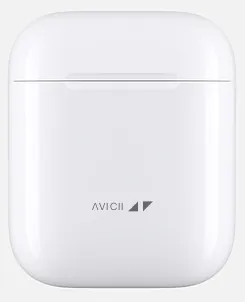
ΛVICII ◢ ◤ — Official Preview Image
In memory of Swedish legendary music producer AVICII
“One day you’ll leave this world behind So live a life you will remember.” Avicii — The Nights
You can engrave up to 11 characters, including Chinese, English, symbols, and spaces; most symbols should work based on tests. If unsupported, it will show “These characters cannot be engraved:”, so no need to worry about garbled text.
p.s Engraving takes about one extra week. Without engraving, you can buy directly at 101 or through dealers (usually cheaper).
The official estimated delivery time was 5/3~5/10. On 4/29, I was notified that it shipped from Shanghai. Luckily, I received it on 4/30, just before the Labor Day holiday on May 1st (super fast!! From Shanghai to Taipei).

Unboxing!
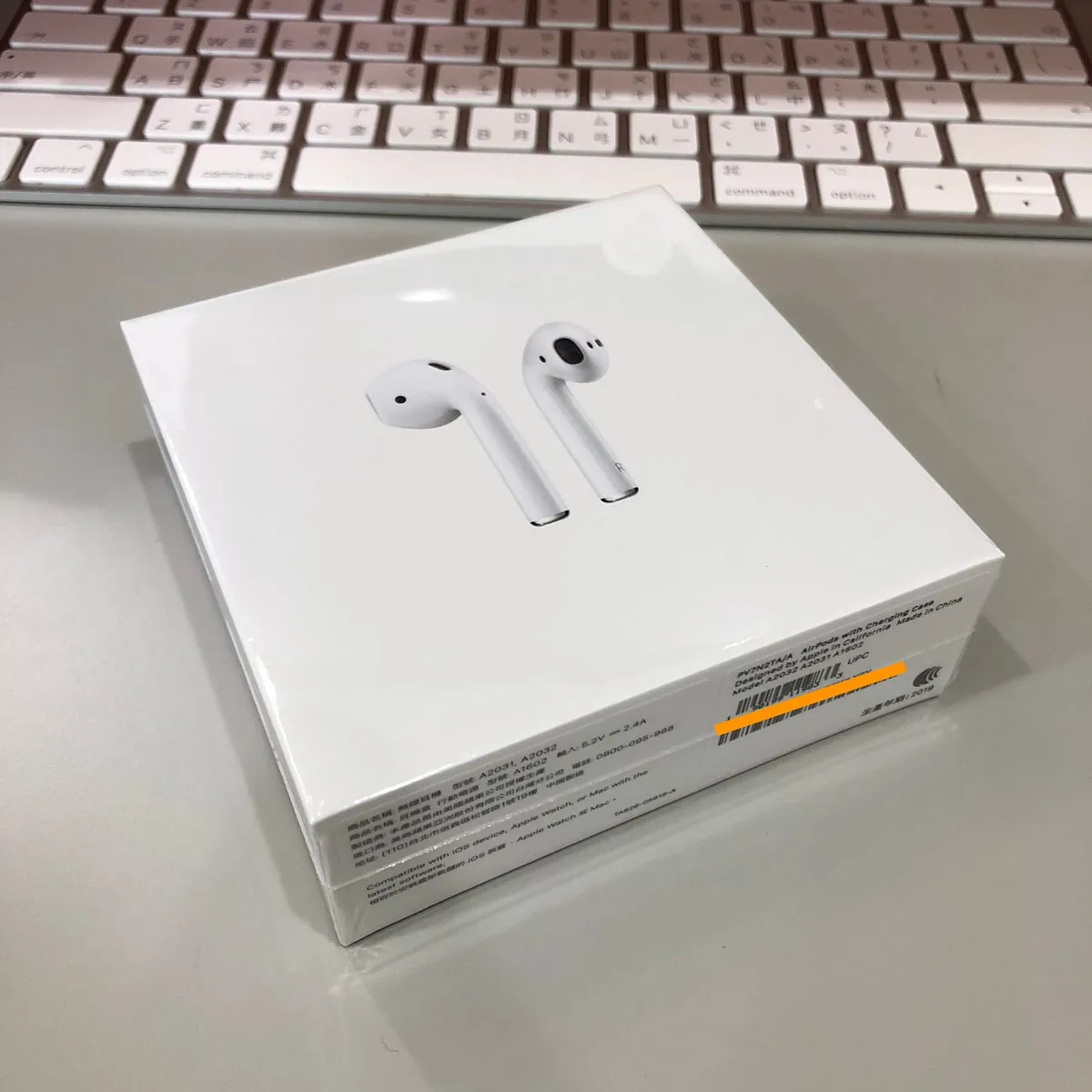
Outer Packaging
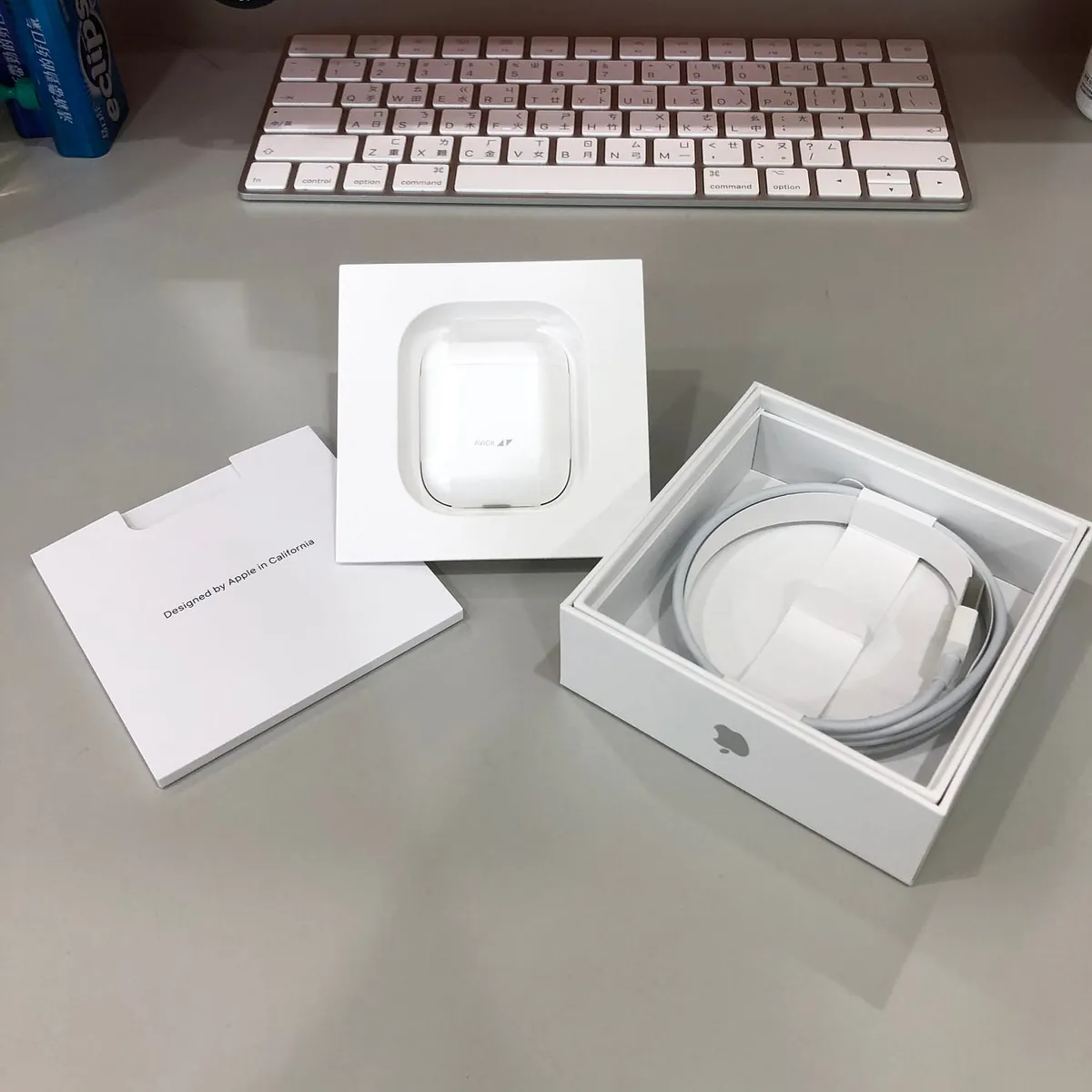
Expand
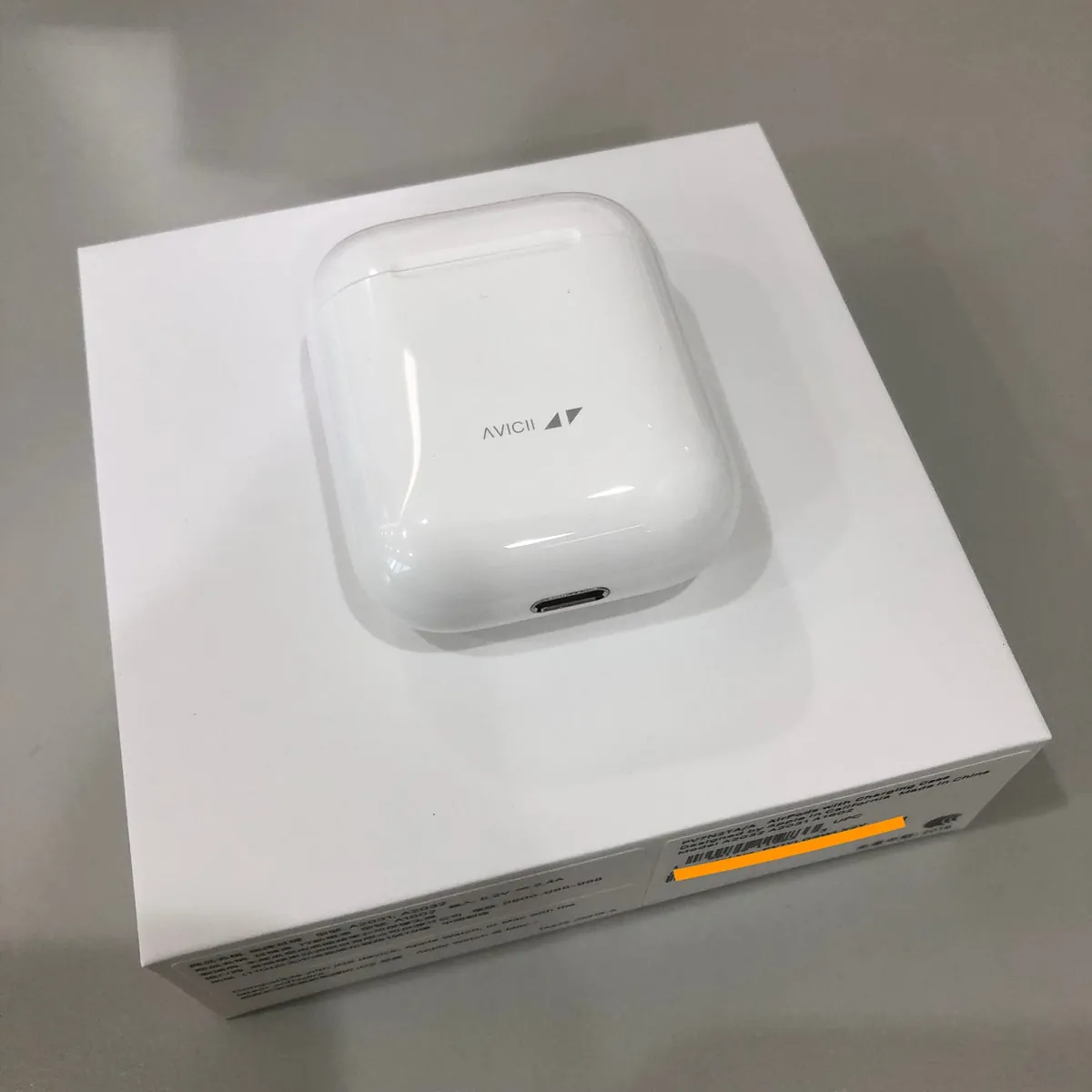
Close-up of the device
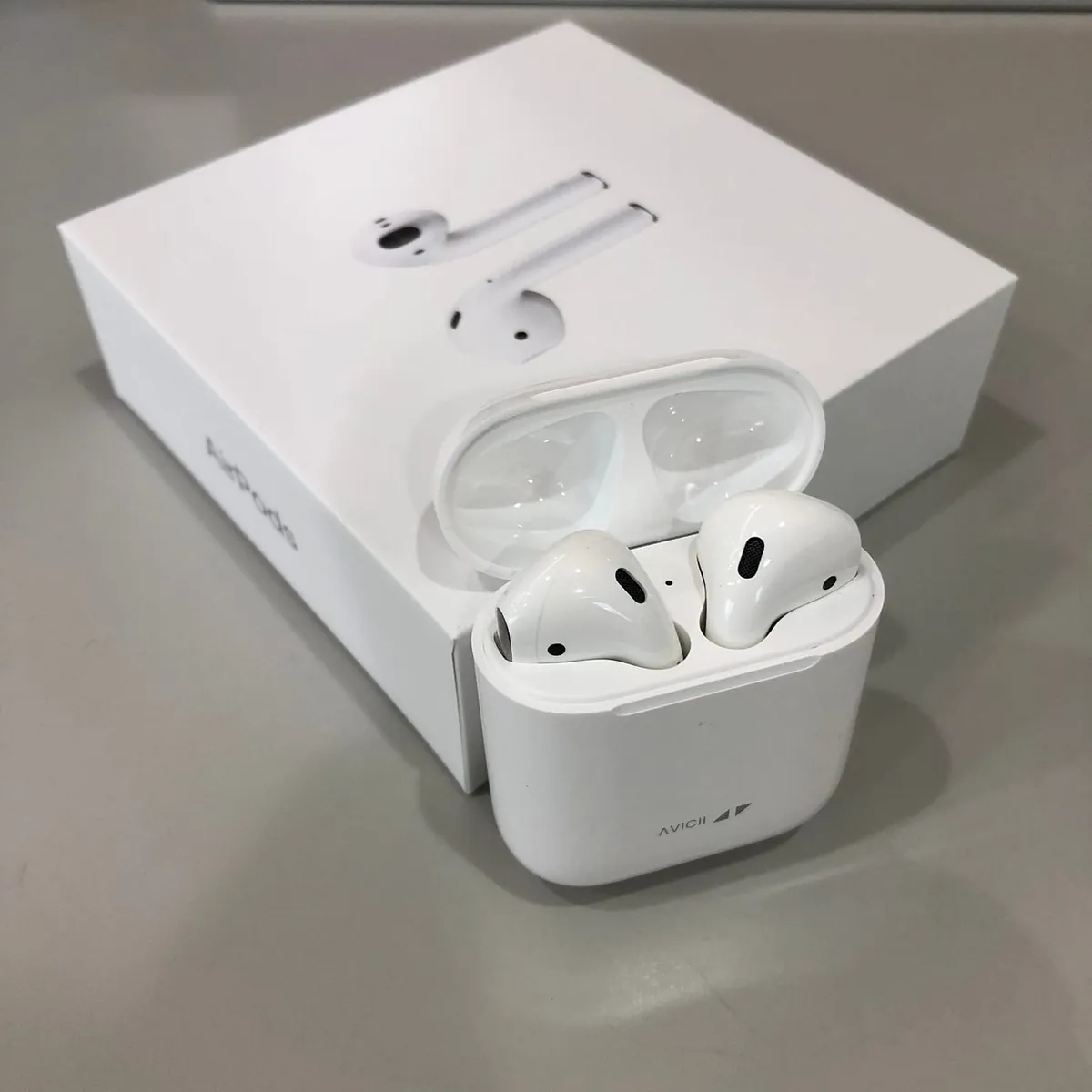
Full body shot of the device
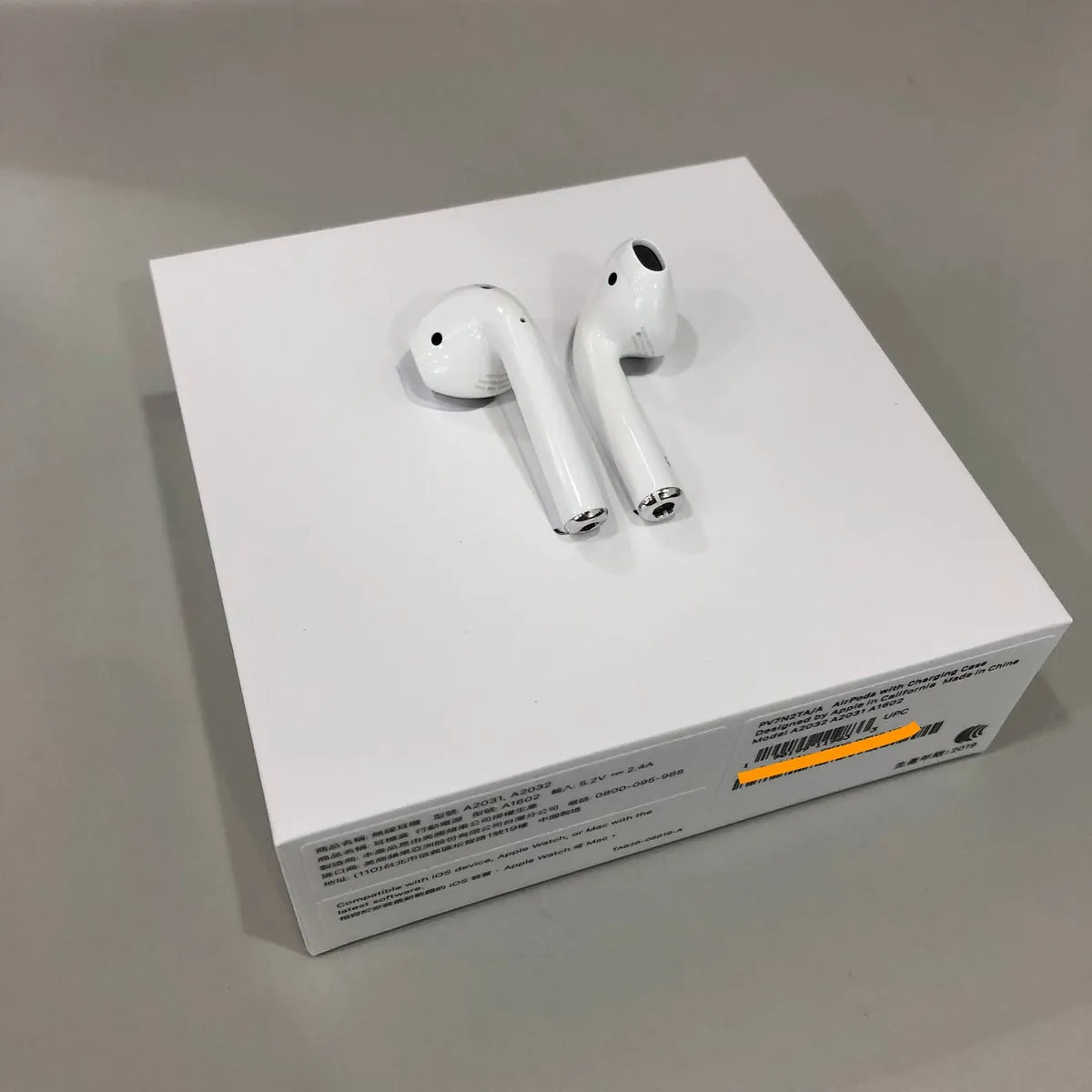
Contents in the stomach
Unboxing complete! The overall weight feels substantial, and the texture and quality are excellent. The engraving is also very detailed—truly the standard you expect from an Apple product!
Usage
First Use:
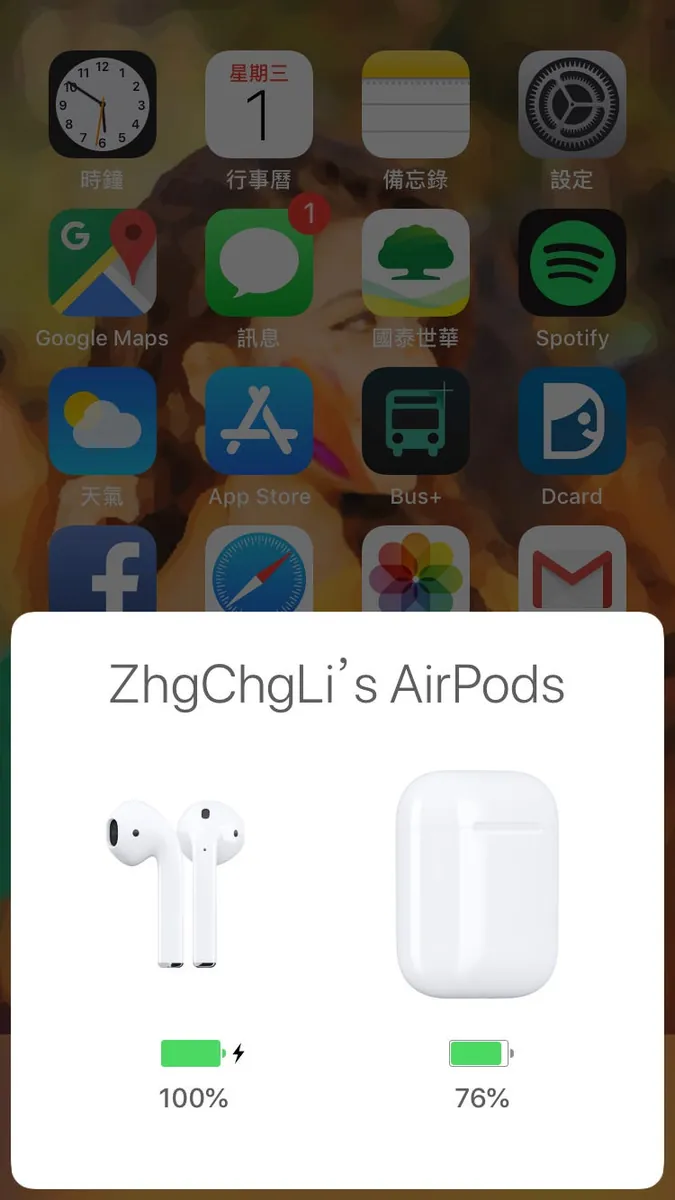
When using brand new AirPods for the first time, simply open the AirPods case near your iPhone, and a prompt will appear to complete pairing; no need to press any pairing button.
Setting up Earphone Controls:
Mobile version:
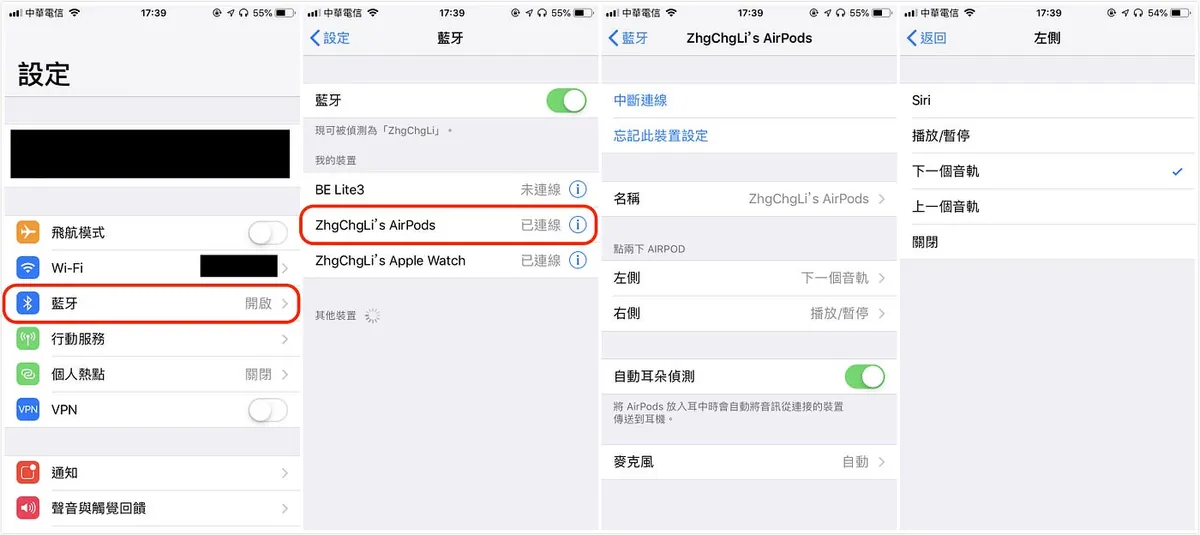
Open “Settings” -> “Bluetooth” -> “Find your AirPods” -> “Setup”
MacBook version:
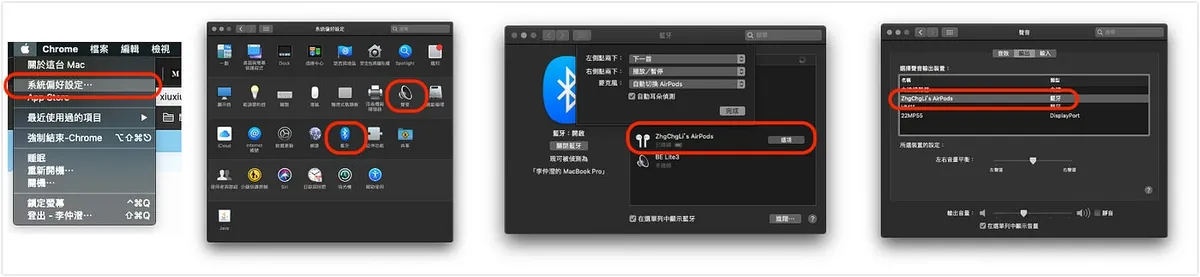
Top left corner “” -> “System Preferences” -> “Bluetooth” (If no sound, please adjust the sound output to AirPods)
You can customize the double-tap action for either the left or right earbud.
Click location is below the small hole on the side of the earbud body:
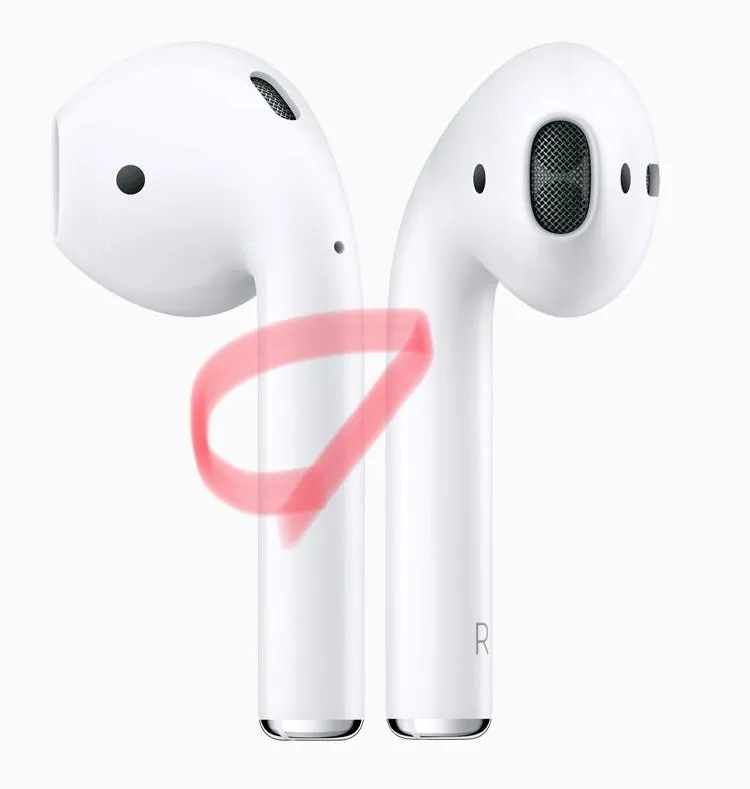
Actually, I had to explore a bit to find the location.
Some Tips
Quickly Switch Back to Using iPhone:
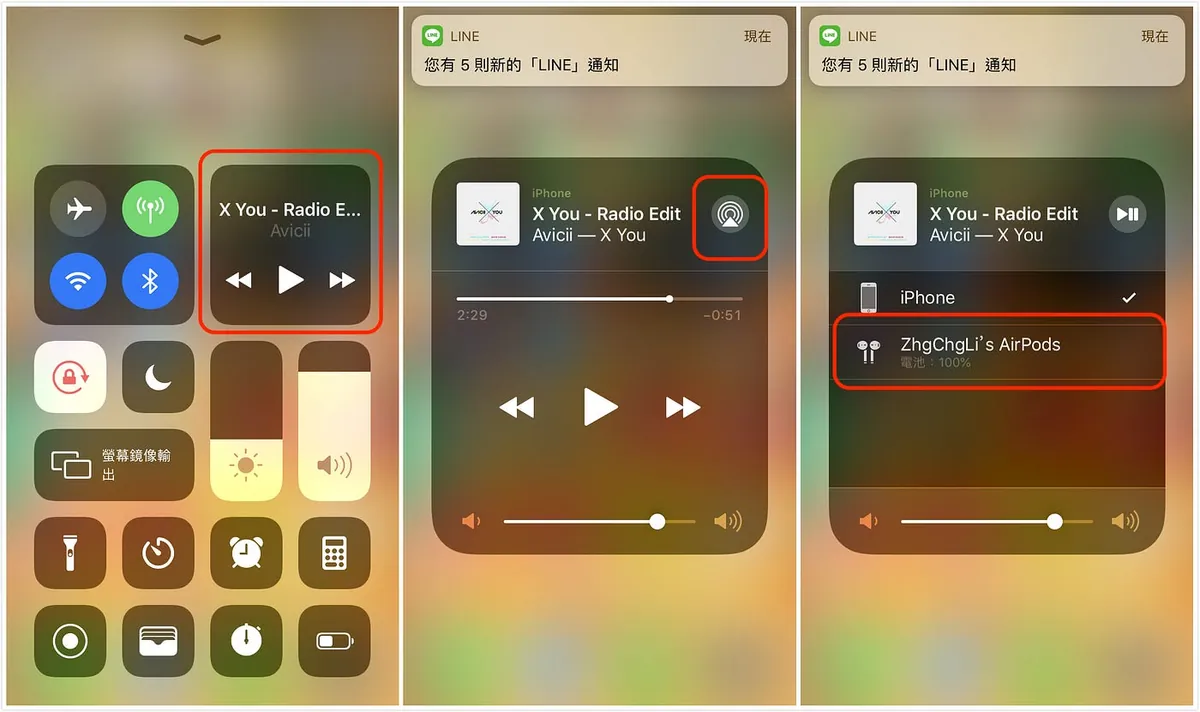
Swipe up the menu -> select the audio section -> tap the top-right icon -> switch to select AirPods
You can also check the AirPods battery level here. (Displays the battery level of the one with lower charge)
How to Check Battery Level with a Widget:
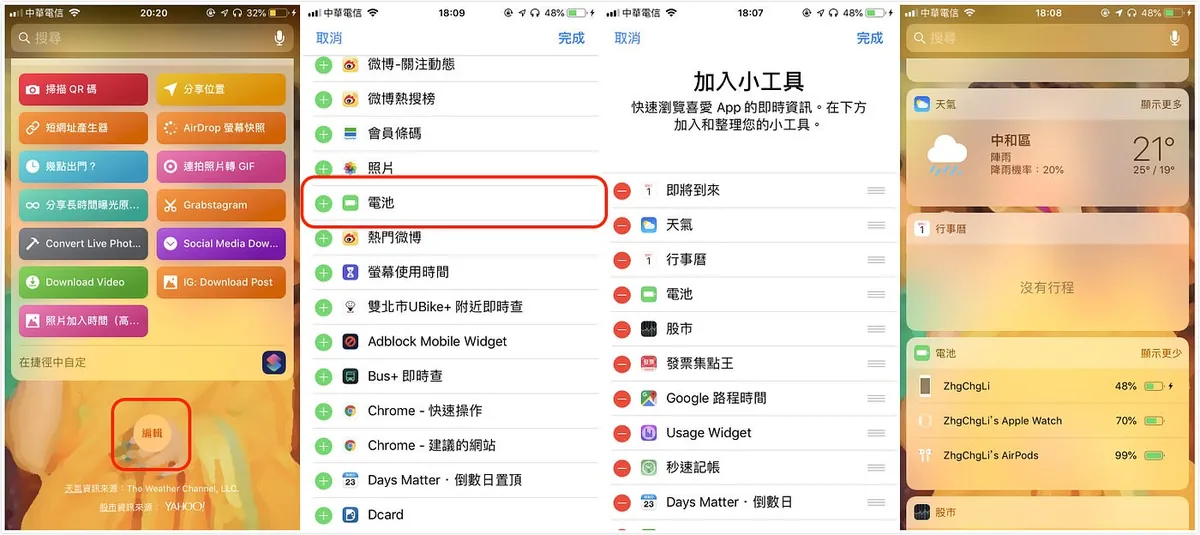
Swipe left to Control Center -> tap “Edit” at the bottom -> find “Battery” and add it, then arrange the order
In the future, you can directly swipe left in the Control Center to check your AirPods battery (it shows the battery of the one with lower charge). To see the battery levels of the left ear, right ear, and the case, you need to put one AirPod back into the case and open the case (because the case itself has no Bluetooth function):
{: loading=”lazy” decoding=”async” width=”1200” height=”1200” lqip=”data:image/svg+xml;base64,PHN2ZyB4bWxucz0iaHR0cDovL3d3dy53My5vcmcvMjAwMC9zdmciIHdpZHRoPSIxMjAwIiBoZWlnaHQ9IjEyMDAiPjxyZWN0IHdpZHRoPSIxMDAlIiBoZWlnaHQ9IjEwMCUiIGZpbGw9IiNlZGUyY2YiLz48L3N2Zz4=” data-orig=”/assets/33afa0ae557d/1*qoUfpf1Jh_jVrHN_l3QRew.jpeg” }
*Inside the box are the dustproof stickers I applied
There is a BUG where your battery widget shows the charge briefly and then disappears; please go to “Settings” -> “Display & Brightness” -> “Text Size” -> reset to the default size (third level) to fix it!
How to Check Battery Level on Apple Watch:
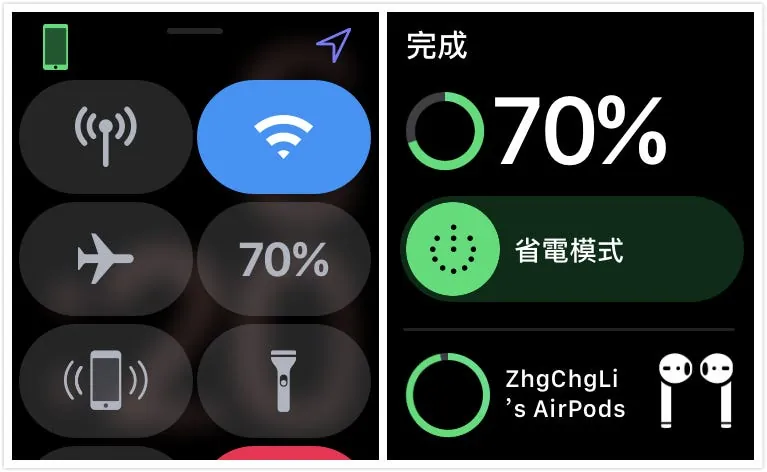
Swipe up Control Center -> Tap Battery
The battery display window on the Apple Watch will also show the AirPods’ battery level below.
p.s. But there seems to be a bug where it sometimes doesn’t display
Additional Notes on Battery:
- When the AirPod battery is low, you will hear a chime in one or both AirPods. You will hear one chime when the battery is low, and another chime before the AirPods turn off.
- If the AirPods are in the charging case with the lid open, the indicator light shows the AirPods’ charging status. If the AirPods are not in the case, the indicator light shows the case’s charging status. Green means fully charged, while amber means less than one full charge remains.
— Taken from the official website document
User Experience

Before sharing my thoughts, let me mention a recent startup story I heard; in short: “When creating a product, we should not target a broad audience but focus on a small niche first, then gradually expand.”
The biggest difference between AirPods and other brands of Bluetooth earphones lies in the small-scale detail experience. For example, music automatically pauses when you take one ear off and resumes when you put it back on. You can start using them right away when you take them out, and just put them back when not in use—no need to worry about turning them on/off or connecting. In terms of comfort, you can barely feel they are there when wearing them.
Charging speed is very fast, and it automatically charges when placed in the case; so you just need to keep an eye on the case’s battery level (the case can charge about 5 times). You rarely encounter situations where the Bluetooth earphones run out of power and you have to wait for them to charge slowly.
The latency is just as rumored—when watching videos or playing games, you can hardly feel any delay (I tested with the racing game Asphalt 9).
Hey Siri feature, at first, seemed unnecessary since I can use Hey Siri remotely with my watch; but after trying it, as mentioned earlier, it’s all about the “detail experience.” AirPods takes Hey Siri to the next level—you don’t even need to raise your hand to activate it. Just say Hey Siri, and it works, truly making Siri feel omnipresent.
A common scenario is when you’re tidying up and both hands are full; this feature becomes very convenient!
Also, you can ask Siri to adjust the volume: “Hey Siri! Turn it up,” “Hey Siri! Set the volume to 75%.”
One sentence to summarize the experience of using AirPods is:
“Everything feels so natural”
You don’t need to worry about unnecessary things; earphones should just be earphones.
Call Quality is equally impressive. Besides stable basic call quality, the microphone pickup is comparable to a dedicated mic, which is truly amazing. In tests with friends, they barely noticed I was using AirPods!
Wearing While Riding
I originally looked forward to using them for navigation while riding, but a friend who owns the 1st generation said, “No.” More than 3/4 of helmets press on the ear during putting on the helmet, making the earphones easy to fall off. I tested this myself and was a bit shocked. I recommend only wearing one earbud when listening to navigation while riding. It’s safer to focus on one ear when putting on or taking off the helmet.
Cons:
Finally, I have to mention the drawbacks I noticed.
The gesture controls are too limited… I’m really used to adjusting volume with gestures (but luckily, the watch can control Spotify volume).
The connection speed with the phone is indeed very fast, but the connection speed with my MacBook Pro 2018 is quite slow. However, my other Mac Mini connects as fast as the phone.
The TESTV review channel also mentioned that when using their MacBook Pro closed with external devices, the AirPods’ signal would cut in and out! (I haven’t experienced this part)
However, why are there these differences? I guess it’s due to other signal interference (lights, screen output, other Bluetooth devices).
Myth Busting:
-
The size and shape are similar to wired EarPods, but the issue of falling off:
First, there is a difference in size and shape compared to EarPods. I find EarPods a bit loose when I wear them, but AirPods feel very secure and don’t fall off even when jumping around. However, it really depends on the person; some may experience fit issues. It’s recommended to borrow a friend’s AirPods to try before buying!
Or stick some artificial leather on the earbud to increase surface area and resistance
-
Sound quality is similar to EarPods: Actually, there’s a big difference. AirPods have much better sound quality. Although they may not match headphones in the same price range that focus on sound quality and lack noise cancellation, AirPods are not designed primarily for sound quality, so it depends on personal preference.
From my experience, the sound has noticeable surround layers and a wide range, maintaining a solid overall standard!
Accessories:
Because I have very slippery hands, AirPods feel like a fragile egg to me, and I’m afraid they’ll slip and break easily; after reading many protective case recommendations, quite a few people recommend this one: Catalyst AirPods Waterproof Carrying Case (Protective Cover)
The reasons for choosing this are: waterproof, drop-resistant, has a hook, and convenient to use (no need to remove when taking out or charging the earphones).
Price: Around $1000
Quick Unboxing:
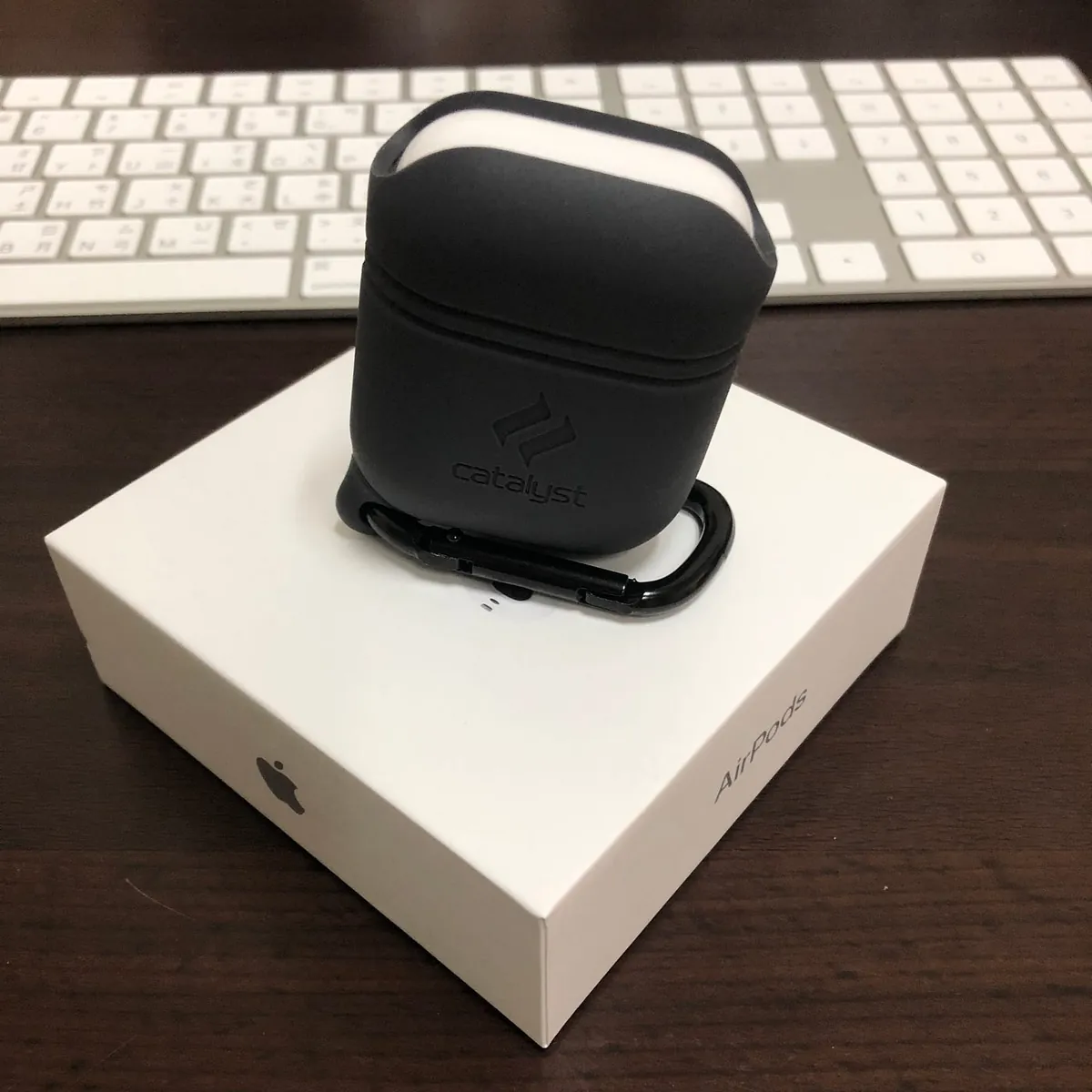
Front side: I bought the dark color because I was afraid it would get dirty.
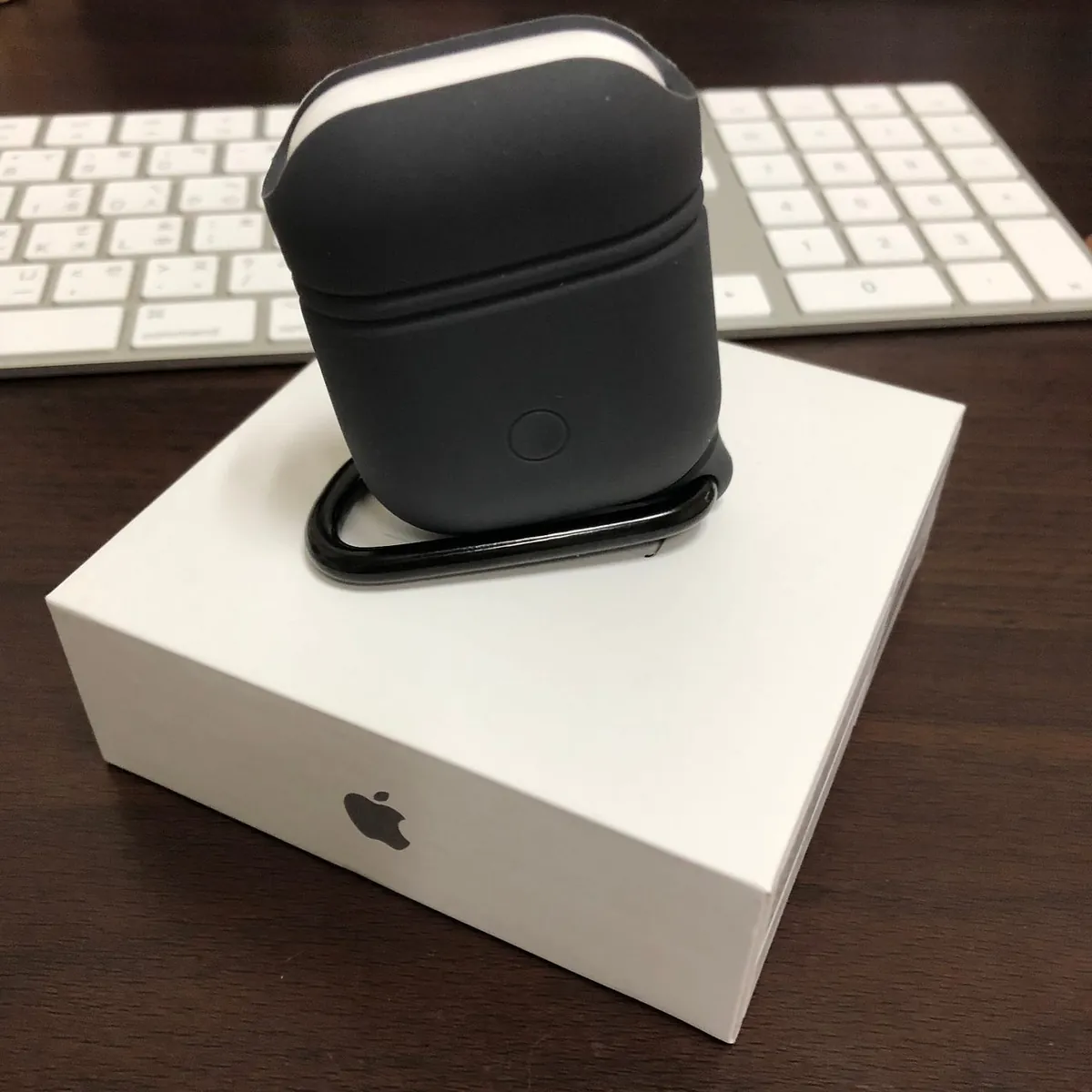
There is also a corresponding pairing button on the back.
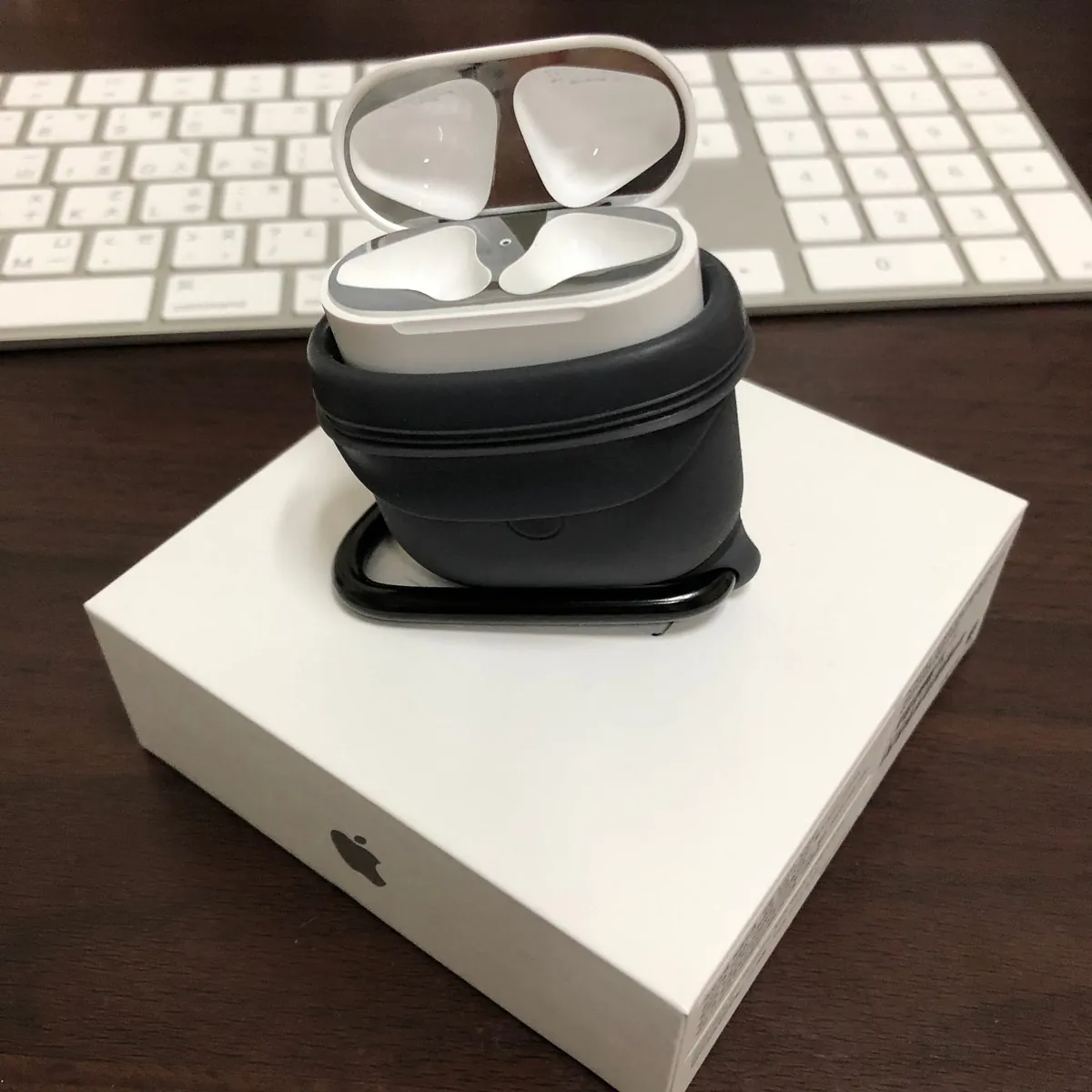
To take out the earphones, just open the top half.
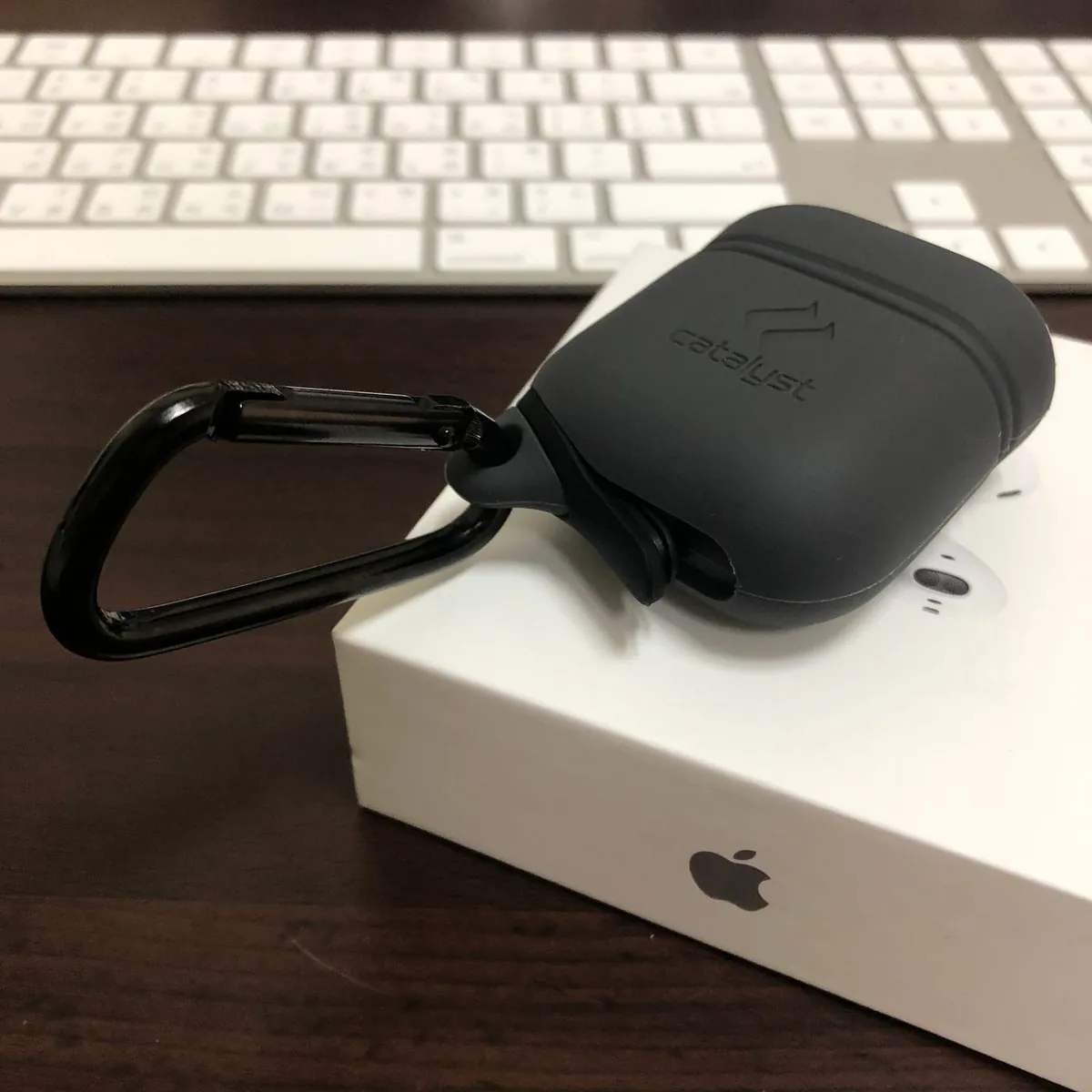
The charging port at the bottom has a cover that can be opened and closed.
p.s. To use the AirPods right away, I actually bought the case before the AirPods themselves 😂
User Question: Can the cases for 1st and 2nd generation be used interchangeably?
The distinction is not between 1st or 2nd generation, but between wired and wireless versions. If you have the wired version, both 1st and 2nd generations are compatible. The wireless version has the indicator light on the outside and the pairing button positioned higher in the center on the back, so it cannot share cases with the wired version. Please pay attention to this ⚠️
Next is the dust-proof sticker inside the box:
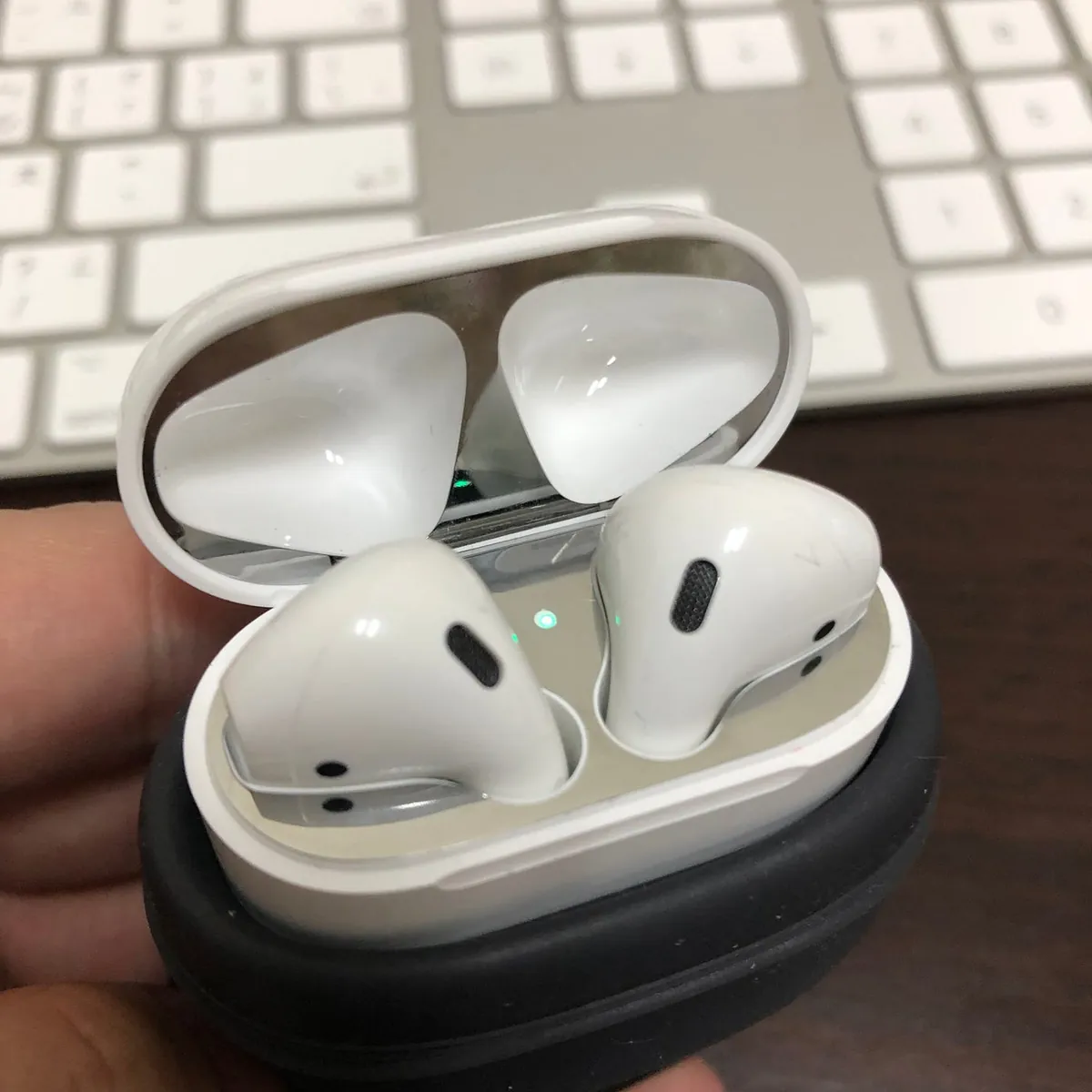
AHA AirPods Dustproof Stickers
A user asked about the fit:
If not applied properly, it won’t fit tightly. I spent quite some time to make it fit perfectly; the edges feel slightly rough to the touch (doesn’t affect use, possibly due to manufacturing tolerance?).
It’s a bit tricky to apply because the dust-proof sticker is a metal piece, and the box itself has magnets that easily pull it off when trying to align it.
Currently feels a bit unnecessary; unsure about the effect after using it for a while, so remaining cautious for now.
Anti-Fraud Awareness
Please be especially careful, as counterfeit versions with cracked chips have appeared from the mainland. They have the same pairing animation and battery display, making them almost indistinguishable from the original by appearance.
The main identification method currently focuses on software:
-
Battery Display: The genuine product shows battery levels for the left ear, right ear, and case; counterfeit versions only show one.
-
In Bluetooth settings, the genuine product lets you set tap functions for left and right ears; counterfeit only offers disconnect and forget options.
-
The charging case indicator light turns off when connected on genuine products, but stays on for counterfeit ones.
However, since it is uncertain whether counterfeit versions will be improved in the future, it is safer for everyone to purchase through official or major retail channels.
⚠️Unethical sellers are now more rampant, selling counterfeit products at prices close to the genuine ones⚠
Recently, I discovered malicious sellers on Facebook and Google ad networks selling counterfeit products at prices close to the genuine ones (the website is a common one-page scam site), which is very malicious. If you are trying to save a few bucks by spending around 1000 to buy AirPods, you should be aware that they are fake. Selling counterfeit products at genuine prices is really low-level and unacceptable!
Please note, the price of brand new AirPods should not be lower than $4500.
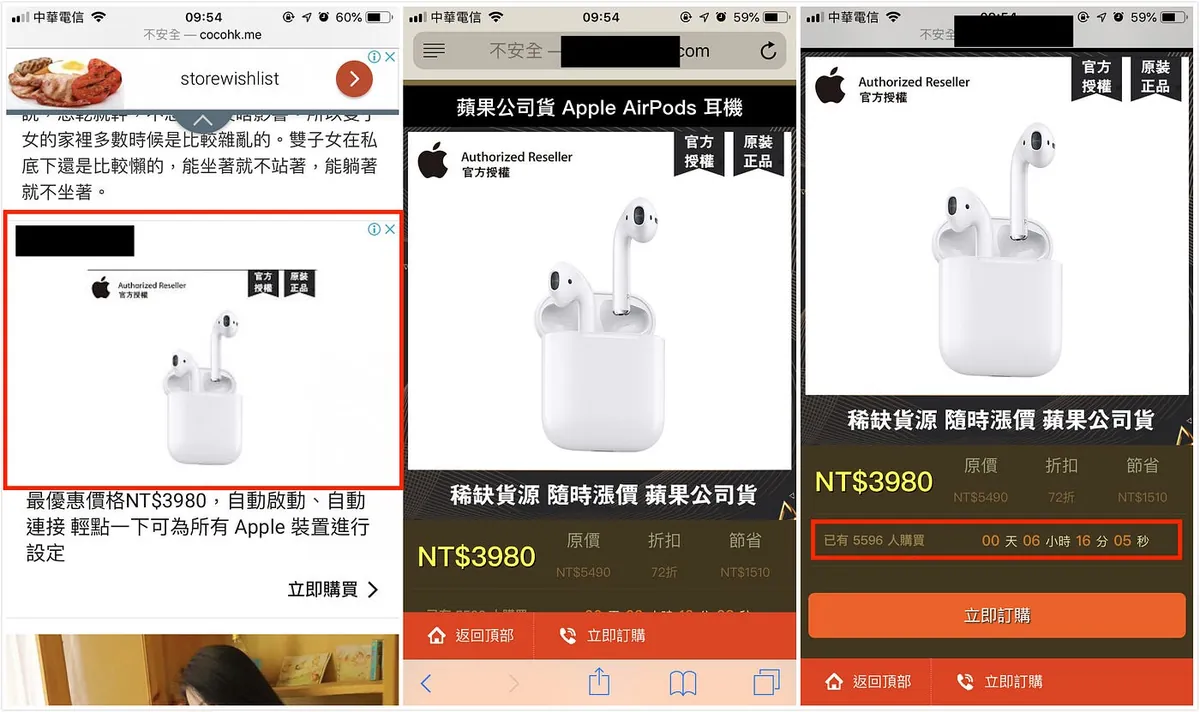
Scams and Sellers from Unknown Sources
If you accidentally placed an order with cash on delivery, please refuse the package upon delivery. If you have already received it, quickly call the courier company to request a return (be firm). For any issues, you can join FB Shopping Ad Victims Self-Help Group.
If you see ads like this, please click the report button at the top right corner to report to Facebook/Google, or click the ads repeatedly to quickly burn through their ad budget.
Also, if you come across counterfeit AirPods or Apple products, do not tolerate them. Whether from unknown websites, one-page shopping scams, Shopee, or Ruten, be sure to contact the Consumer Protection Team to report.
Or selling the 1st generation as the 2nd generation?

Second Generation Box Image
Please confirm:
-
AirPods 2 Models: A2031, A2032
-
AirPods 1 Models: A1523, A1722
-
Production Year: ≥ 2019
For a detailed comparison between the 1st and 2nd generation, please refer to this article: AirPods 第一代與第二代辨識技巧大公開,透過這5 招馬上區分出來
Other Interesting Unboxing and Experience Videos
來個全家桶吧
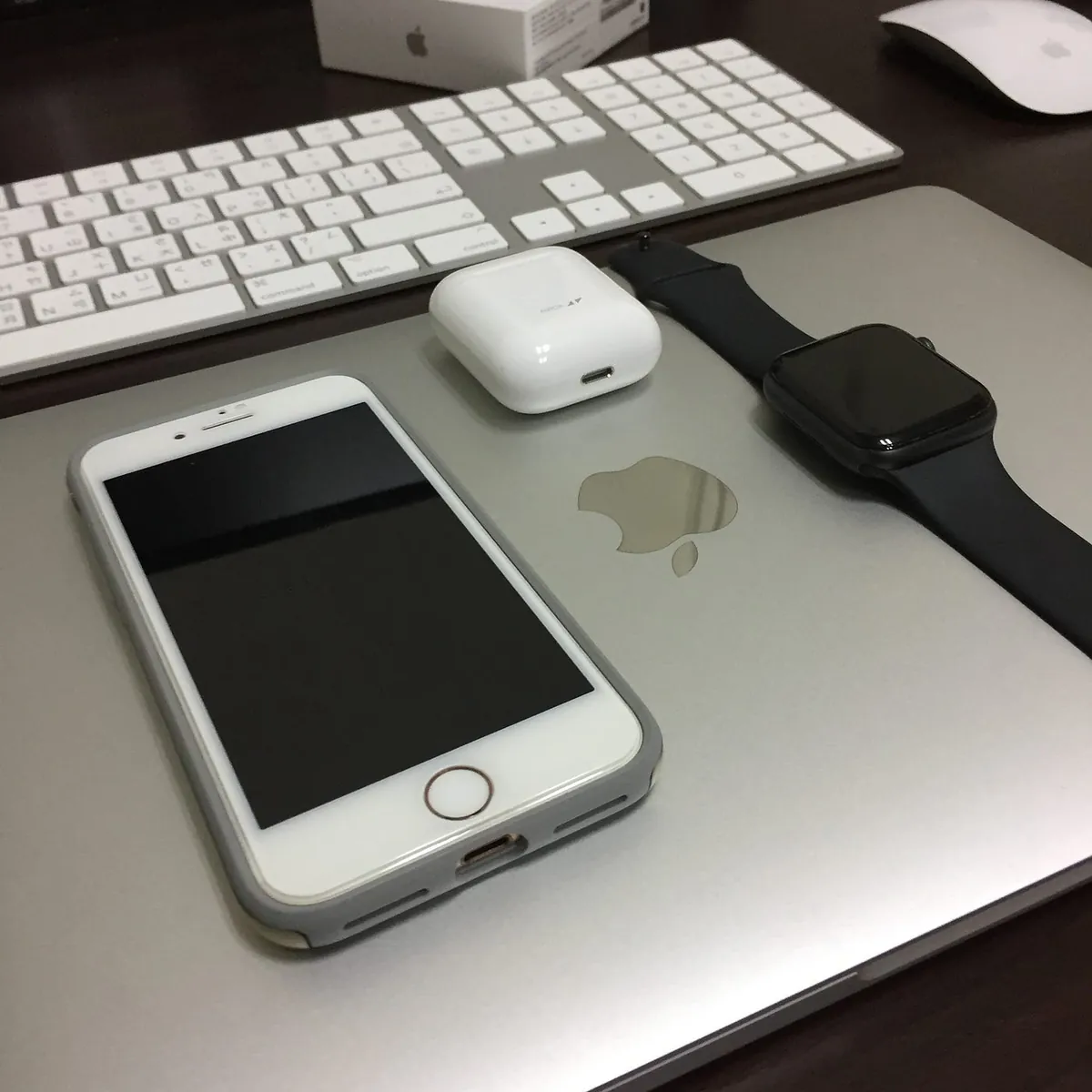


Comments