
Google Offerwall Ads — A New Revenue Option for Content Creators
A Brief Introduction and Trial of Google Offerwall Ads, Quickly Converting Existing Traffic Content into Access Restricted by Small Payments or Ad Viewing.
Live Demo

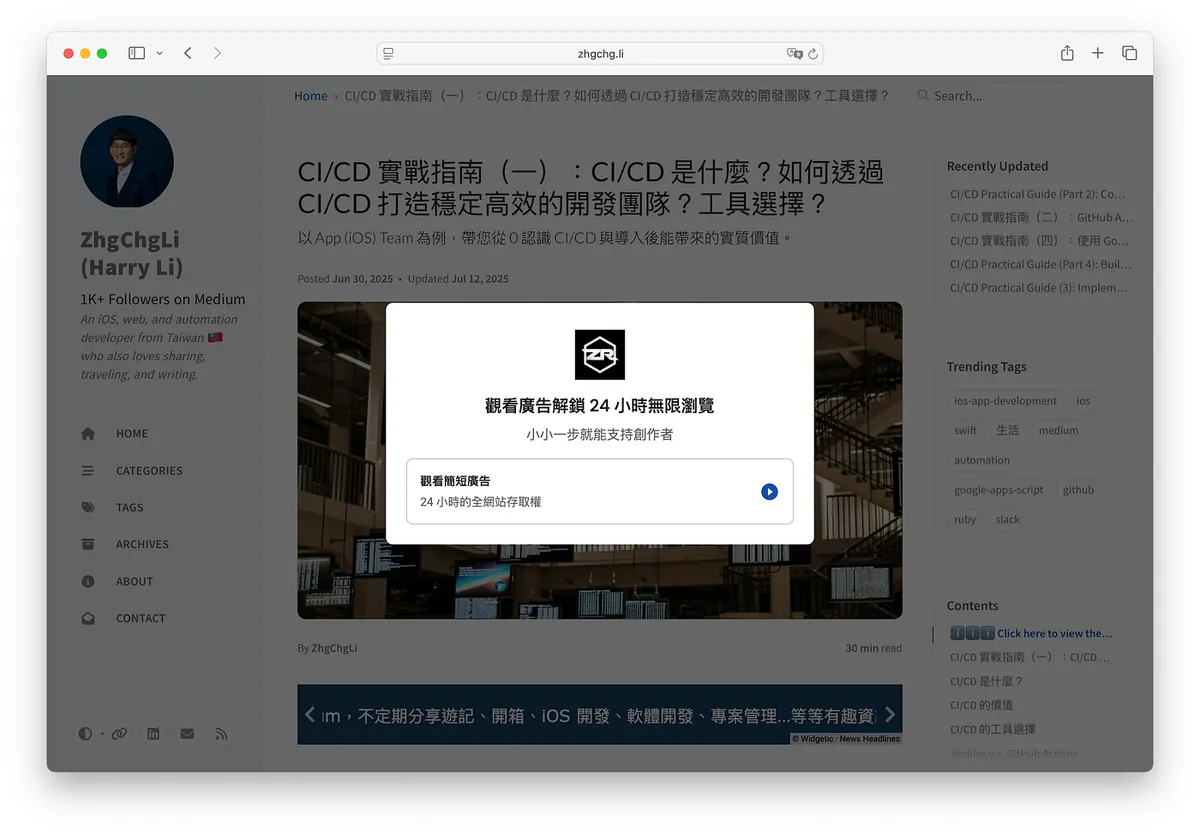
https://zhgchg.li/posts/ba132457e6a5/
Live Demo -> https://zhgchg.li/posts/ba132457e6a5/
Google Offerwall Ads
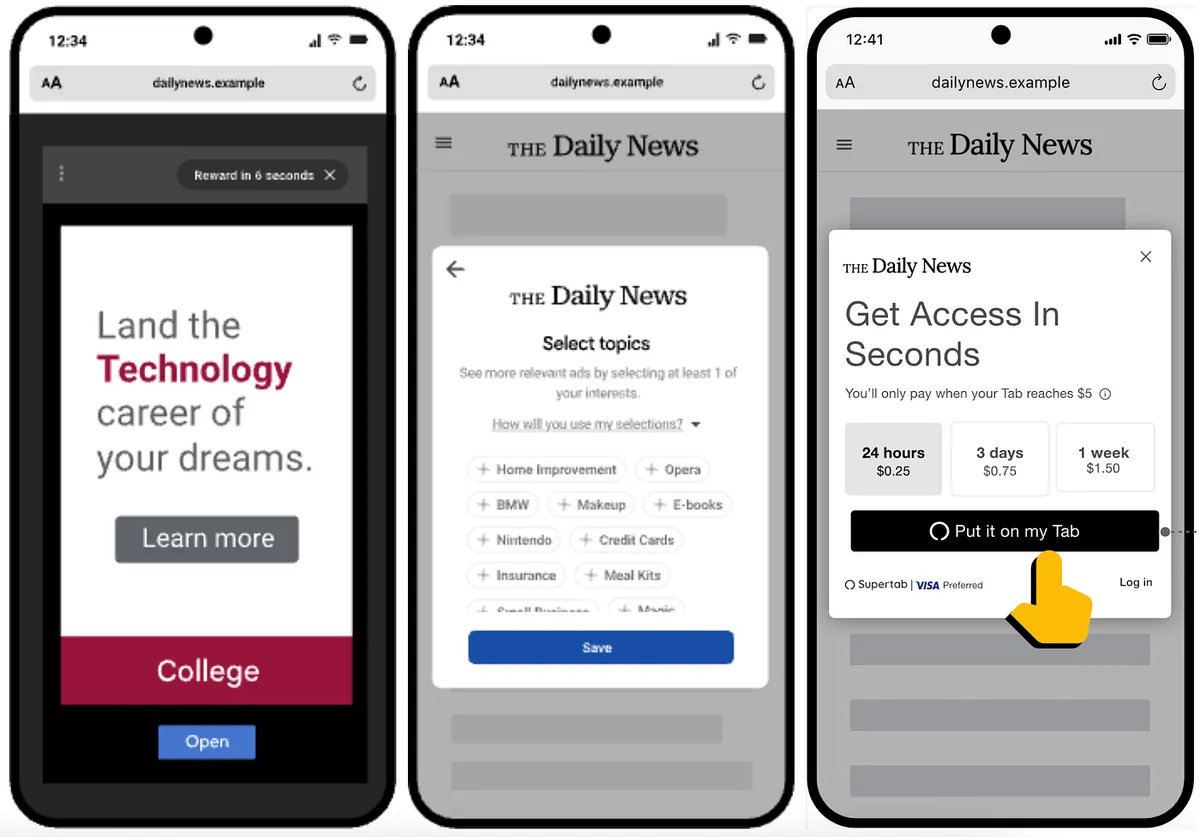
https://support.google.com/admanager/answer/13860694?hl=zh-Hant
Google Offerwall is what I consider a reward-based Offerwall ad that combines features of rewarded ads. Developers can easily require users to complete tasks to access specific website content pages. The tasks are Offerwall reward tasks, which can be set as completing surveys, watching ads, making small payments, subscribing to newsletters, or integrating tasks from your own system. The rewards grant access permissions that can be unlimited for a few hours or days, or limited by quantity. All of this can be achieved simply by embedding Google Adsense dynamic ad code, without the need to develop your own system.
✅ Advantages
-
Easy Implementation: Just embed the dynamic ad code on your website once, and use it for life.
-
Direct Profit: Like Google AdSense, there is no need to build a complex ad system or data tracking system; nor do you need to find advertisers yourself. Everything is managed and operated by the platform.
-
Flexible and Diverse: Offers more flexible and diverse content and traffic monetization methods.
-
Cross-platform: Supports both mobile and desktop versions.
❌ Disadvantages
-
Low Bids: This is also a common issue with Google AdSense, where ad bids are generally low.
-
Easy to block: Since Google Offerwall is a pure front-end overlay ad, it can be easily bypassed by ad blockers or users using developer tools; therefore, it is not recommended to implement it on sensitive, important, or valuable content.
📝 Technical Requirements
-
You need to apply and get approved by Google Adsense first.
The threshold is lower now; as long as you have a website with 5–10 articles, you can basically get approved. -
The website must be able to embed dynamic ad code in the HTML Head Embed dynamic ad code
❤️ Suitable Scenarios
-
For Advertisers: Like Google Adsense, it is suitable for small to medium content websites or personal blogs without self-selling ad spaces, such as sites hosted on Wordpress or GitHub Pages. Besides displaying regular ad spaces, you can also set up Offerwall rewarded ads for valuable content articles.
This article uses For Advertisers as a case study; currently, all features except advertising are still in Beta. -
For surveys, micro-payments, and newsletter subscriptions: Any website can quickly create pop-up ads using this mechanism.
Installation and Activation Steps
Embed Dynamic Ad Code
First, make sure the website has embedded the Google Adsense ad code. If dynamic ads were used before, you can skip this step.
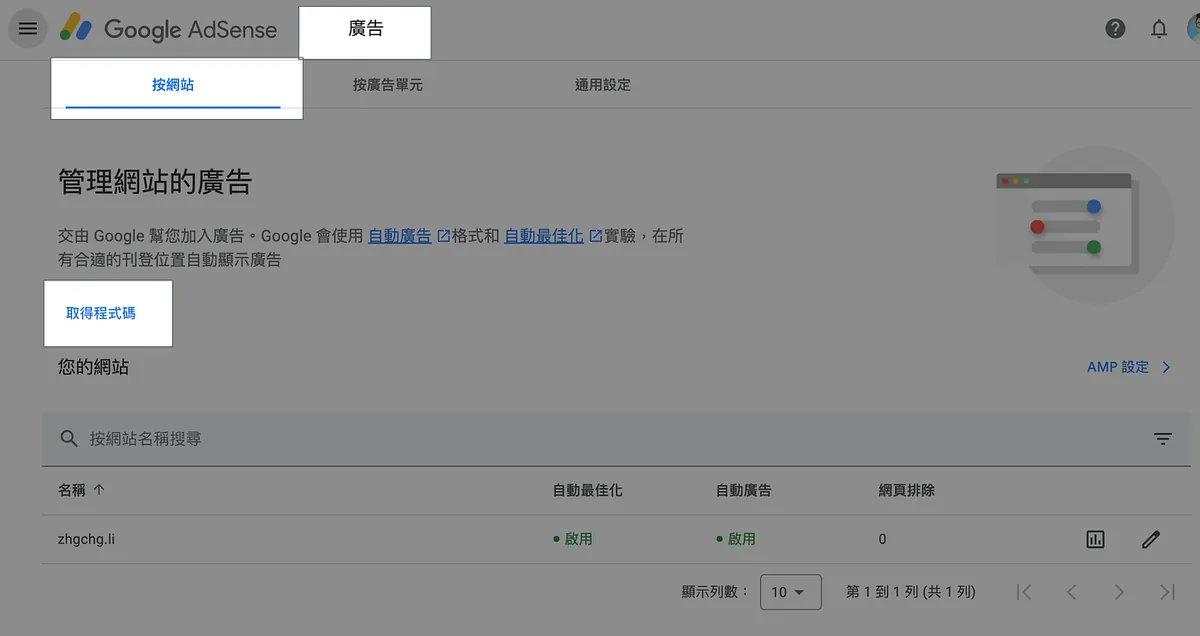
Go to Google Adsense -> Ads -> By site -> Get code:
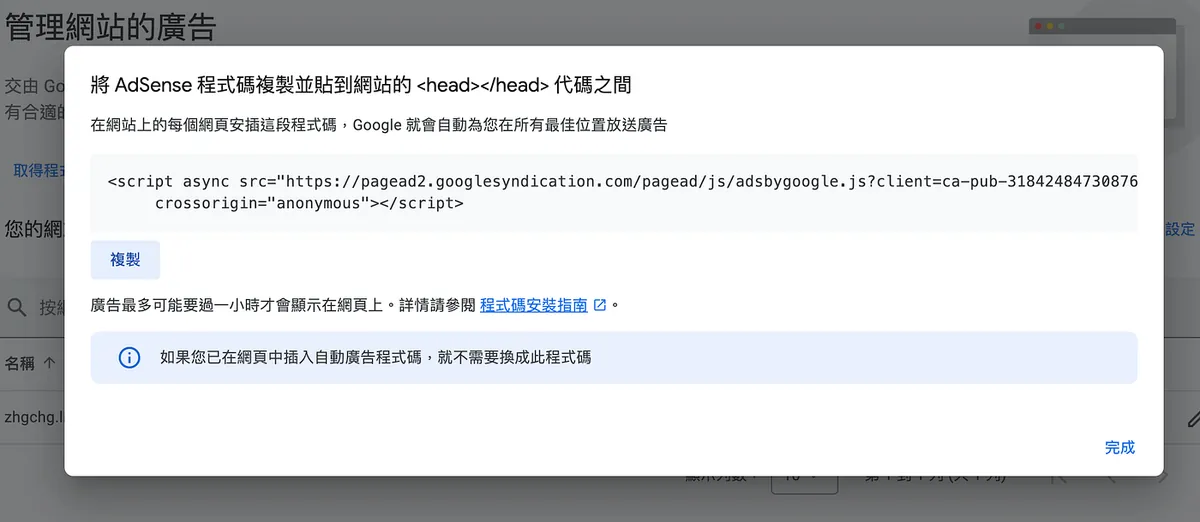
Paste the code inside the website’s <head></head> section:
<head>
  //...
  <script async src="https://pagead2.googlesyndication.com/pagead/js/adsbygoogle.js?client=ca-pub-3184248473087645" crossorigin="anonymous"></script>
</head>
Creating an Offerwall Ad
Go to Google Adsense -> Privacy & messages -> Manage -> Create message:
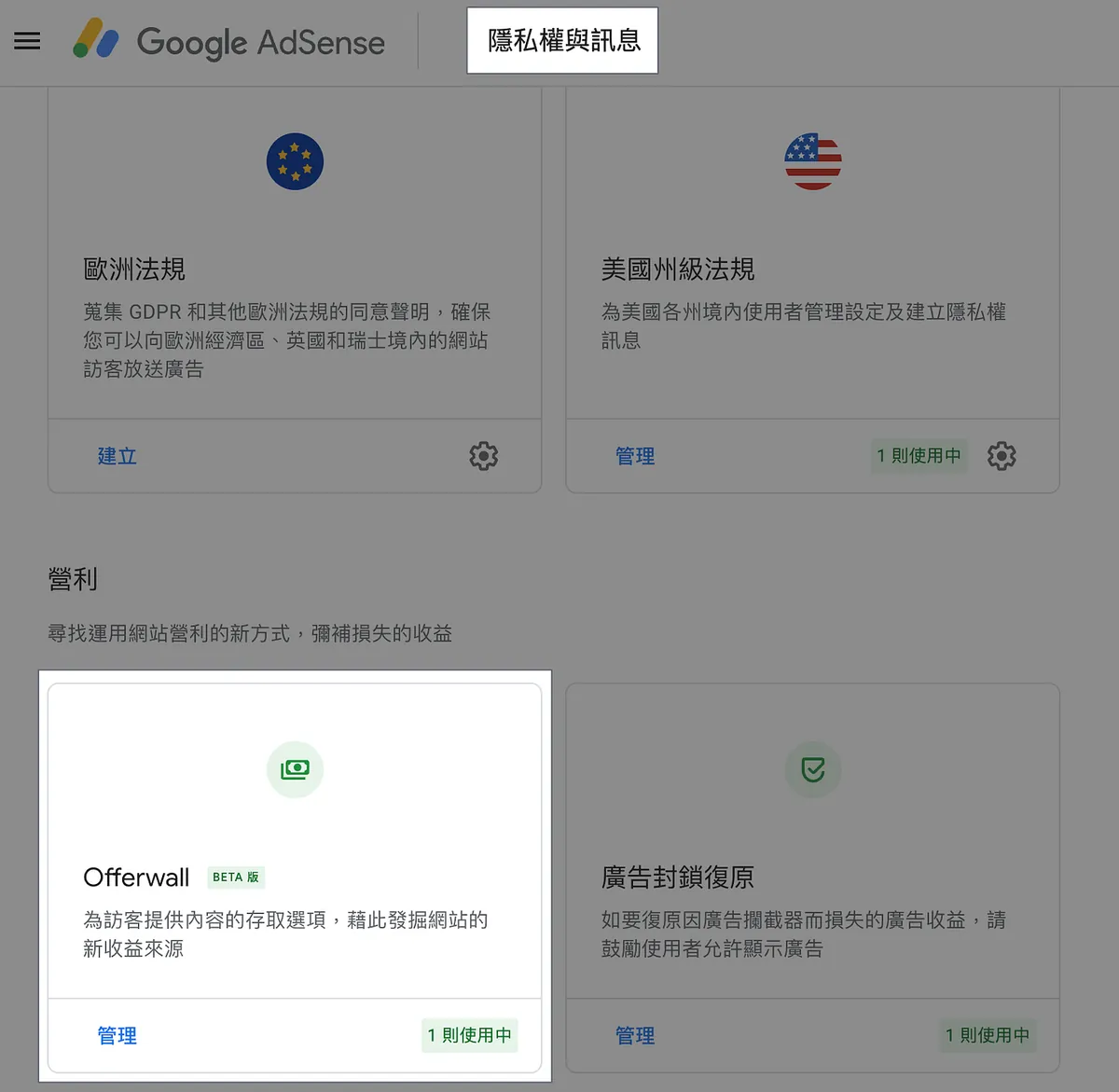
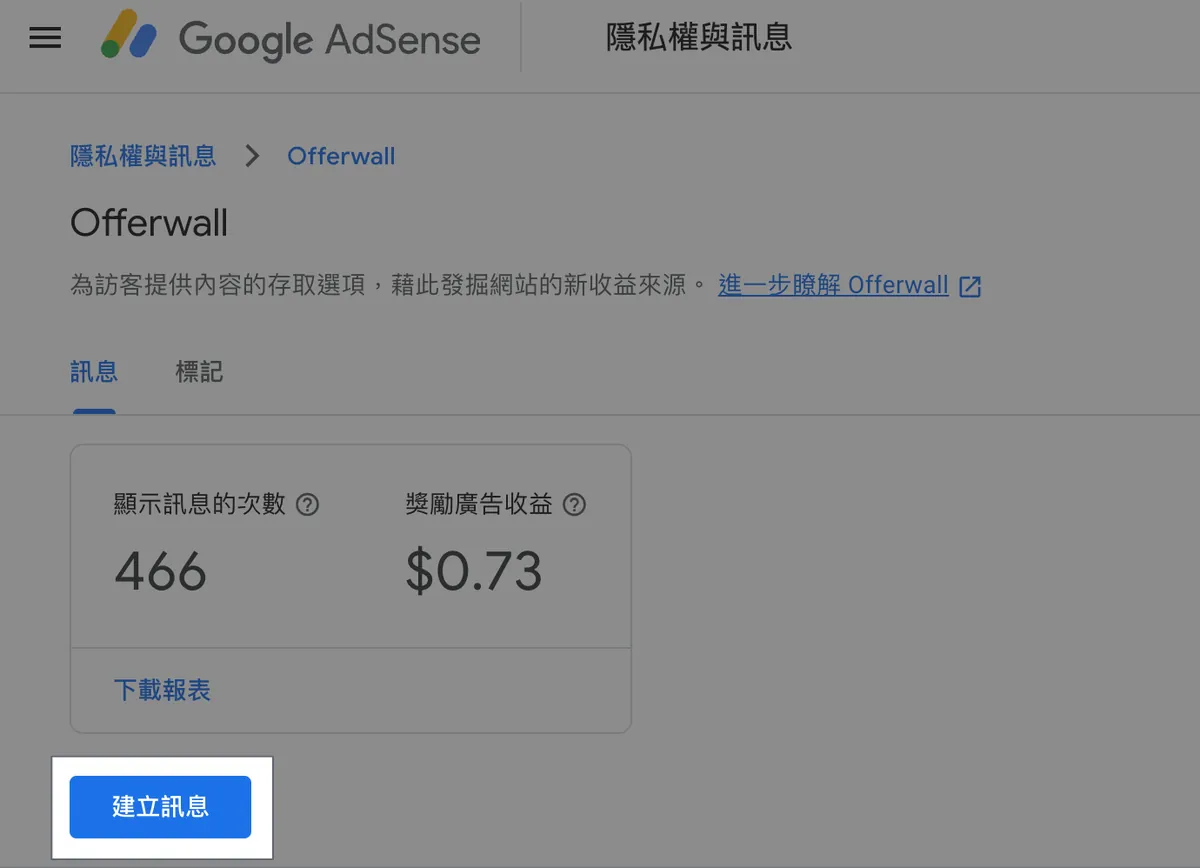
You can also check ad revenue on this page.
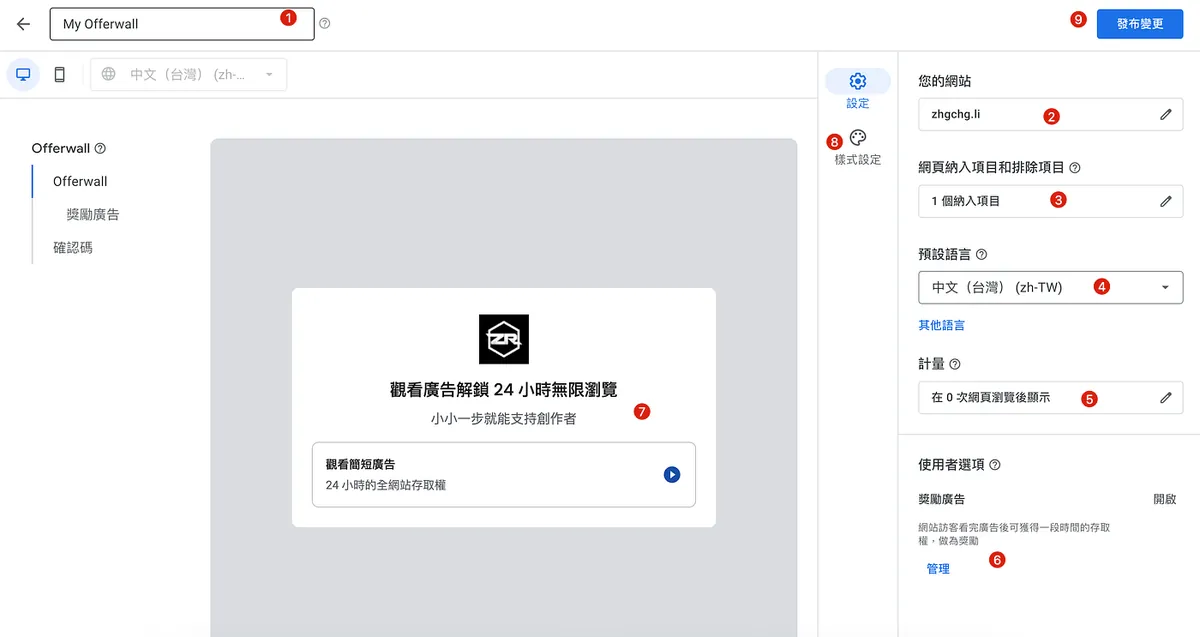
Setting up Offerwall Ads:
- Advantages
- Easy to implement: Just embed the Google AdSense code.
- Direct monetization: Earn revenue directly from user interactions.
- Flexible and diverse: Supports various tasks like watching ads, surveys, or micro-payments.
- Cross-platform support: Works on websites, apps, and other platforms.
- Technical Requirements
- Apply for a Google AdSense account.
- Embed dynamic Google Offerwall ad code into your website or app.
- Set up tasks and rewards according to your content strategy.
- Setup and Testing
- Insert the Google Offerwall ad script into your site.
- Configure tasks such as watching ads or completing surveys.
- Test the functionality to ensure users can unlock content after completing tasks.
- Technical Requirements
- Apply for a Google AdSense account.
- Embed the Google Offerwall dynamic ad code into your site.
- Testing
After embedding the Offerwall ad code, test it on your site to ensure the tasks and rewards work correctly. Use different devices and browsers to verify compatibility.
-
Ad Name
-
Your Website: Set the website to apply
-
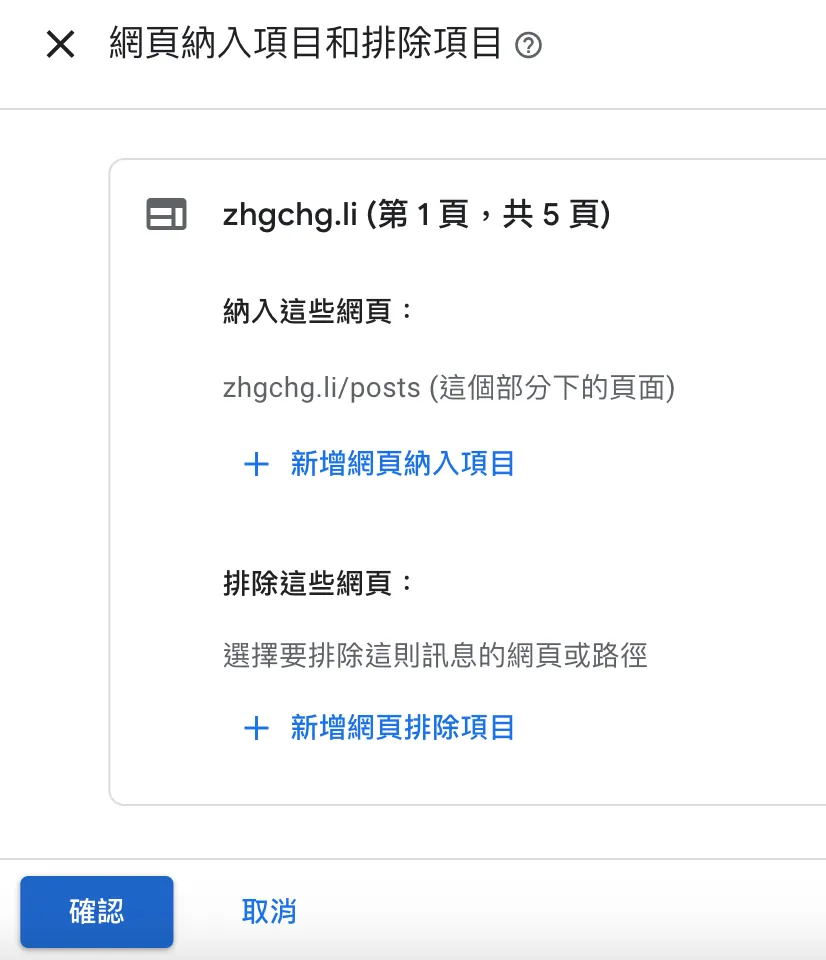
Included and Excluded Pages: You can set which page URLs to include or exclude
Here, I set it so that only URLs under thehttps://zhgchg.li/posts/path will trigger. -
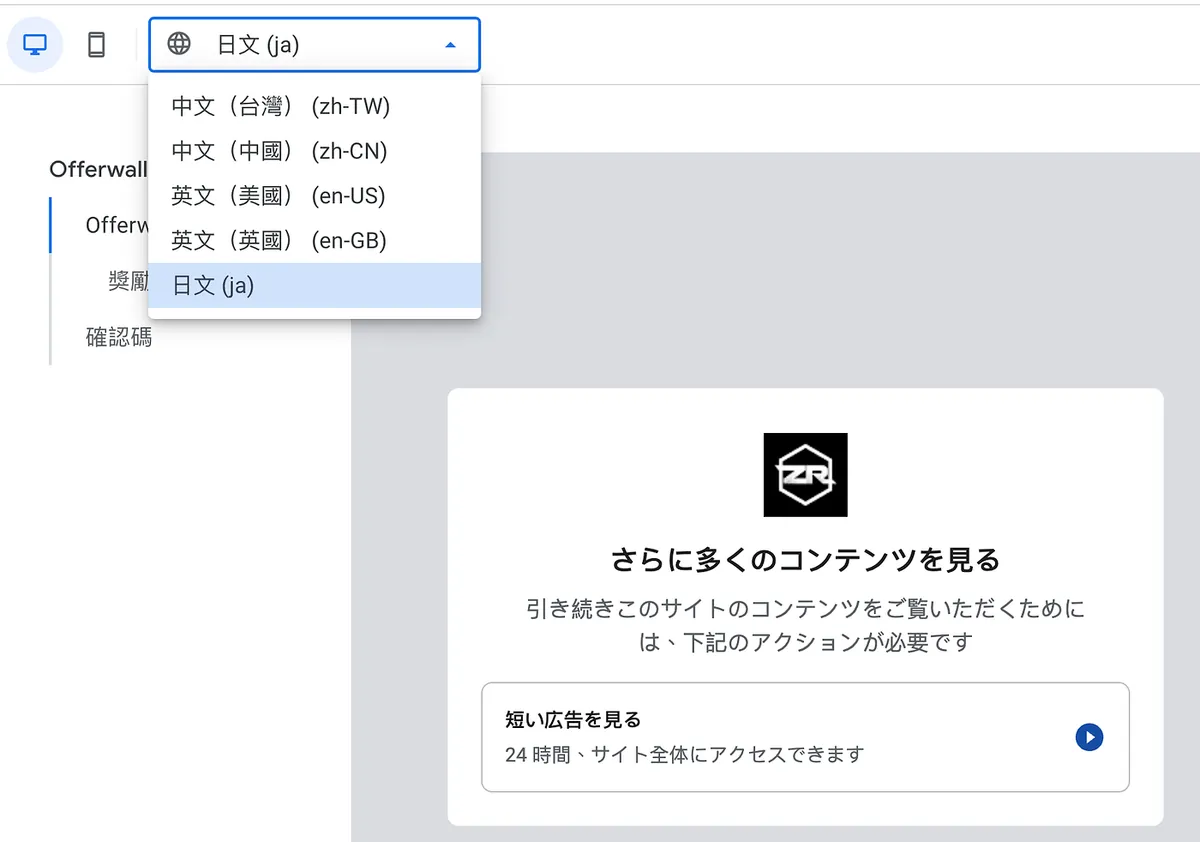
Default Language: Set the default language and other supported languages. You can switch languages at the top left to edit content in different languages.
-
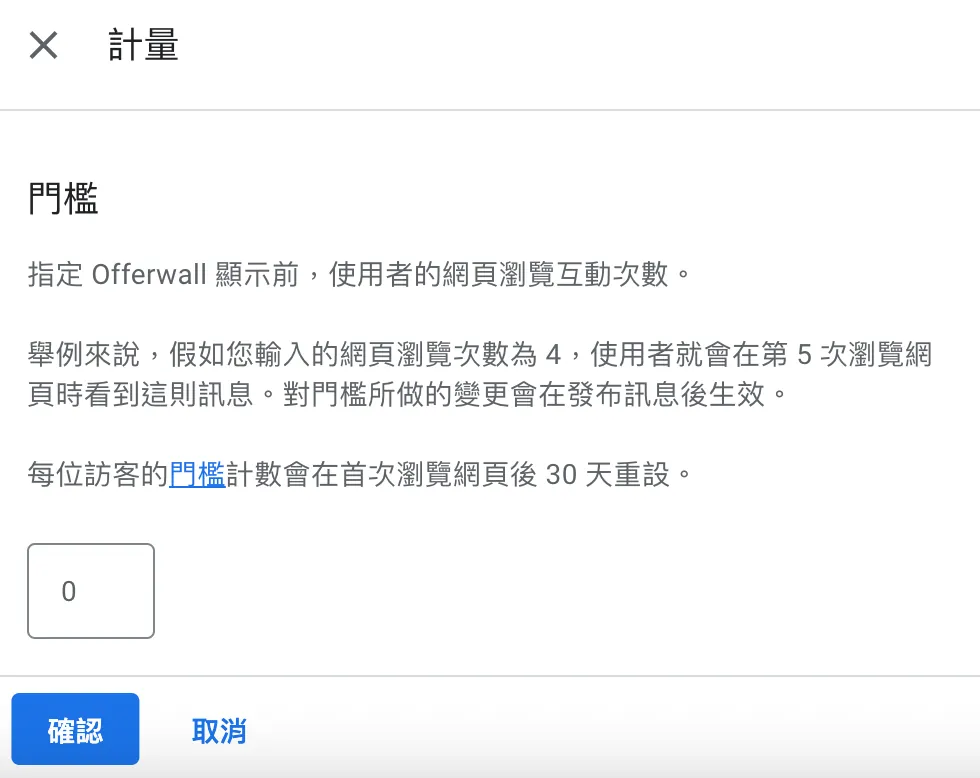
Measurement: You can set after how many page views the trigger occurs
Here, I set it to 0, meaning it triggers on the first time. -
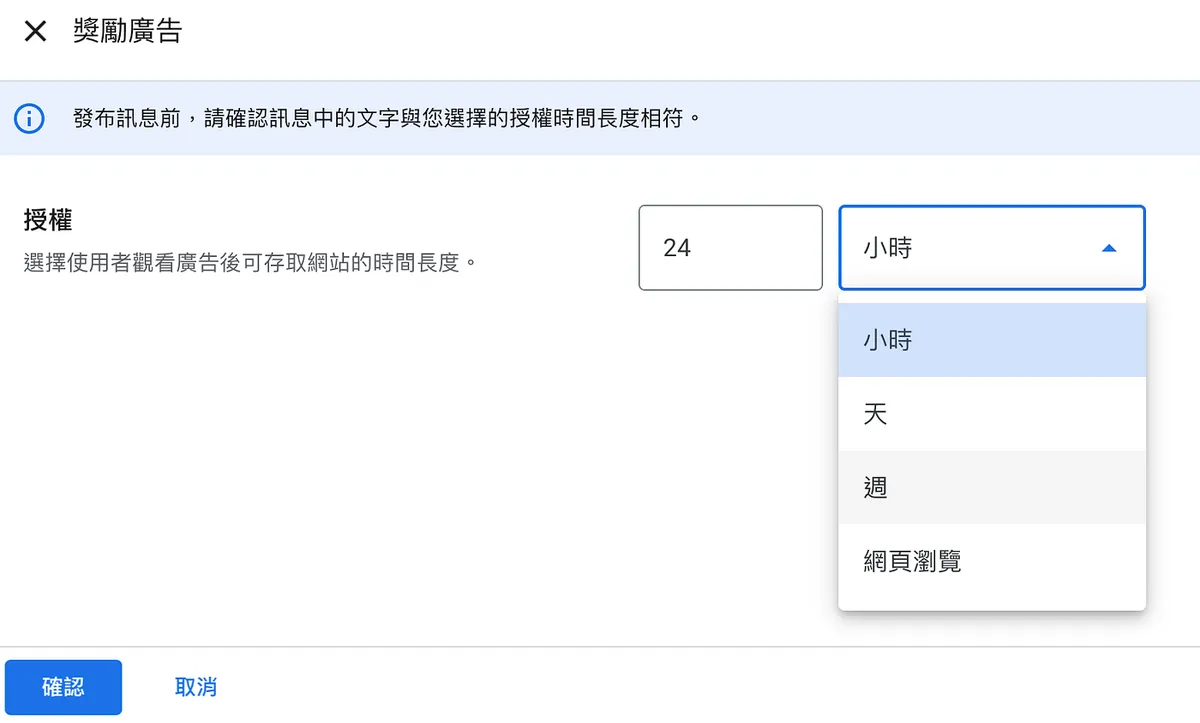
Rewarded Ads: You can set rewards that unlock content after completing tasks, such as unlimited views within a time frame or a limited number of page views. After the reward expires, the task must be completed again.
Here, I set it so that completing one task allows unlimited viewing for 24 hours. -
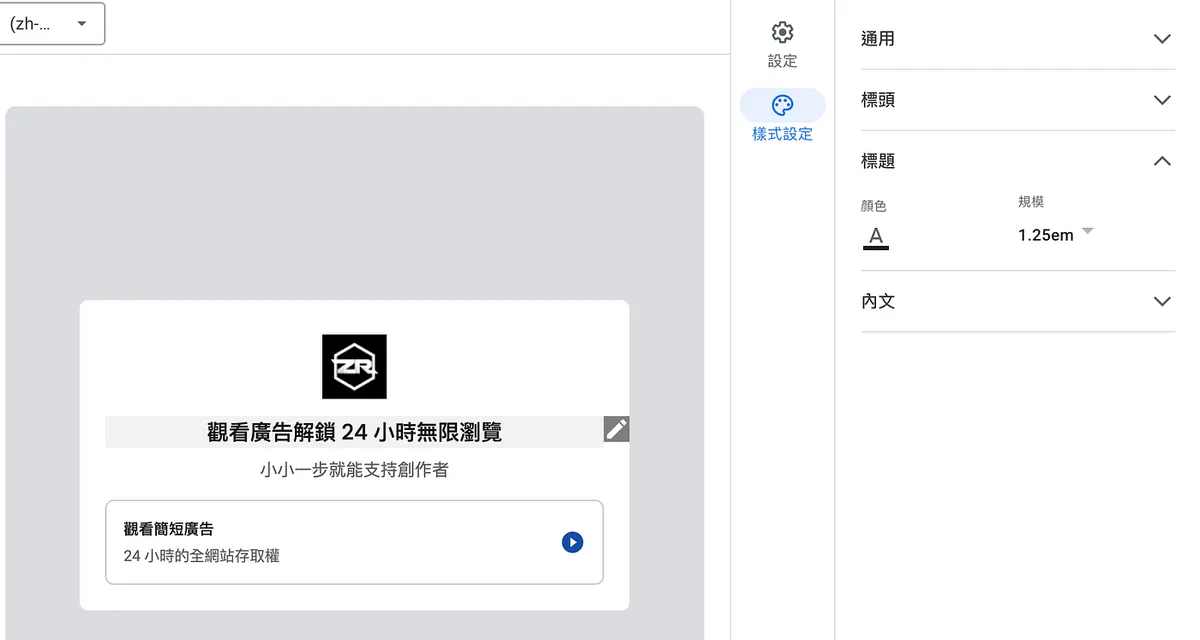
Copy Settings: Specify the copy content, and remember to upload at least a logo to enhance brand strength
-
Style Settings: After clicking on the 7 texts, you can also set the text style and color here.
You can refer to Testing Method and add?fc=alwaysshow&fctype=monetizationto the page URL to preview the result. -
Publish Changes: Remember to click publish after everything is set up.
The post-completion reward message cannot be changed at this time.
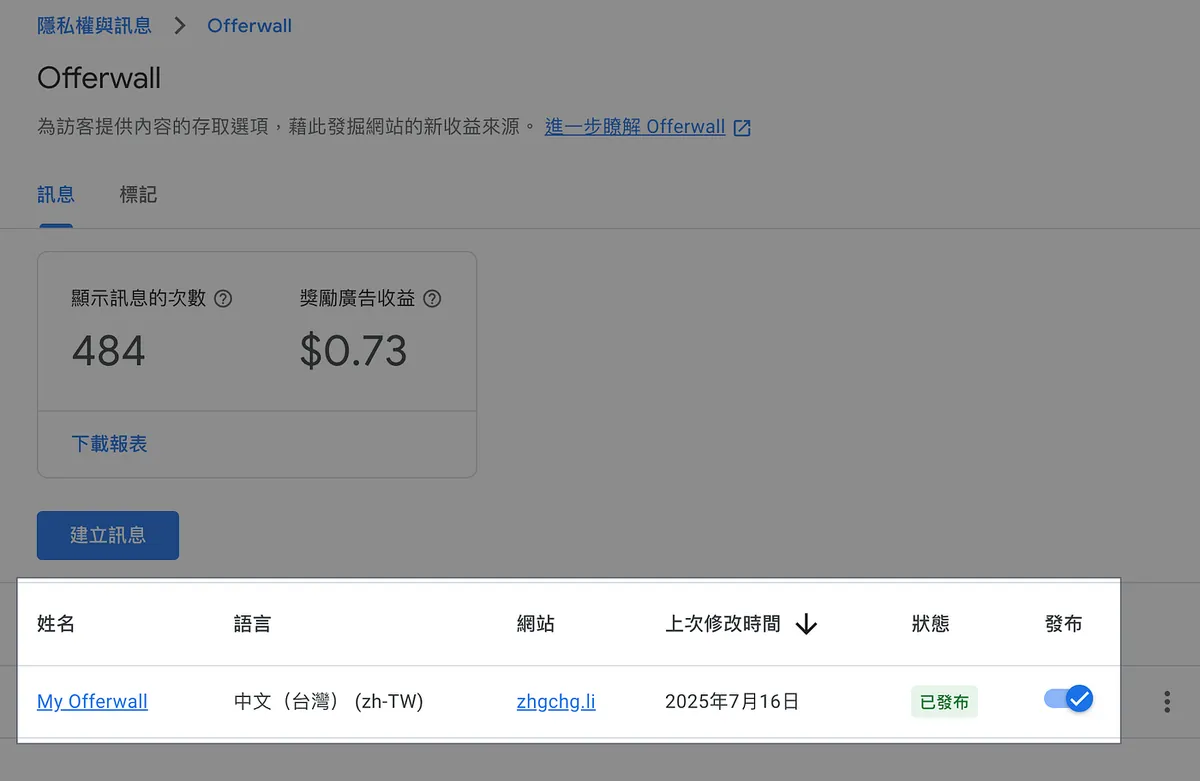
Confirm that the ad is in a published state.
Testing Offerwall Ads
Use an incognito browser and make sure no ad blockers or anti-tracking extensions are enabled, then visit the webpage within the rules:
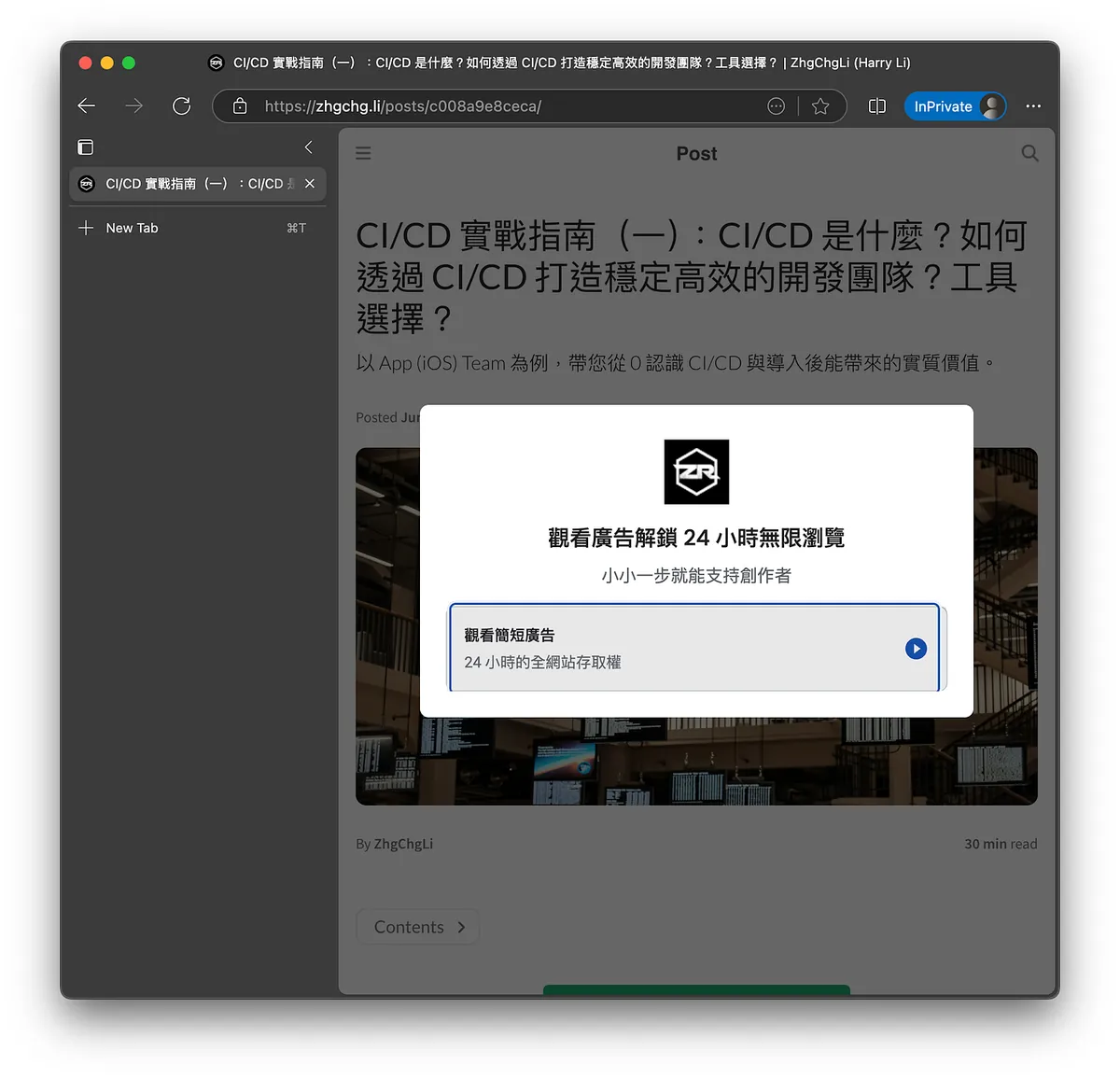
https://zhgchg.li/posts/c008a9e8ceca/
Success 🙌🙌🙌
Try to use Chrome Incognito mode for testing. In Safari, you need to disable ad blockers and anti-tracking, which can be more troublesome.
Earnings Aspect
Because my traffic is low, the bid per click is also not high, roughly between USD $0.01 and $0.07 per click.
Medium To Github Pages x Google Offerwall
You can refer to my previous article “Effortlessly Migrate Medium to a Self-Hosted Site” to mirror your Medium articles to a static website hosted on GitHub Pages. Then, add Google Offerwall to the site to monetize your content.
Or directly refer to “Medium Partner Program is finally open to writers worldwide (including Taiwan)!” to add a paywall to your Medium articles and earn revenue.
Because Medium’s paywall requires readers to subscribe monthly to access articles, which I find unfriendly to information sharing, I have not joined the paywall program; Google Offerwall perfectly fills this gap, allowing users to support content creators by simply watching ads without mandatory monthly fees, while creators still earn revenue—benefiting both sides!
[Supplement] Explanation of Offerwall Reward Wall Ads and Rewarded Ad Types
Offerwall — What is Reward Wall Advertising?
Compared to traditional fixed-position ads, offerwall ads emphasize interaction and purpose with users. They integrate content display, reward incentives, and user behavior, allowing users not only to choose to pay to unlock premium items but also to gain extra resources in a more engaging and participatory way. Creators can earn additional revenue, achieving a win-win outcome.
Example — Line Points Offerwall
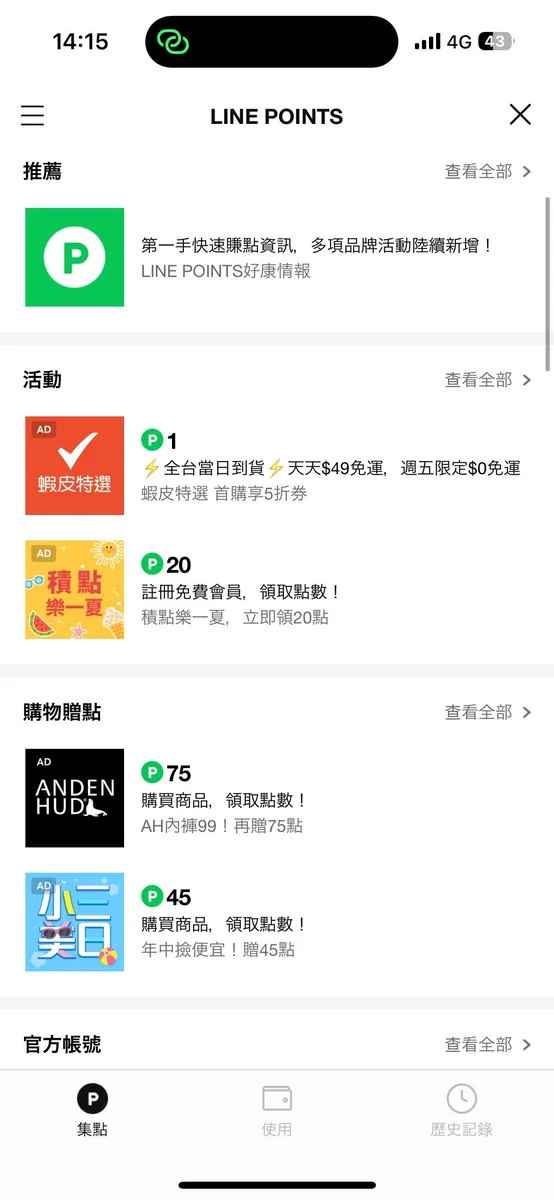
A classic everyday example is Line Points. Besides directly purchasing Line Points, users can also choose tasks they like from the Offerwall reward wall (adding friends, registering accounts, filling out surveys, watching ads, etc.) and earn corresponding rewards upon completion.
Rewarded Ads — Rewarded Ads
Rewarded ads are a common ad format in games and mobile apps, where users voluntarily complete specific actions, such as watching a video, clicking interactive content, or trying a feature, to earn rewards like virtual currency, extra lives, or game items.
Example — Candy Crush

A classic example is the “continue playing after death” ad in games. This type of ad not only boosts user engagement and satisfaction but also allows developers to generate revenue without harming the user experience, achieving a win-win outcome.



Comments