
Automatic Backup of Medium Articles to Github Pages (Jekyll)
Some Notes on Building, Maintaining, Upgrading, and Customizing a Personal Medium Article Backup Mirror Site
Preface
I have been managing my Medium account for 6 years, and the total number of articles exceeded 100 last year. As time goes by and the number of articles grows, I increasingly worry that Medium might suddenly shut down or my account could have issues, causing all my work to be lost. Some articles are not very valuable, but many record technical architectures and problem-solving thoughts at the time. I often revisit my old posts to review knowledge. In recent years, I also started documenting my travel stories abroad, which are memories and perform well in traffic. Once these contents are lost, they cannot be rewritten.
Developing a Backup Tool Independently
I usually write articles directly on the Medium platform without my own backup. Therefore, during the 2022 Lunar New Year, I spent time developing a tool to download Medium articles and convert them into Markdown files (including article images, embedded code, and other content) — ZMediumToMarkdown :
Extend the use of this tool to deploy the downloaded Markdown as a static backup mirror site on Github Pages using Jekyll (Chirpy Theme) — https://zhgchg.li/
At that time, I integrated the whole set into a Github Template Repo for friends with similar needs to quickly deploy and use — ZMediumToJekyll. Since then (2022), I have not updated the version or settings of Jekyll (Chirpy Theme). ZMediumToMarkdown is still maintained, and any format parsing errors found are fixed immediately. It is now quite stable.
The version of Jekyll (Chirpy Theme) used at that time was v5.x, which worked well with all necessary features (e.g., sticky posts, categories, tags, cover images, comments…). The only issue was frequent scrolling problems where the page would sometimes not scroll, but after a few swipes it worked again. This was a flaw in user experience. Attempts to upgrade to v6.x still had the issue, and reporting it to the developers received no response. Additionally, conflicts increased with each version upgrade, so the idea of upgrading was eventually abandoned.
I recently decided to solve issues with Jekyll (Chirpy Theme), upgrade its version, and conveniently optimize the quick deployment tool ZMediumToJekyll.
New! medium-to-jekyll-starter 🎉🎉
medium-to-jekyll-starter.github.io
I integrated the latest version v7.x of Jekyll (Chirpy Theme) with my ZMediumToMarkdown Medium article download and conversion tool into a new Github Template Repo — medium-to-jekyll-starter.github.io.
You can directly use this starter Repo to quickly set up your own Medium mirror content backup site, with one-time setup for permanent continuous automatic backup, deployed completely free on Github Pages.
For a step-by-step setup guide, please refer to this article: https://zhgchg.li/posts/medium-to-jekyll/
Results

All the above articles are **automatically downloaded from my Medium, converted to Markdown format, and re-uploaded.*
Here is a sample conversion result of a random article for comparison:
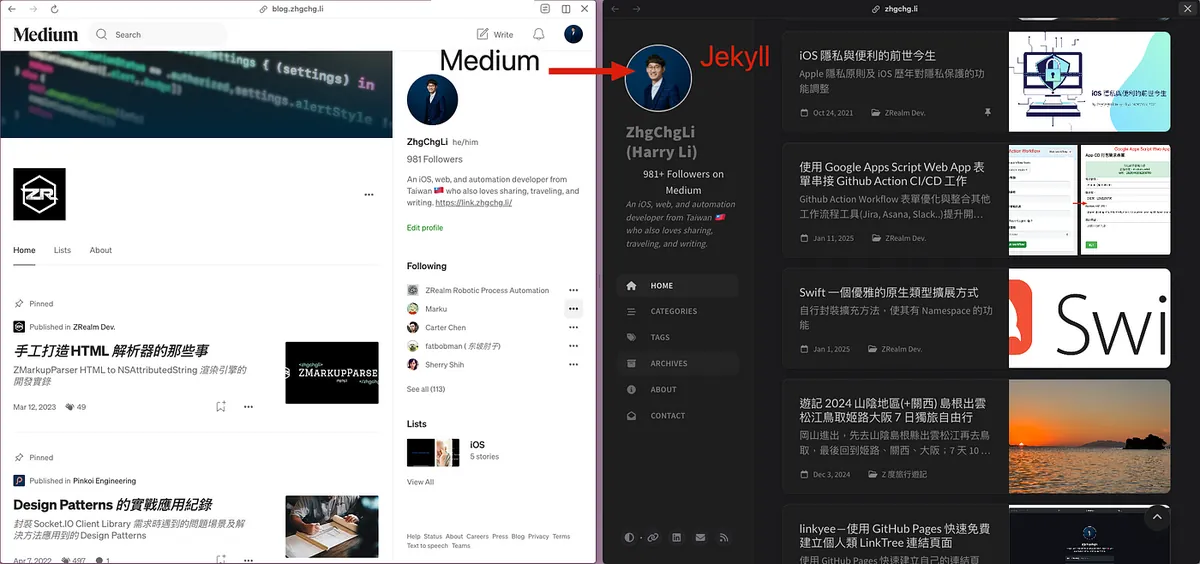
Original content on Medium / Converted result on personal website
After the upgrade, the scrolling freeze issue no longer occurs. This upgrade also added customized dynamic content (displaying Medium follower count).
Some Technical Notes
Jekyll (Chirpy Theme) deployment setup on Github Pages mainly follows the official Start Repo:
Last month, I also referred to this project’s approach and created a new open-source project — Linkyee, an open-source Link Tree personal link page.

Jekyll Customization Method (1) — Override HTML
Jekyll is a powerful Ruby static site generator. Jekyll (Chirpy Theme) is a theme based on Jekyll. After comparing with other themes, Chirpy Theme offers the best quality, user experience, and comprehensive features.
Jekyll pages support inheritance. We can add files with the same page filenames as Jekyll in ./_layouts. When generating the site, the engine will use your custom page content to replace the original.
For example, if I want to add a line of text at the end of each post page, I first copy the original post page file (post.html) and place it in the ./_layouts directory:
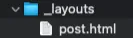
Open post.html with an editor, add text or customizations in the appropriate place, and redeploy the site to see the customized results.

You can also create a ./_include directory to store some shared page content files:
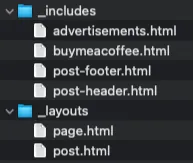
Then in post.html, we can directly use {% include buymeacoffee.html %} to include the HTML content from that file for reuse.
The advantage of overriding HTML Layout files is 100% customization—you can freely adjust the page content and layout as you wish; the downside is that during upgrades, conflicts or unexpected results may occur, requiring you to review your customizations again.
Jekyll Customization Method (2) — Plugin
The second method is to use the Hook feature within Plugins to inject custom content during Jekyll’s static site generation phase.
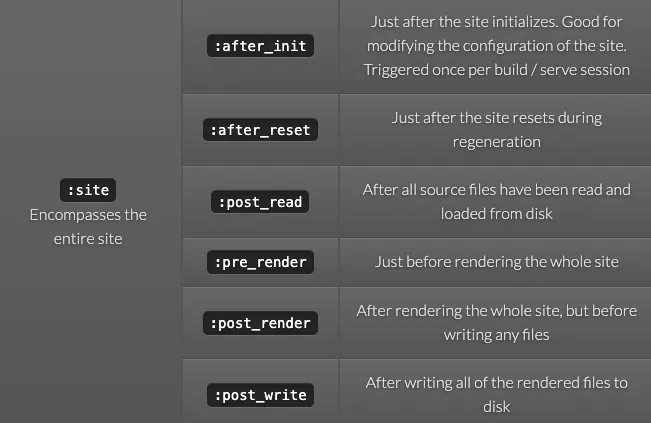
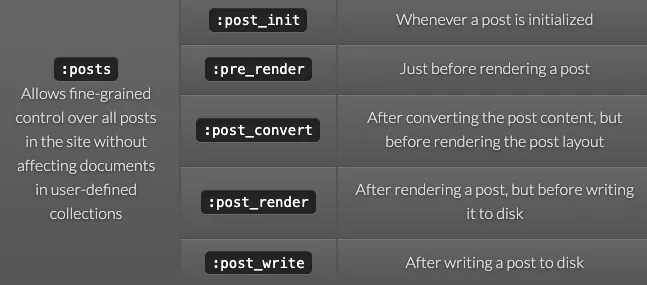
[Built-in Hook Owners and Events
Hook events](https://jekyllrb.com/docs/plugins/hooks/#built-in-hook-owners-and-events){:target=”_blank”} are many; here I only include the site:pre_render and post:pre_render hooks I used.
Adding a new method is also simple; just add a Ruby file in ./_plugins.
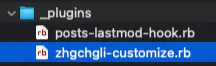
posts-lastmod-hook.rb is a built-in Plugin
I want a few “pseudo” dynamic content features. The first is to display the Medium follower count under the profile and show the last updated time of the page content in the footer.

Created a zhgchgli-customize.rb under ./_plugins:
#!/usr/bin/env ruby
#
require 'net/http'
require 'nokogiri'
require 'uri'
require 'date'


def load_medium_followers(url, limit = 10)
  return 0 if limit.zero?

  uri = URI(url)
  response = Net::HTTP.get_response(uri)
  case response
  when Net::HTTPSuccess then
      document = Nokogiri::HTML(response.body)

      follower_count_element = document.at('span.pw-follower-count > a')
      follower_count = follower_count_element&.text&.split(' ')&.first

      return follower_count \\|\\| 0
  when Net::HTTPRedirection then
    location = response['location']
    return load_medium_followers(location, limit - 1)
  else
      return 0
  end
end

$medium_url = "https://medium.com/@zhgchgli"
# could also define in _config.yml and retrieve in Jekyll::Hooks.register :site, :pre_render do \\|site\\| site.config

$medium_followers = load_medium_followers($medium_url)

$medium_followers = 1000 if $medium_followers == 0
$medium_followers = $medium_followers.to_s.reverse.scan(/\d{1,3}/).join(',').reverse


Jekyll::Hooks.register :site, :pre_render do \\|site\\|

  tagline = site.config['tagline']

  followMe = <<-HTML
  <a href="#{$medium_url}" target="_blank" style="display: block;text-align: center;font-style: normal;/* text-decoration: underline; */font-size: 1.2em;color: var(--heading-color);">#{$medium_followers}+ Followers on Medium</a>
  HTML

  site.config['tagline'] = "#{followMe}";
  site.config['tagline'] += tagline;

  meta_data = site.data.dig('locales', 'en', 'meta');
  # only implementation in en, could implement to all langs.

  if meta_data
    gmt_plus_8 = Time.now.getlocal("+08:00")
    formatted_time = gmt_plus_8.strftime("%Y-%m-%d %H:%M:%S")
    site.data['locales']['en']['meta'] += "<br/>Last updated: #{formatted_time} +08:00"
  end
end
-
The principle is to register a Hook before the site renders, injecting an HTML block showing Medium follower count into the
taglineprofile introduction section in the config. -
The number of Medium followers is fetched every time the script runs to get the latest count.
-
The logic for the footer last updated time is similar, which is to add the last updated time string to locales->en->meta when generating the site.
-
Additionally, if it’s a Hook before article generation, you can access the Markdown; if it’s a Hook after article generation, you can access the generated HTML.
After saving, you can first test the result locally with bundle exec jekyll s:
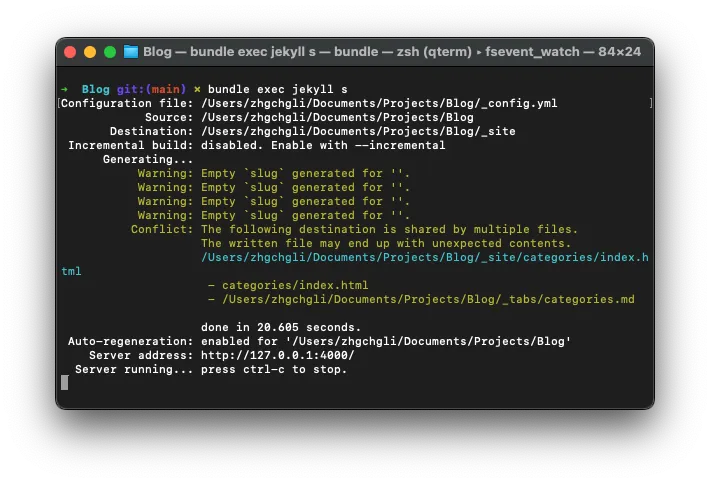
Open 127.0.0.1:4000 in your browser to see the result.
Finally, add a scheduled workflow in the Github Pages Repo Actions to automatically regenerate the site, and it’s done:
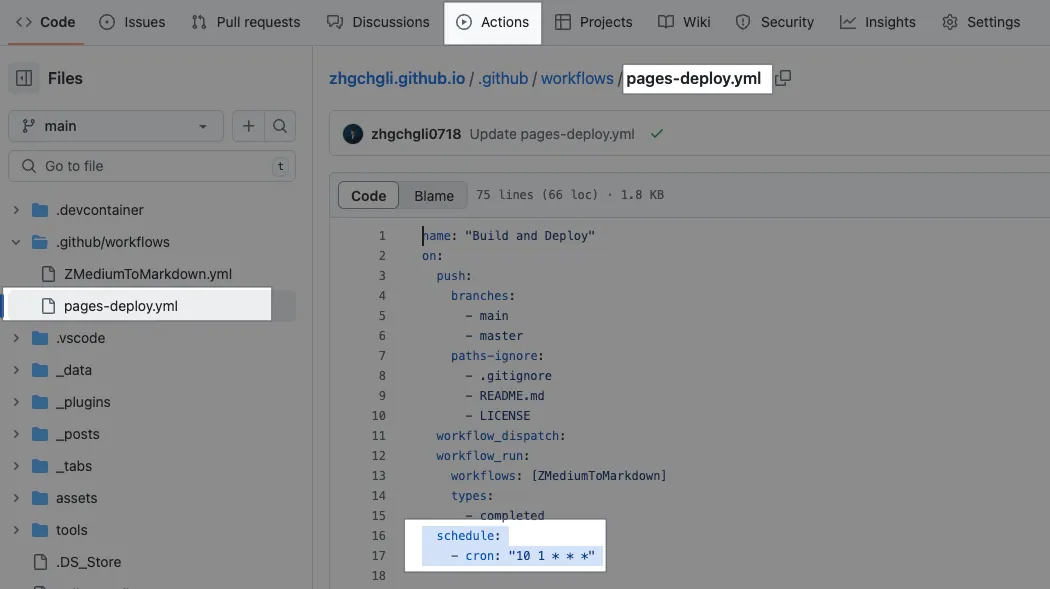
In the Jekyll (Chirpy Theme) repo project Actions, find pages-deploy.yml and add the following under on::
  schedule:
    - cron: "10 1 * * *" # Automatically runs once daily at 01:10 UTC, https://crontab.guru
The advantage of Plugins is that they enable dynamic content (scheduled updates) without affecting the site structure or causing conflicts during upgrades; the downside is limited control over content and display positions.
Jekyll (Chirpy Theme) Deployment Issues on Github Pages after v7.x
Besides the site structure adjustments, the deployment script in v.7.x has also changed; the original deploy.sh script was removed, and Github Actions deployment steps are used directly:
# build:
# ...
      - name: Upload site artifact
        uses: actions/upload-pages-artifact@v3
        with:
          path: "_site${{ steps.pages.outputs.base_path }}"

  deploy:
    environment:
      name: github-pages
      url: ${{ steps.deployment.outputs.page_url }}
    runs-on: ubuntu-latest
    needs: build
    steps:
      - name: Deploy to GitHub Pages
        id: deployment
        uses: actions/deploy-pages@v4
But I encountered problems during the deployment process:
Uploaded artifact size of 1737778940 bytes exceeds the allowed size of 1 GB caused the Upload Artifact to fail because my website content is too large; however, the previous deployment script worked, so I had to revert to the original deploy.sh plus comment out this section above.
Test Site Steps Keep Failing During Github Pages Deployment
Jekyll (Chirpy Theme) deployment includes a step called Test Site to check if the webpage content is correct, such as verifying links and ensuring no missing HTML tags.
# build:
# ...
      - name: Test site
        run: \\|
          bundle exec htmlproofer _site \
            \-\-disable-external \
            \-\-no-enforce-https \
            \-\-ignore-empty-alt \
            \-\-ignore-urls "/^http:\/\/127.0.0.1/,/^http:\/\/0.0.0.0/,/^http:\/\/localhost/"
I added --no-enforce-https and --ignore-empty-alt to skip checks for HTTPS and HTML tags without alt attributes. Ignoring these two allows the check to pass (since I can’t change the content for now).
The CLI command for htmlproofer is not mentioned in the official documentation. After searching for a long time, I finally found the rules in a comment on an issue:
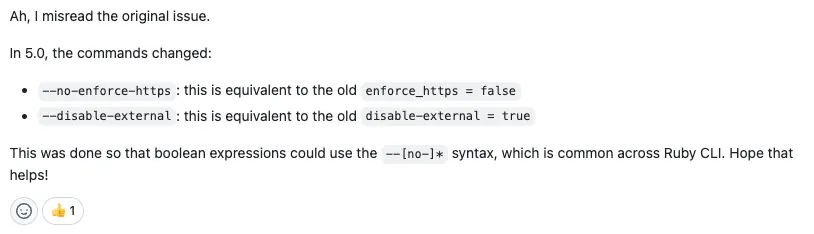
https://github.com/gjtorikian/html-proofer/issues/727#issuecomment-1334430268



Comments