
2021 Pinkoi Tech Career Talk — Secrets of a High-Efficiency Engineering Team
Pinkoi High-Efficiency Engineering Team Revealed Tech Talk Sharing
The Secret to a High-Efficiency Engineering Team
2021/09/08 19:00 @ Pinkoi x Yourator
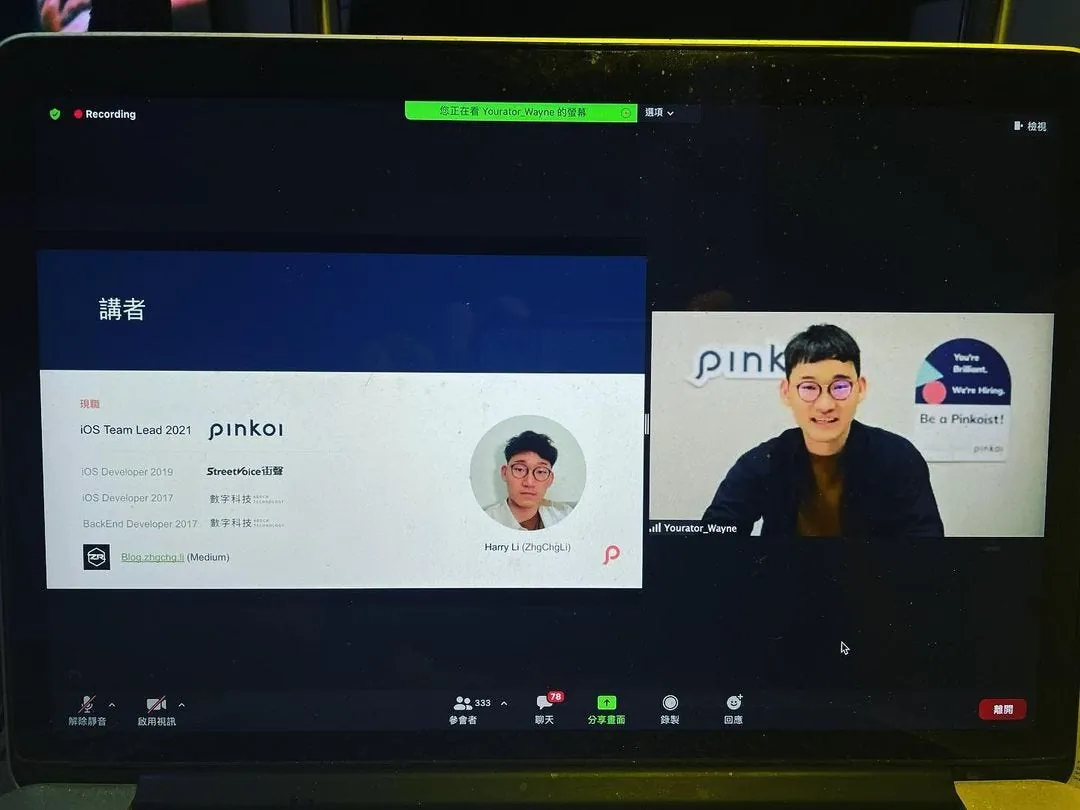
My Medium: ZhgChgLi
About the Team
Pinkoi’s working method consists of multiple Squads:
-
Buyer-Squad: Focuses on buyer-side features
-
Seller-Squad: Focuses on features for designers
-
Exploring-Squad: Focuses on Browsing and Discovery
-
Ad-Squad: Focuses on Platform Advertising
-
Out-Of-Squad: Mainly focuses on support, infrastructure, or process optimization
Each Squad is composed of members from different functions, including PM, Product Designer, Data, Frontend, Backend, iOS, Android, and more. Long-term, ongoing work goals are completed by the Squad.
Besides Squads, there are also cross-team Run Projects, usually with short to mid-term goals. The Project Owner can be the initiator or any team member, and the project is closed upon completion.
At the end of the article, there is a section on how Pinkoi’s culture supports teammates in solving problems. If you are not interested in the practical actions taken, you can skip directly to this section at the bottom.
Team Size and Efficiency Relationship
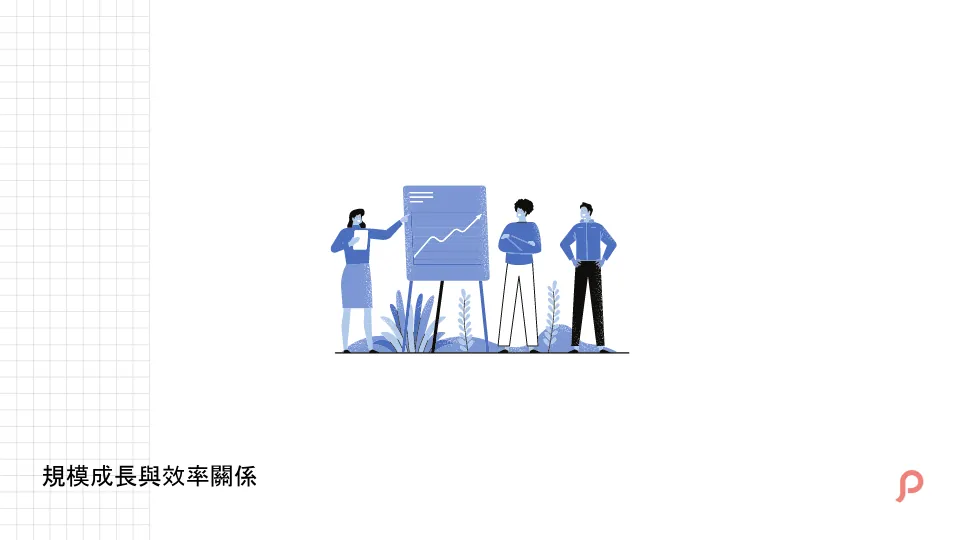
The relationship between team size growth and work efficiency: Having experienced startups from 10 people to teams of 100 (not yet at the thousand mark), the jump from 10 to 100—a tenfold increase—is very noticeable in many aspects.
With fewer people, communication and handling tasks are very fast. You can just walk over to discuss, and they can give it to you right away; because the “connection between people” is very strong, everyone can collaborate in sync.
However, when there are many people, direct communication becomes difficult because more collaborators are involved. If everyone tries to discuss everything, the whole morning will be gone. Also, since everyone collaborates with many others, tasks must be prioritized. Non-urgent matters cannot be addressed immediately, so asynchronous waiting is necessary to focus on other tasks.
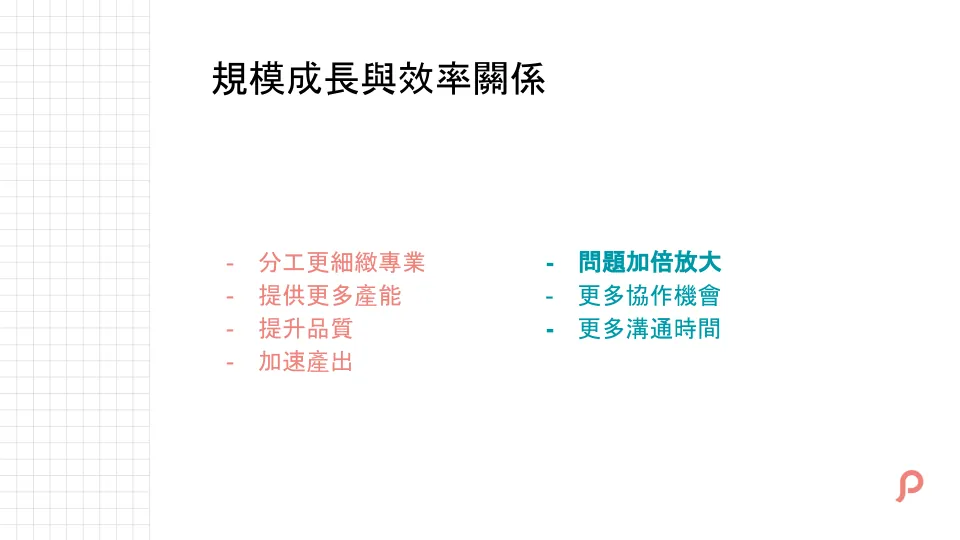
Having more roles join allows for finer and more specialized division of work, providing greater capacity, better quality, and faster output.
But as mentioned at the beginning, there will be more collaboration with people, and collaboration naturally means more communication time.
Small issues can be magnified, for example, if one person needs 10 minutes daily to submit reports, it’s acceptable; but if there are 20 people, that adds up to over 3 extra hours daily. At this point, optimizing or automating the reporting process becomes very valuable, saving 3 hours a day. Over 250 workdays a year, that’s 750 hours wasted.
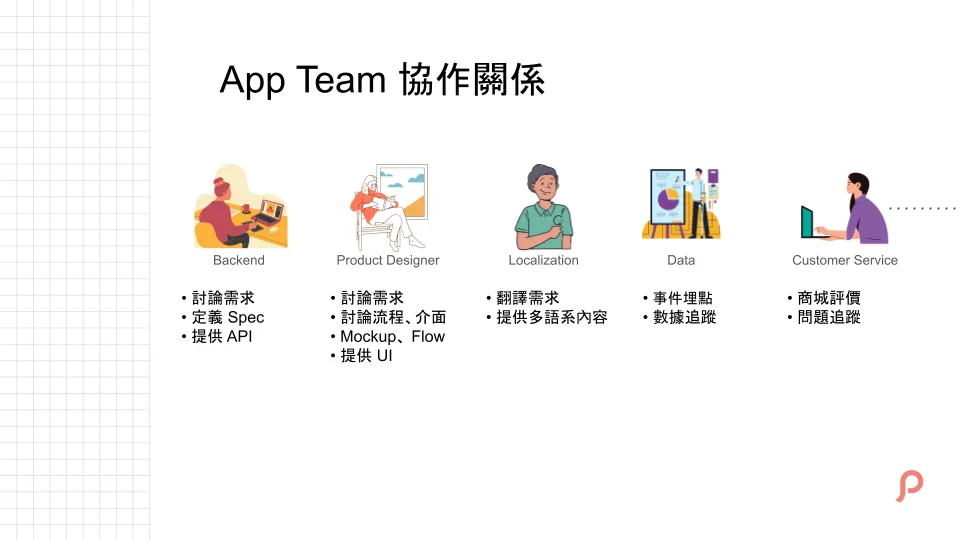
As the team size grows, taking the App Team as an example, the roles that collaborate more closely include these.
Backend — API and Product Designer — UI go without saying. Since Pinkoi is an international product, all functional text needs to be translated by the Localization Team. Also, because we have a Data Team handling data collection and analysis, besides developing features, we need to discuss event tracking points with the Data Team.
Customer Service is also a team that frequently interacts with us. Besides users sometimes directly reporting order issues through store reviews, more often users leave a one-star rating indicating a problem. At this time, we need the customer service team to help with in-depth inquiries: What issue did you encounter? How can we assist you?
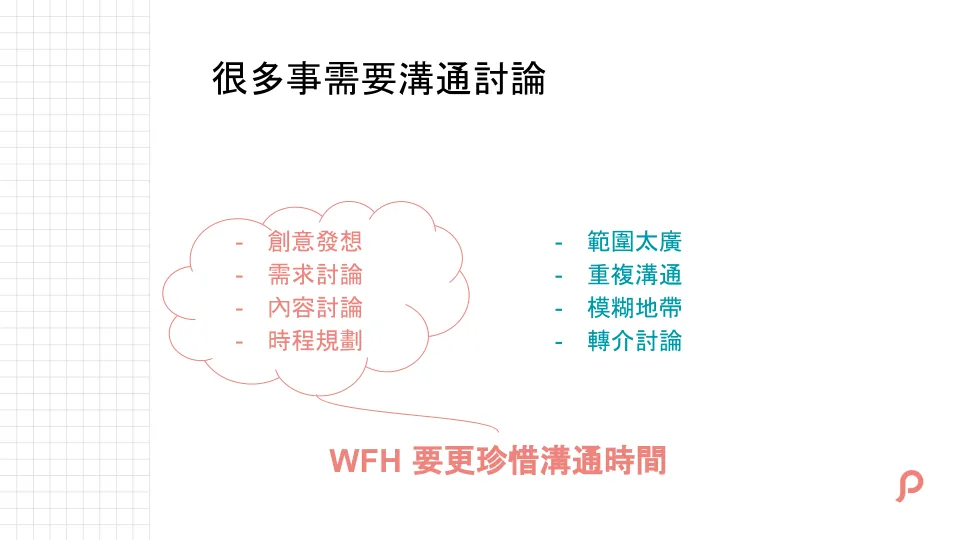
With so many collaboration relationships, it means many communication opportunities.
But remember, we are not avoiding or minimizing communication as much as possible; excellent communication skills are also important for great engineers.
What we need to focus on is important communication, such as brainstorming, discussing requirements, and scheduling; avoid wasting time on repeated confirmations or vague, scattered communication, including asking around unnecessarily.
Especially during the pandemic era, communication time is precious and should be spent on more valuable discussions.
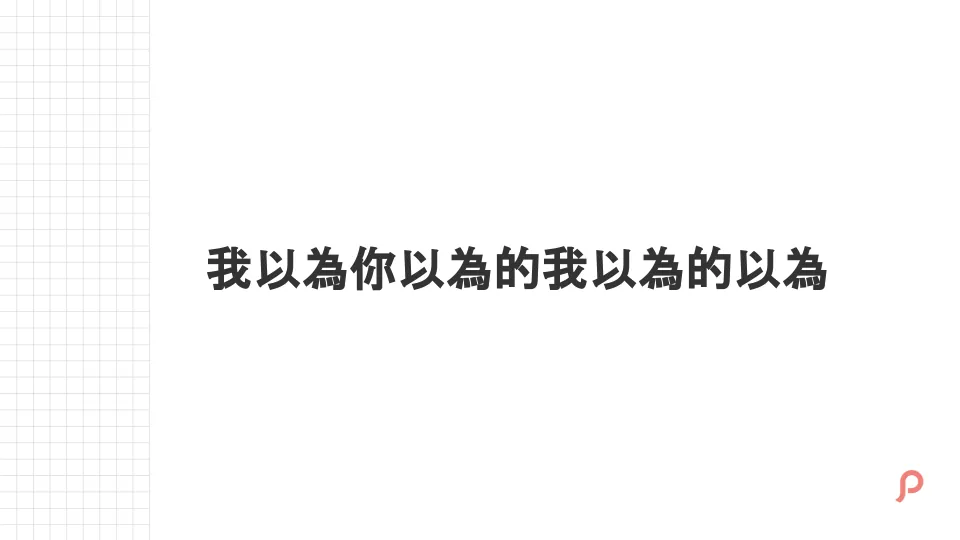
“I thought you thought I thought you thought” — This sentence perfectly illustrates the consequences of vague communication.
Let’s not just talk about work; in daily life, we often face misunderstandings due to different perceptions. In life, ease comes from mutual understanding; but at work, it’s different. If both sides don’t discuss deeply, differing perceptions can lead to results that are completely unlike what was expected.
Interface Communication
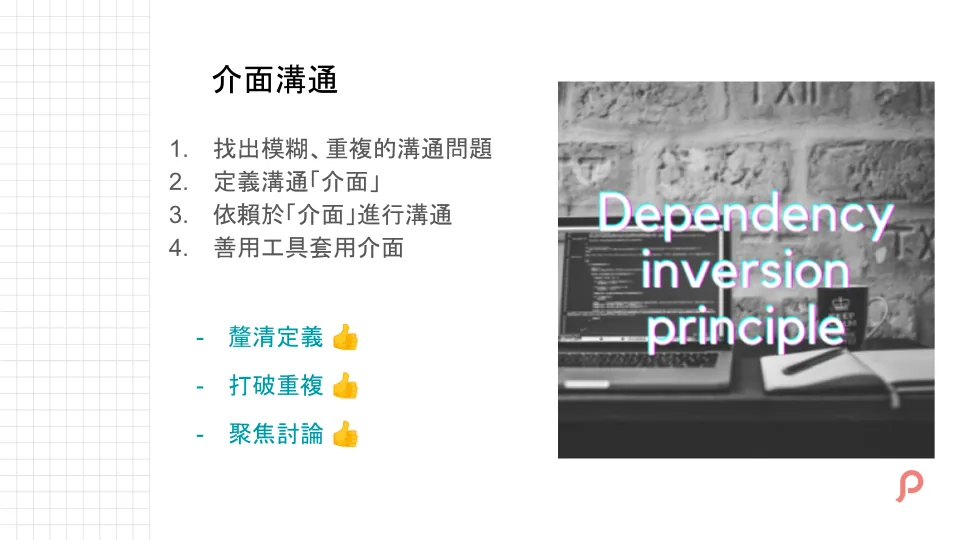
The idea introduced here is to communicate through a shared interface, similar to the Dependency Inversion Principle in SOLID principles of object-oriented programming (it’s okay if you’re not familiar with it); the same concept can be applied to communication.
The first step is to identify where communication is unclear, requires repeated confirmation, or what kind of communication is needed to be more focused and effective, or even what deliverables can eliminate the need for extra communication.
Once the problem is identified, the “interface” can be defined. An interface means a medium, which can be a document, process, checklist, tool, etc.
Use this “interface” as a communication bridge between each other. There can be multiple interfaces, and you use the appropriate one for each scenario. For the same scenario, prioritize using this interface for initial communication. If further discussion is needed, you can dive deeper based on this interface to focus on the issues.
App Team and External Collaboration Relationships
Here are four examples of interface communication using the App Team collaboration as an example:
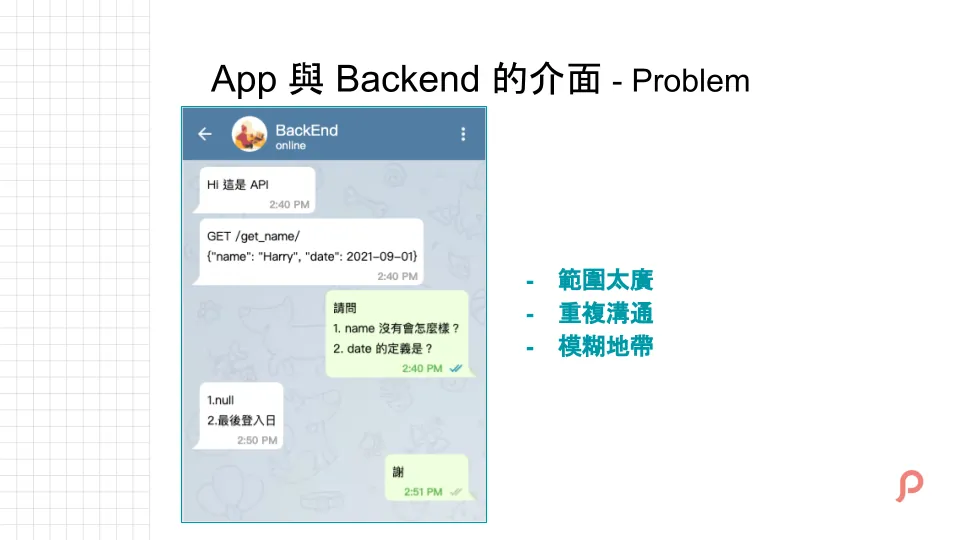
The first case is collaborating with Backend without any interface consensus, which may lead to the situation shown above.
Regarding how to use the API, simply providing the API Response String to the App Team can lead to ambiguities. For example, with date, how do we know if it refers to Register Date or Birthday? There are many fields with a wide range that require clarification.
This communication is also repetitive, as each new Endpoint requires reconfirmation.
This is a classic example of ineffective communication.
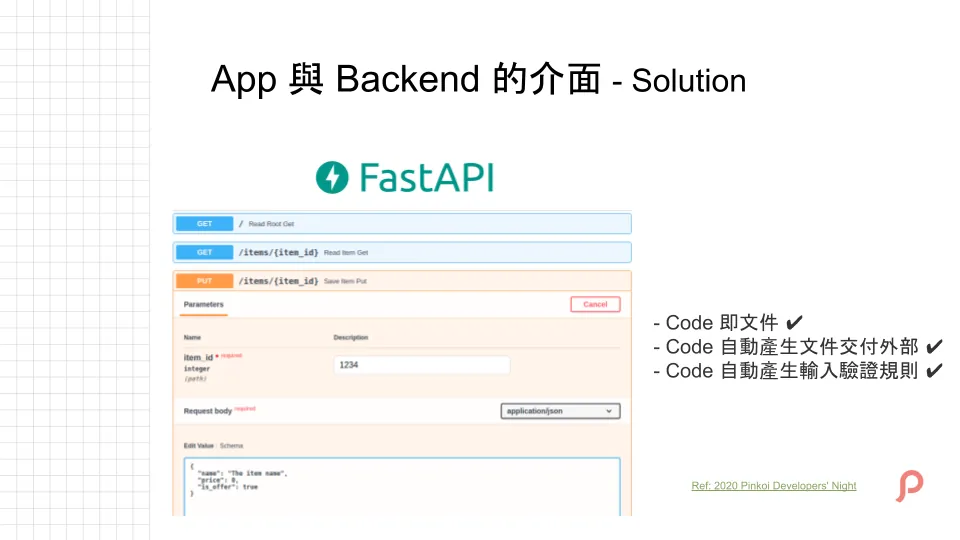
The missing piece between the App and Backend is a communication interface. There are many solutions, and it doesn’t have to be a tool; it can simply be a manually maintained document.
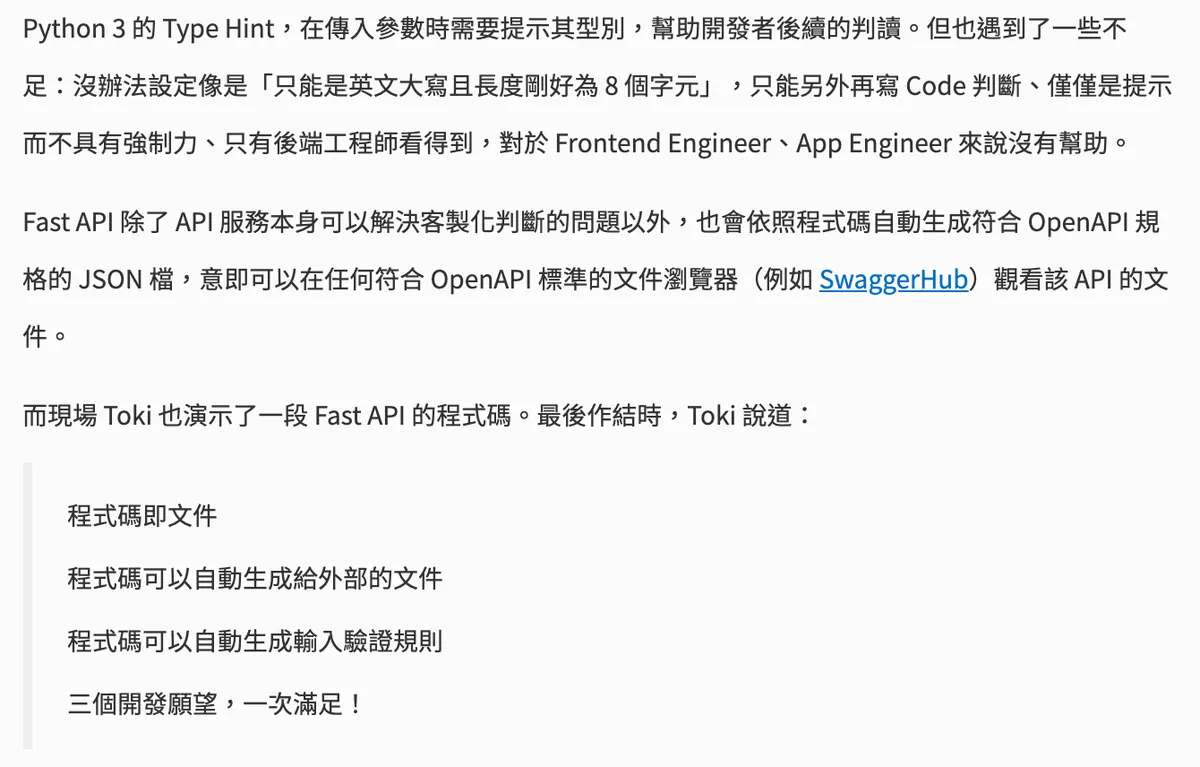
This was shared with everyone at the 2020 Pinkoi Developer Night — by Toki
Pinkoi uses Python (FastAPI) to automatically generate documentation from API code. PHP can use Swagger (previous company practice). The advantage is that the main structure and data formats of the documentation can be generated automatically from the code, reducing maintenance costs. You only need to handle the field descriptions properly.
p.s. Currently, new Python 3 projects use FastAPI. The older parts will be updated gradually. For now, PostMan is used as the communication interface.
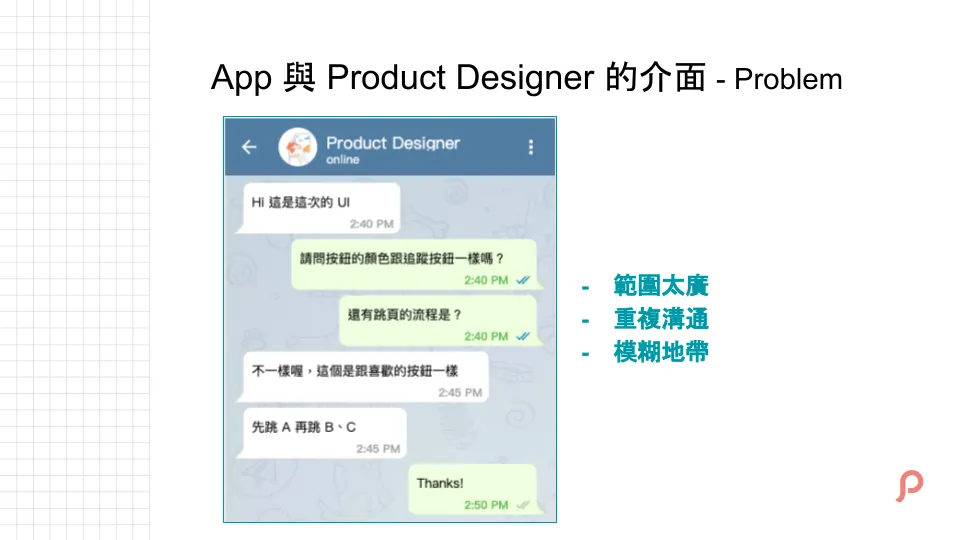
The second is collaboration with the Product Designer, which is basically similar to working with Backend, but the focus shifts to confirming UI specs and verifying flows.
If color codes and fonts are scattered, our App will suffer as well. Setting aside the fact that requirements are inherently like this, we don’t want the same Title to have the same color but different color codes, or inconsistent UI in the same position.
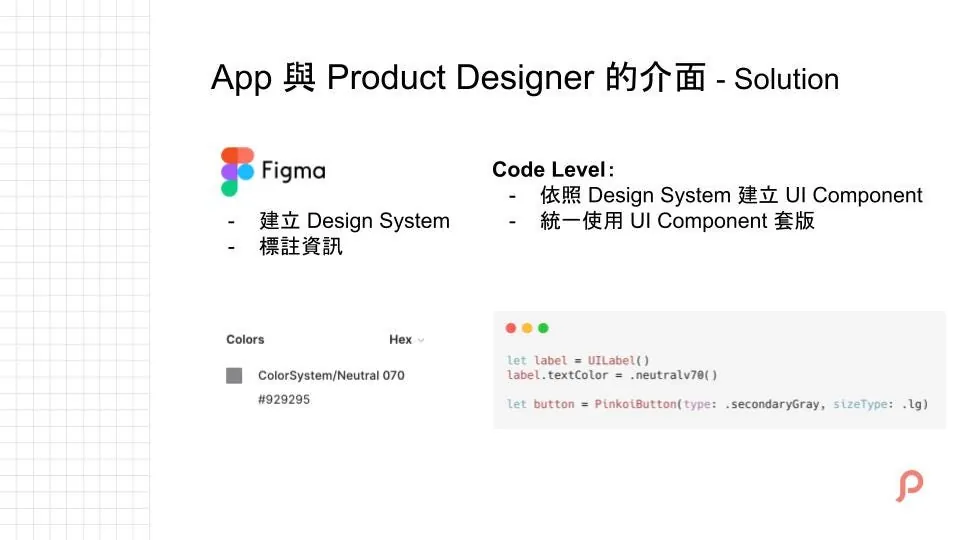
The most basic solution is to first have the designers organize the UI component library, establish the Design System (Guideline), and properly label the UI during delivery.
We build corresponding Fonts and Colors in the Code Base according to the Design System (Guideline), and create Buttons and Views based on the component library.
When templating, consistently use these pre-built components to make it easier to quickly align by directly referring to the UI design drafts.
But this can easily get messy and needs to be adjusted dynamically; it shouldn’t cover too many special cases, nor should it be rigidly fixed without expansion.
p.s. Collaboration between Pinkoi and Product Designers is mutual; Developers can also propose better approaches and discuss them with Product Designers.
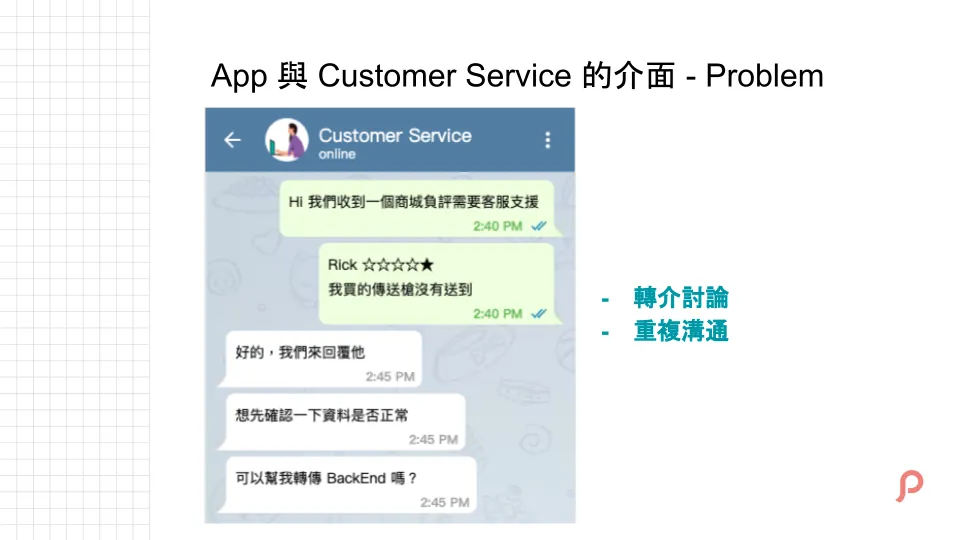
The third interface is with Customer Service. Store reviews are very important for the product, but this process involves a lot of manual and repetitive referral communication.
Because we need to manually check new reviews from time to time, and forward any customer service issues to the support team for assistance, the process is repetitive and manual.
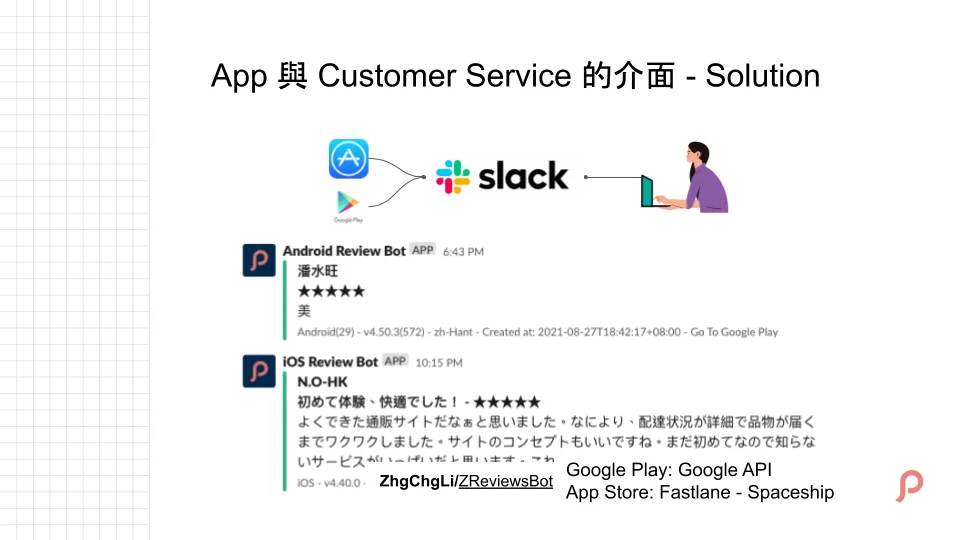
The best solution is to have store reviews automatically synced to our work platform. We can either pay for an existing service or use the tools I developed: ZhgChgLi / ZReviewTender (new in 2022).
Deployment methods, tutorials, and technical details can be found at: ZReviewTender — Free Open-Source App Reviews Monitoring Bot
This bot is our communication interface. It automatically forwards reviews to the Slack Channel, allowing everyone to quickly receive the latest review information and track, communicate, and discuss on it.
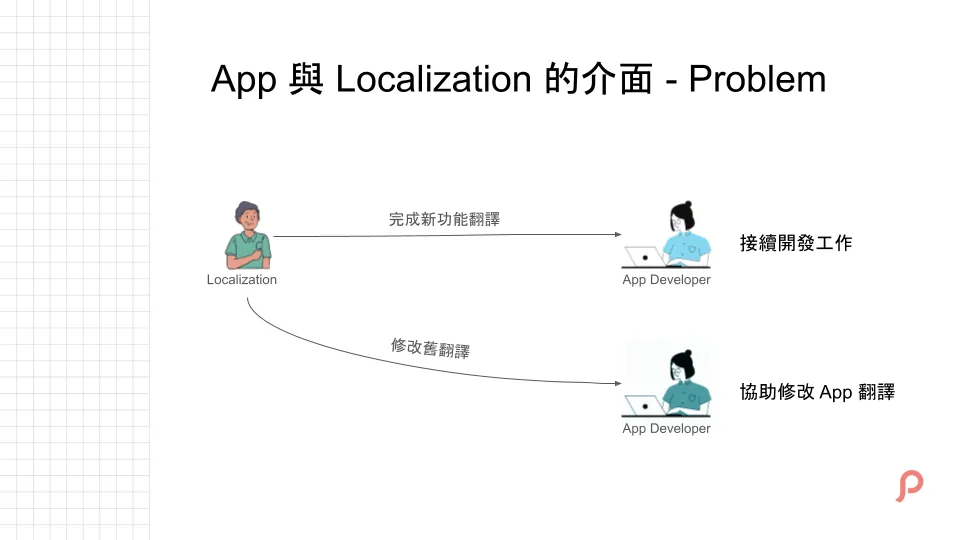
The last example is the dependency on the Localization Team; whether it’s a new feature or modifying existing translations, we need to wait for the Localization Team to complete their work before we can assist with the follow-up.
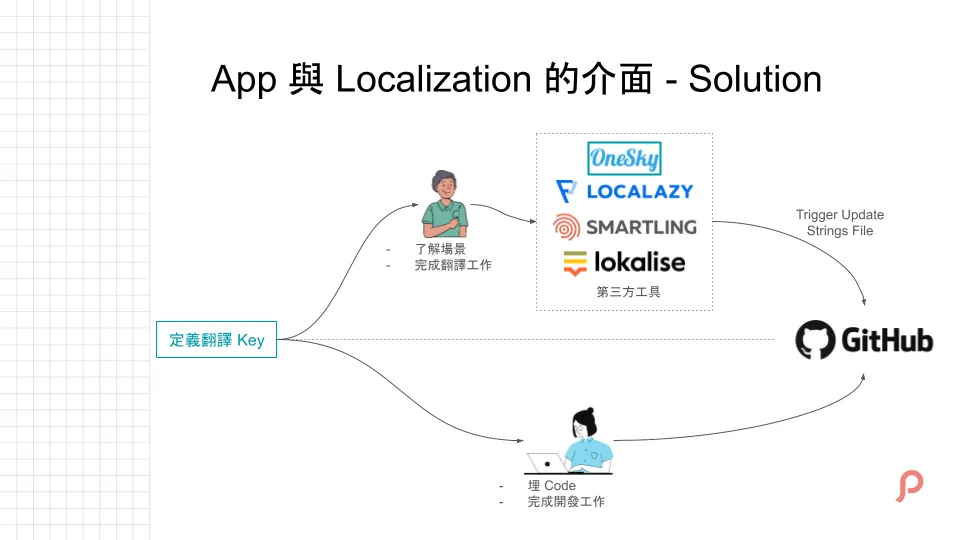
The cost of developing this tool in-house is too high, so we directly use third-party services to help us eliminate dependencies.
All translations and keys are managed by a third-party tool. We only need to define the keys in advance to work independently. Both sides just need to complete their tasks before the deadline without relying on each other. After the Localization Team finishes the translations, the tool automatically triggers a git pull to update the latest text files in the project.
p.s Pinkoi adopted this process very early on and initially used Onesky, but in recent years, there are many better tools available that you can consider using.
Collaboration Relationships Within the App Team
What was just mentioned is about external matters; now let’s talk about internal ones.
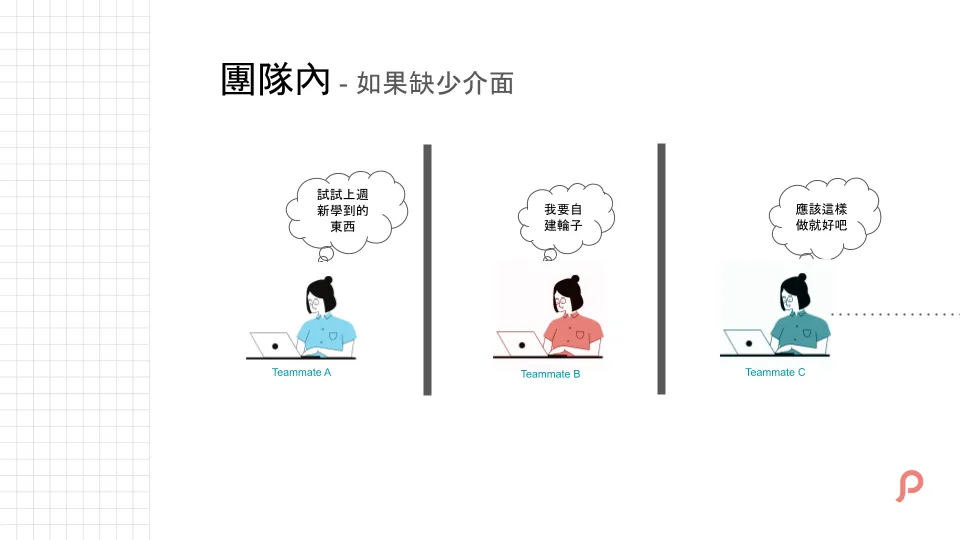
When there are few people, or when a single developer maintains a project, you can do whatever you want. Your control and understanding of the project are very high, so there’s not much problem. Of course, if you have good sense, even a one-person project can achieve everything mentioned here.
However, as more teammates collaborate together, and everyone works under the same project, it would be disastrous if everyone just works independently.
For example, frequently calling APIs here and there, doing this and that, often reinventing the wheel and wasting time, or just carelessly pushing things online without any consideration—all of these will greatly increase future maintenance and scalability costs.
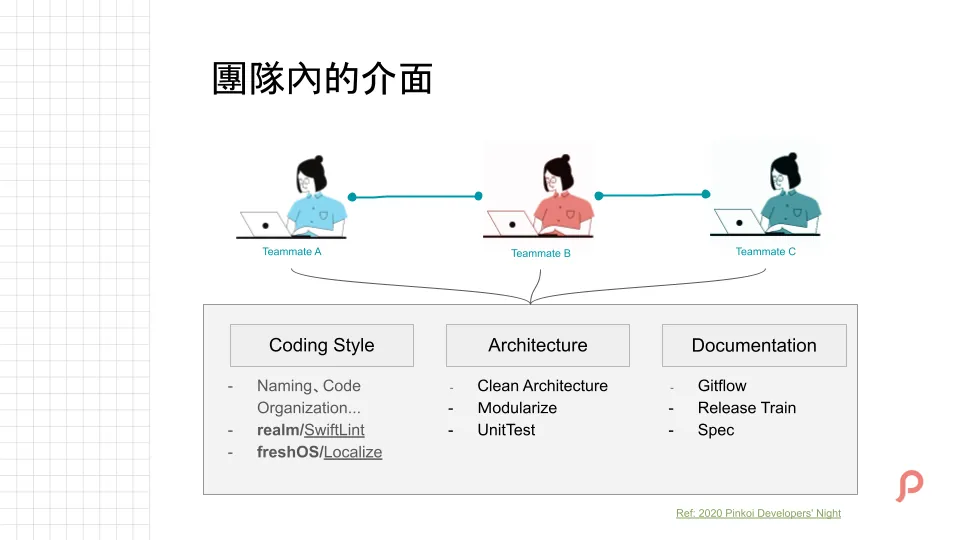
Within the team, rather than calling it an interface, it feels too distant; it should be called consensus or resonance to foster a stronger sense of team spirit.
The most basic and common topic is Coding Style, such as naming conventions, file placement, how to use Delegates, etc. You can enforce these using industry-standard tools like realm / SwiftLint. For multilingual strings, you can organize them with freshOS / Localize. (Of course, if you already use a unified third-party tool as mentioned earlier, this might not be necessary.)
The second is the App architecture. Whether it’s MVC, MVVM, VIPER, or Clean Architecture, the core focus is on being clean and consistent; there’s no need to chase trends, consistency is what matters.
Pinkoi App Team uses Clean Architecture.
Previously at StreetVoice, it was pure MVC but clean and consistent, making collaboration smooth.
There are also Unit Tests. With many people involved, it’s hard to avoid accidentally breaking the logic you wrote. Writing more tests provides an extra layer of protection.
Finally, regarding documentation, it covers the team’s workflows, specifications, or operation manuals, making it easy for teammates to quickly reference when they forget something or for new members to get up to speed quickly.
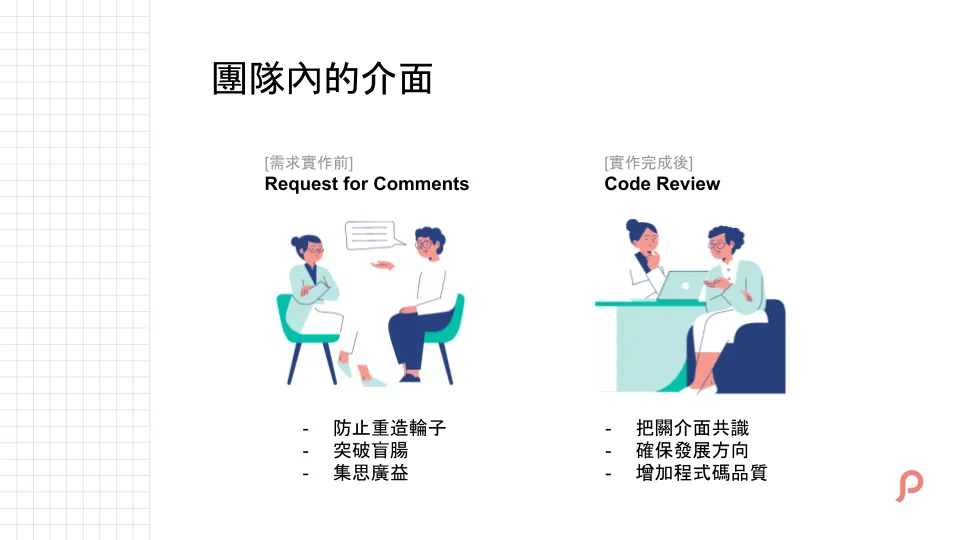
Besides code-level interfaces, there are other interfaces that help us improve collaboration efficiency.
The first step is a Request for Comments phase before implementing the requirement. The developer briefly explains how they plan to approach the task, and others can provide feedback and ideas.
Besides preventing reinventing the wheel, it also encourages brainstorming. For example, others can understand how to extend or use it later, or potential future needs can be considered… Sometimes insiders are too close to see clearly, while outsiders have a better perspective.
Second, conduct thorough Code Reviews to ensure our interface agreements are followed, such as naming conventions, UI layout methods, delegate usage, protocol/class declarations, and so on.
Also, check if the architecture is misused or if code is hastily written due to time pressure. For example, if the development direction is to fully adopt Swift, verify that no Objective-C code is still being submitted.
Mainly reviewing these, and secondly assisting with whether the features work properly or not.
p.s. The purpose of an RFC is to improve work efficiency, so it should not be too lengthy or seriously delay progress; think of it simply as a pre-work discussion.
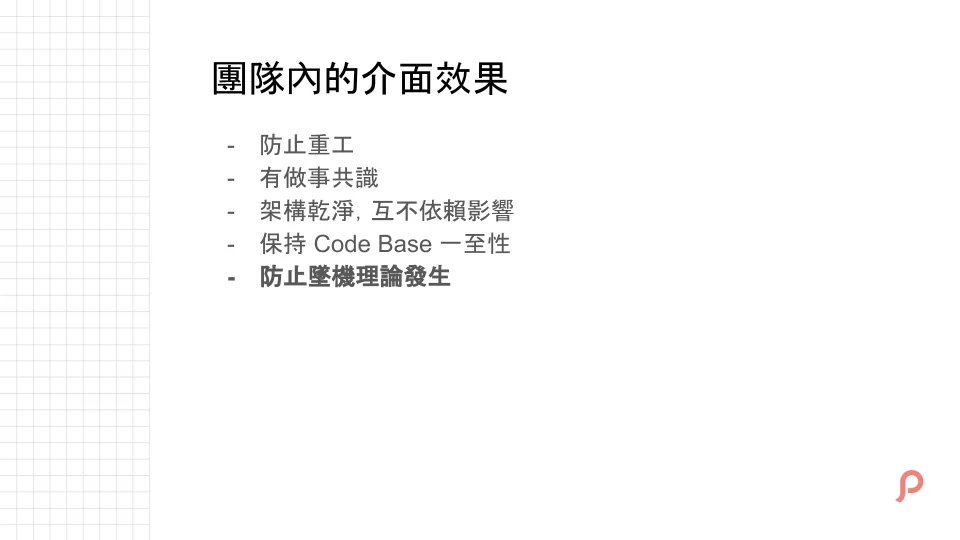
To summarize the functions of interface consensus within the team, the article finally mentions a Crash Theory mindset, which I think is a good behavioral benchmark.
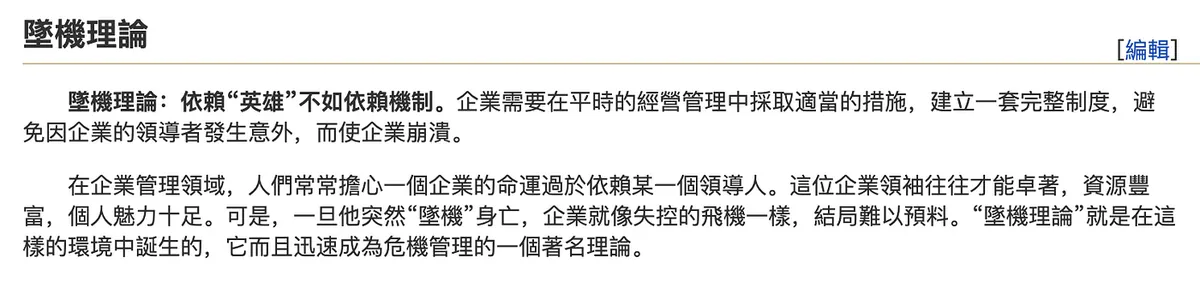
Excerpted from MBA Library
Applied to the team, it means assuming everyone suddenly disappears today—can the existing code, processes, and systems enable new members to quickly get up to speed?
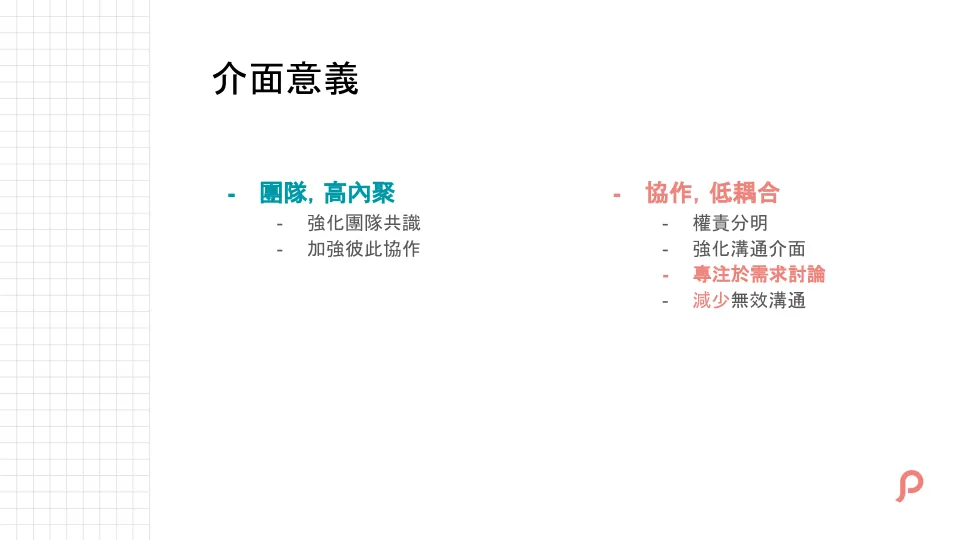
Recap: The meaning of interfaces—within the team, interfaces are used to build mutual understanding; in cross-team collaboration, they reduce ineffective communication. Using interfaces as communication boundaries helps focus discussions on requirements.
To reiterate, “interface communication” is not a special term, tool, or engineering concept. It is simply a concept applicable to collaboration in any role or scenario. It can be just a document or a process. The key is to have this in place first before starting communication.
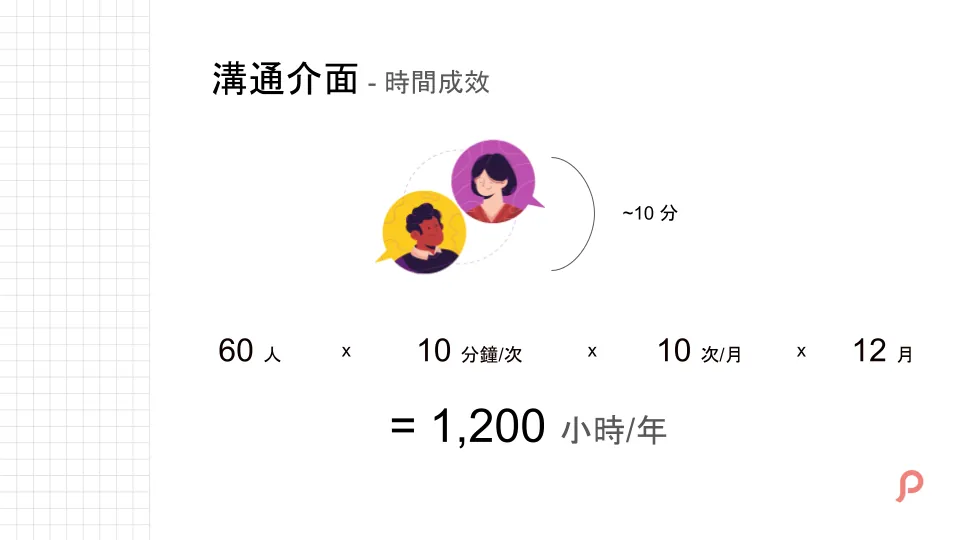
Here we assume each extra communication takes 10 minutes, with a team of 60 people, occurring 10 times per month. This wastes 1,200 hours per year on unnecessary communication.
Improving Efficiency — Automating Repetitive Tasks
In the second chapter, I want to share the impact of automating repetitive tasks on improving work efficiency. I will use iOS as an example, but the same approach applies to Android.
Will not mention technical implementation details, only the feasibility in principle.
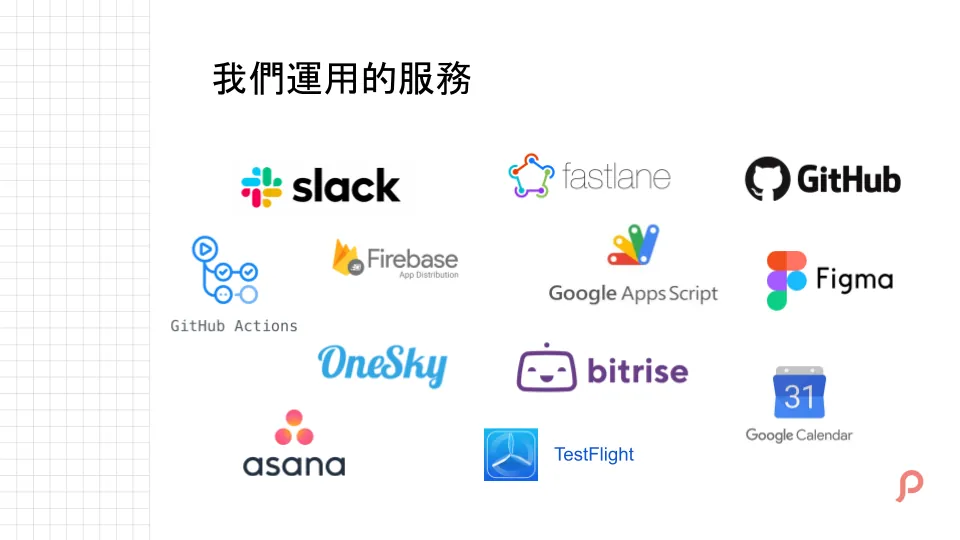
Here is a list of the services we use, including but not limited to:
-
Slack: Communication Software
-
Fastlane: iOS Automation Scripting Tool
-
Github: Git Provider
-
Github Action: Github’s CI/CD service, will be introduced later
-
Firebase: Crashlytics, Event, App Distribution (introduced later), Remote Config…
-
Google Apps Script: A scripting tool for Google Apps, which will be introduced later.
-
Bitrise: CI/CD Server
-
Onesky: As mentioned earlier, a third-party tool for Localization
-
Testflight: iOS App Internal Testing Platform
-
Google Calendar: Google Calendar, its usage will be introduced later
-
Asana: Project Management Tool
Issues with Releasing Beta Versions
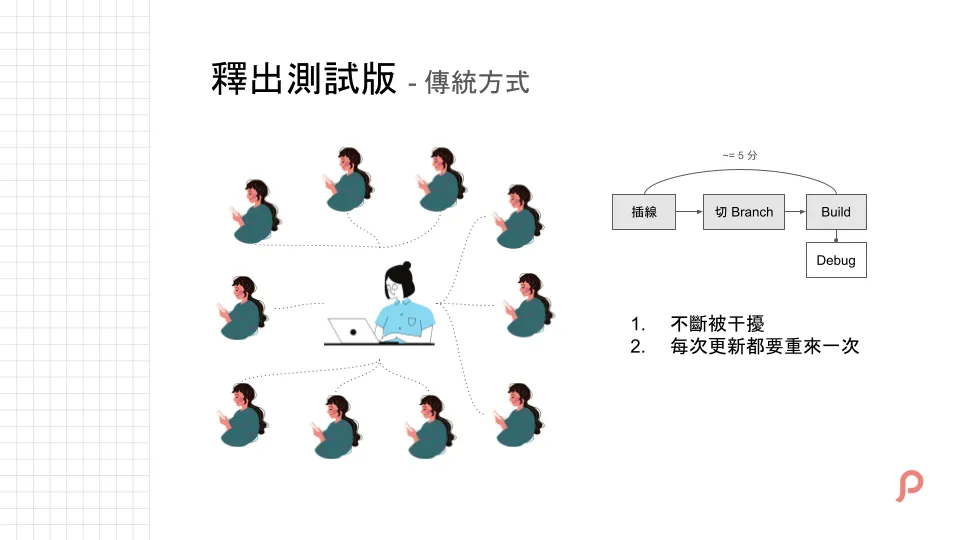
The first repetitive issue is when we want to let teammates test the app early during development. Traditionally, we just borrow phones to build the app. This is fine for 1-2 people, but if 20-30 people need to test, just installing the test version can take the whole day, and if there’s an update, the entire process has to be repeated.
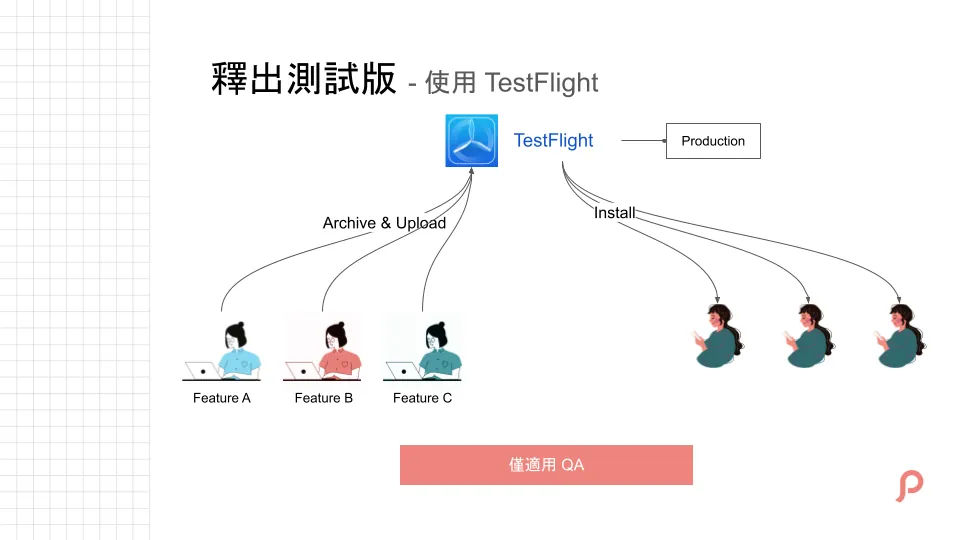
Another method is using TestFlight as the beta release channel, which I think is also good; however, there are two issues. First, TestFlight is equivalent to the Production environment, not Debug. Second, when many teammates are testing different features simultaneously, TestFlight can become chaotic, and the build versions will change frequently, but it’s still manageable.
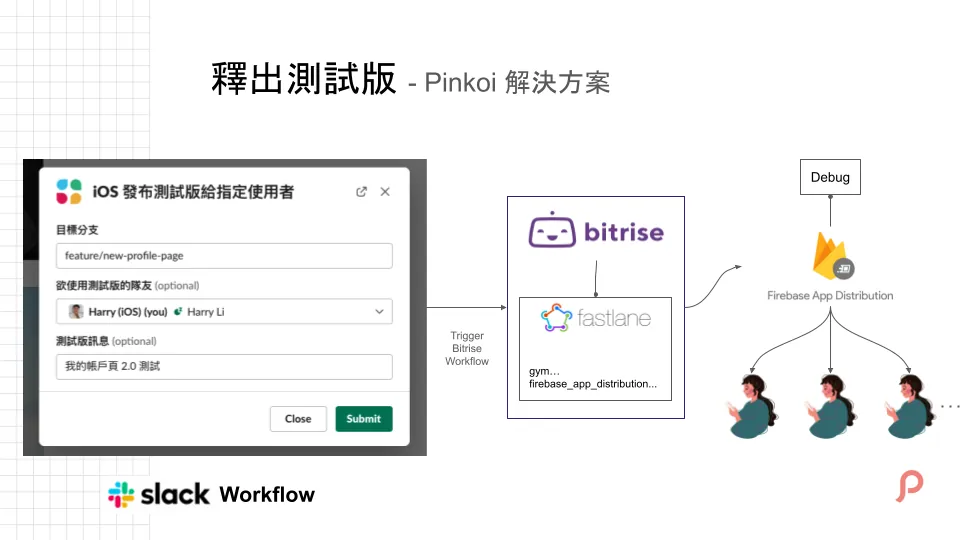
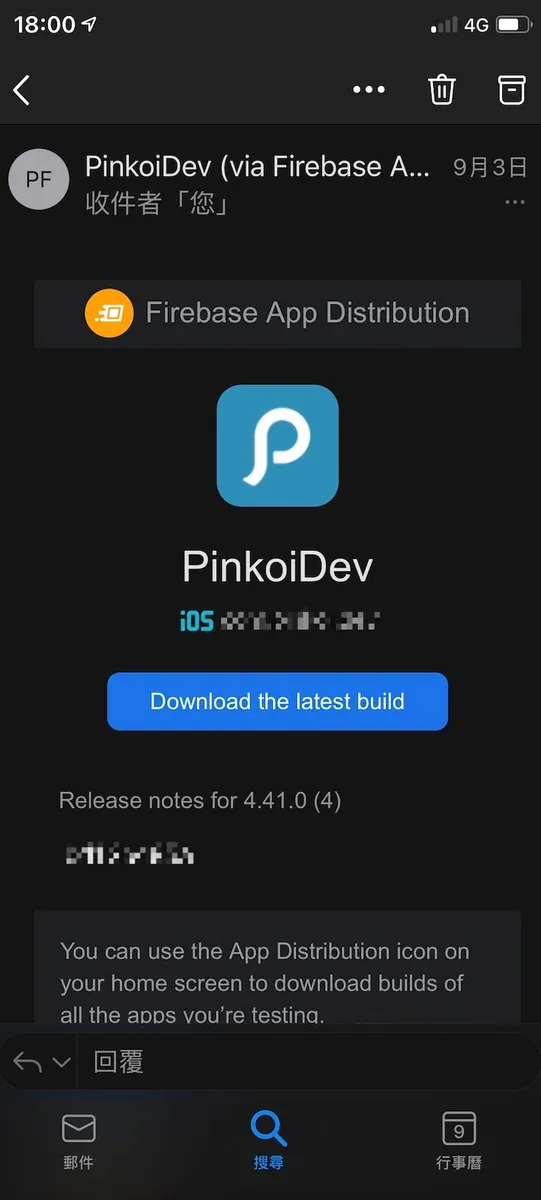
Pinkoi’s solution is to first break down the task of “App Team installing the test version” by using Slack Workflow as the input UI. After input is completed, it triggers Bitrise to run a Fastlane script to package and upload the test version ipa to Firebase App Distribution.
For Slack Workflow applications, refer to this article: Slack building a fully automated WFH employee health status reporting system
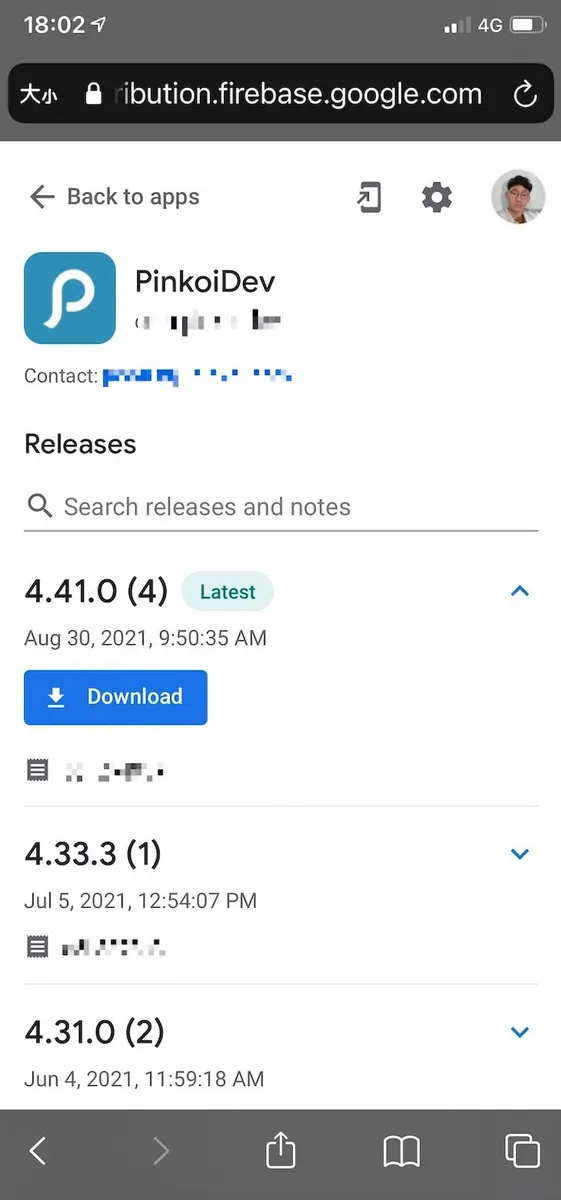
Firebase App Distribution
Testers just need to follow the Firebase App Distribution steps to install the certificate and register their device. Then they can choose to install the desired test build from there or directly click the link in the email to install.
Note that iOS Firebase App Distribution uses Development Devices, with a limit of only 100 devices registered, counted by device, not by user.
So it may be necessary to weigh the solution against TestFlight (by people, external testing with 1,000 users).
But at least the Slack Workflow UI Input mentioned earlier can be considered for use.
For more advanced needs, you can develop a Slack Bot to create more complete and customized workflows and forms.
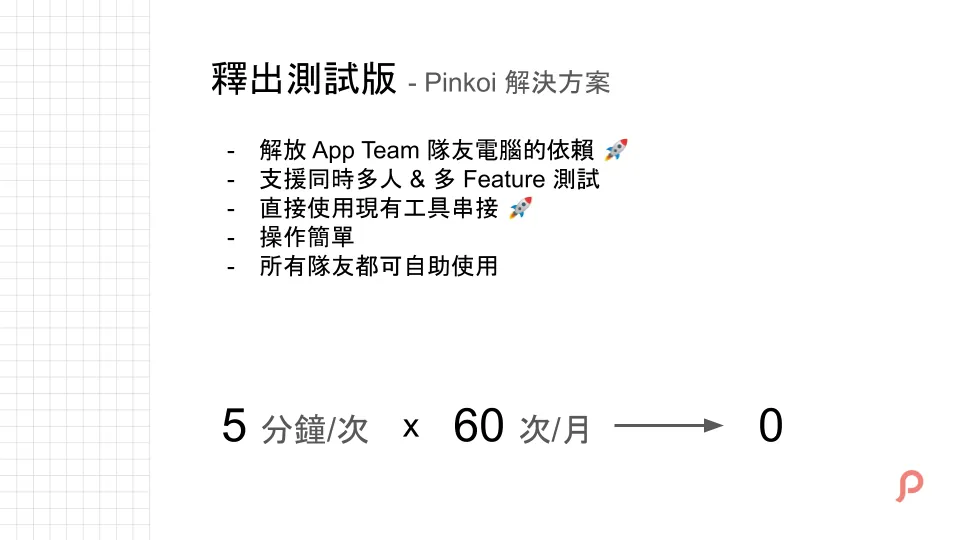
Recap of the automated beta release results: the most noticeable improvement is moving the entire process to the cloud. The App Team no longer needs to intervene; it’s fully self-service.
Issues with Packaging the Official Release
The second task, which the App Team often handles, is packaging and submitting the official app version for review.
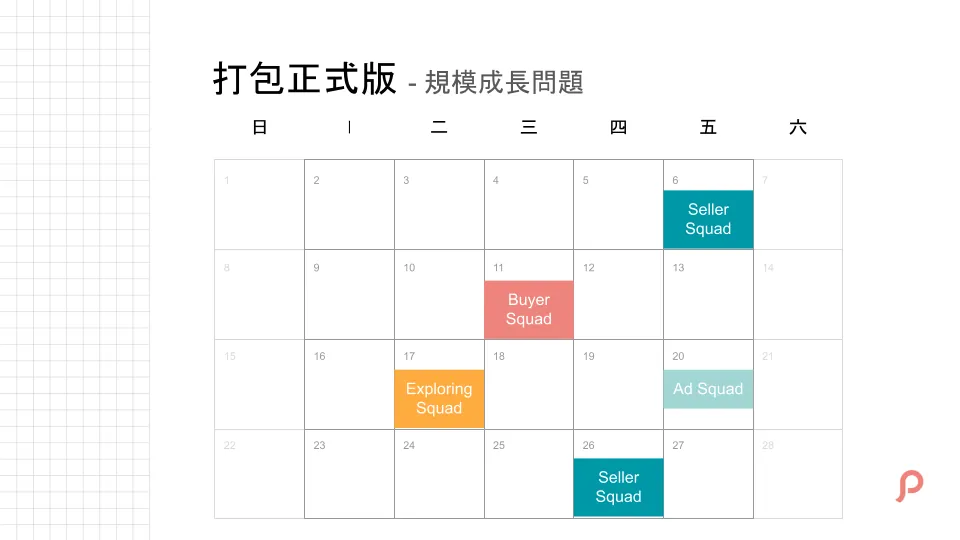
When the team was small, development was linear, and app version updates were not a big issue. It could be done freely or regularly.
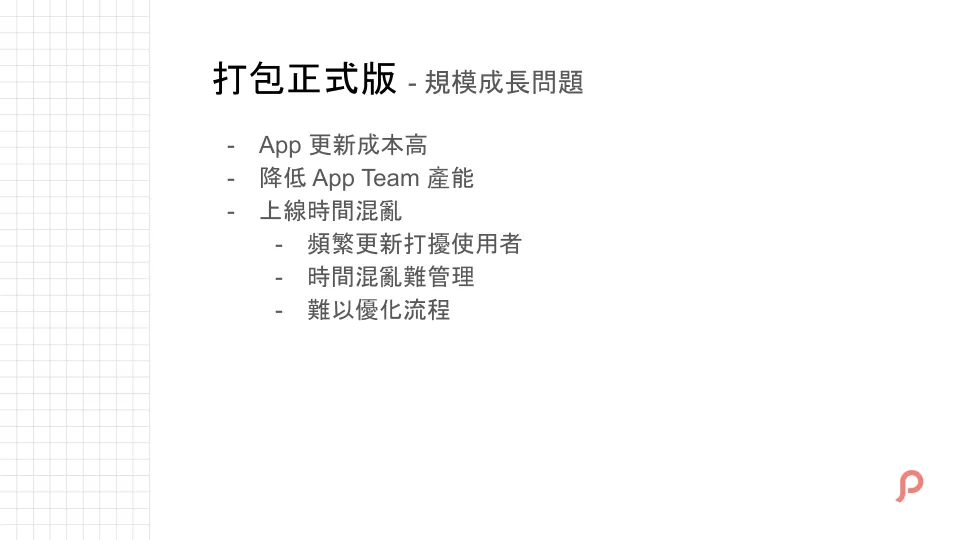
However, when the team is large and multiple demands are being developed and iterated simultaneously, the situation shown above occurs. Without proper “interface communication” as mentioned earlier, everyone works independently. This causes the App Team to be overwhelmed because app updates are more costly and complex than web updates. On the other hand, frequent and chaotic updates also disrupt the user experience.
Finally, regarding management issues, without fixed processes and dates, it is difficult to optimize what needs to be done at each step.
How Pinkoi’s Engineering Team Builds Efficiency
Pinkoi is a marketplace for design goods with over 3 million members, 30,000 shops, and 1 million products. Our engineering team has grown from a small group to over 70 members across multiple squads and departments. We constantly seek ways to improve efficiency and collaboration.
Team Structure and Collaboration
Our engineering team is organized into several cross-functional squads. Each squad owns long-term goals and works closely with Product Designers, Backend, QA, and other teams. For short-term projects, squads collaborate across teams to deliver features quickly.
As the team grows, communication cost increases. To address this, we define clear “interfaces” — documents, processes, tools — that act as bridges between teams. This avoids ambiguous communication and repeated confirmations, speeding up collaboration.
Example: App Team Interfaces
The App Team collaborates with Backend, Product Design, Customer Support, and Localization teams. We establish clear communication interfaces such as API documentation, design specs, and localization guidelines. Inside the team, we maintain shared agreements on coding style, architecture, and code review practices.
Automating Repetitive Tasks
We automate repetitive workflows like beta releases and official app packaging. Using tools like Slack Workflow, Bitrise, Fastlane, and Google Apps Script, combined with fixed processes like Release Train, we save time and reduce context switching.
Culture and Mindset
Pinkoi encourages every member to be a problem-solving leader. Our core values support continuous improvement and cross-department collaboration. This mindset, together with clear interfaces and automation, greatly boosts team productivity, especially as the team scales.
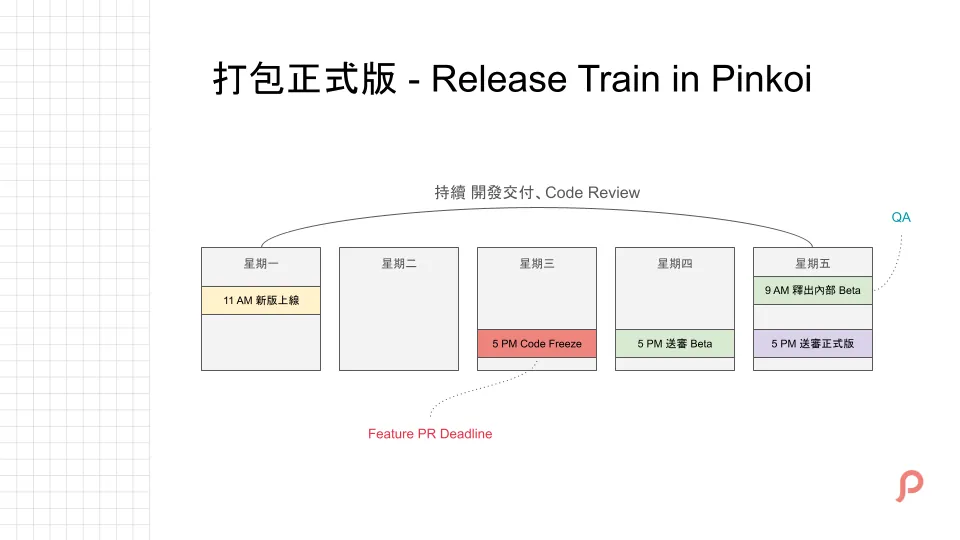
The solution is to introduce a Release Train into the development process. The core concept is to separate version updates from project development.
We fixed the schedule and defined what tasks will be done at each stage:
-
Update the new version every Monday morning
-
Code Freeze every Wednesday (no more merging of feature PRs)
-
Fixed QA starts on Thursdays
-
Fixed Friday Release Packaging
Actual timelines (how long QA takes) and release cycles (weekly, biweekly, monthly) can be adjusted based on each company’s situation. The core is to decide what to do at fixed times.
■■■■■■■■■■■■■■
Gergely Orosz @ Twitter Says:
Mobile engineers, how often do you release your app? (How often do you have build cuts that then go to the app store)?
Gathering this data to be included in Mobile Apps at Scale.
At Uber, we had a weekly build cut that kicked off the release process (dogfooding -> app store)
Tweeted at 2021-03-01 15:57:38.
■■■■■■■■■■■■■■
This is a release cycle survey posted by a foreign Twitter user; most are every two weeks.
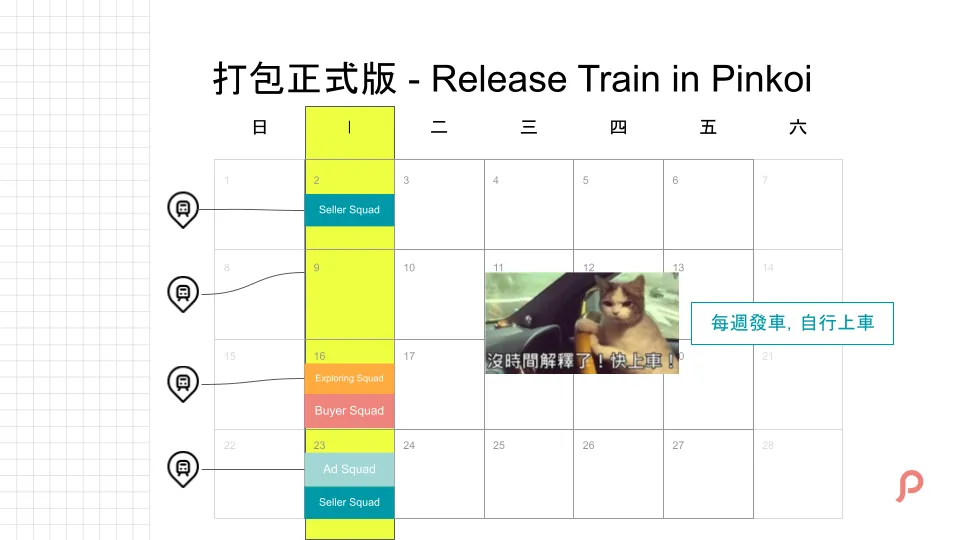
Using weekly updates & our multiple teams as examples, it would look like the image above.
As the name suggests, a Release Train is like a train station, where each release is a train.
If you miss it, you have to wait for the next one, each Squad team and project chooses their own boarding time.
This is a great communication interface; as long as everyone agrees and follows the rules, version updates can proceed smoothly and orderly.
For more technical details on Release Train, please refer to:
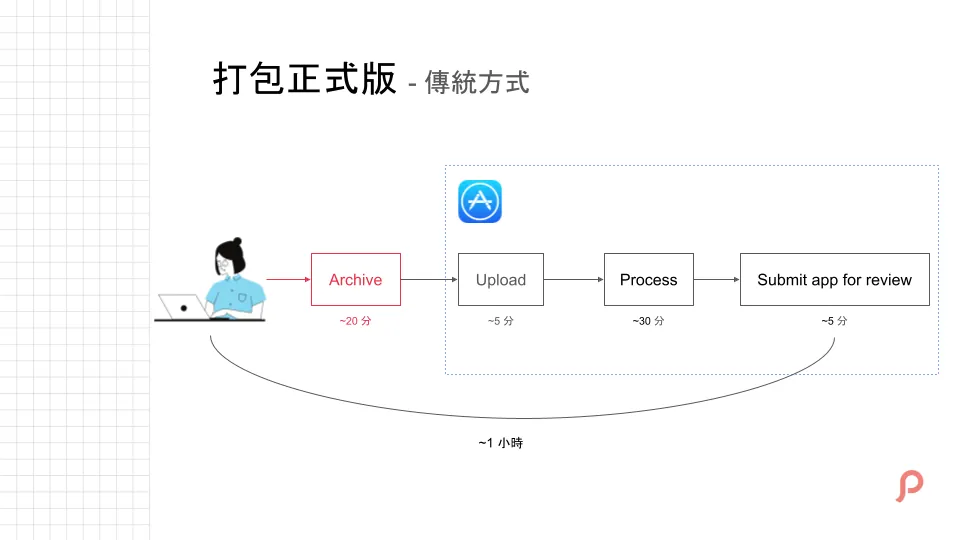
Once the process and schedule are confirmed, we can optimize the tasks for each stage.
For example, packaging the official release manually is time-consuming and labor-intensive. The entire process—from packaging, uploading, to submitting for review—takes about an hour. During this time, you have to keep switching your work mode, making it hard to do other tasks. This process is repeated every time you package, which wastes work efficiency.
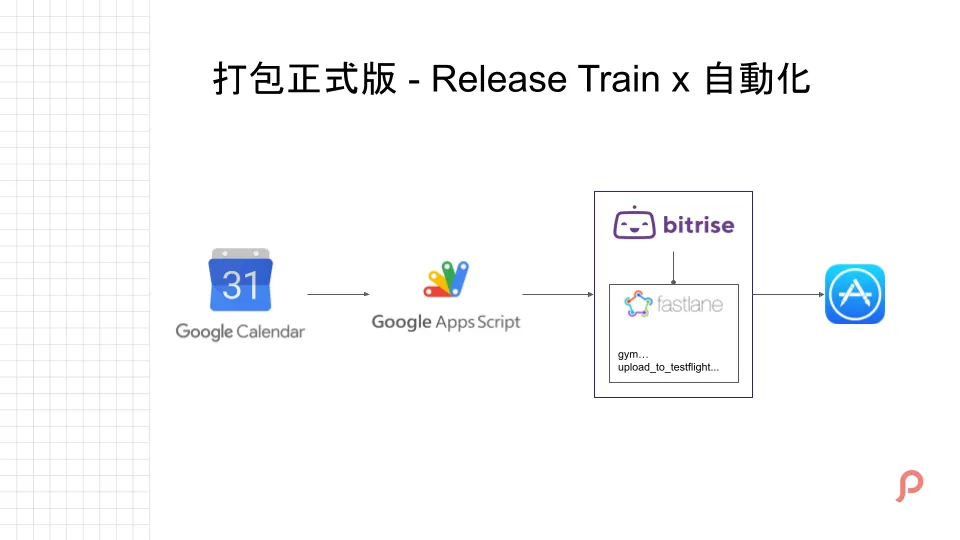
Since we have fixed the schedule, we directly integrate Google Calendar to add the planned tasks to the calendar. When the time comes, Google Apps Script will call Bitrise to run the Fastlane scripts for packaging the official version and submitting for review, completing all the work.
Another benefit of integrating with Google Calendar is that if unexpected situations arise requiring you to postpone or move up an event, you can simply go in and change the date directly.
If you want Google Apps Script to run automatically when a Google Calendar event starts, you currently need to run your own service. For a quick solution, you can use IFTTT as a bridge between Google Calendar and Bitrise/Google Apps Script. You can refer to this article for the method.
p.s.
-
Currently, the Pinkoi iOS Team uses the Gitflow workflow.
-
In principle, this consensus must be followed by all teams, so we do not accept any requests that break this rule (e.g., special releases on Wednesdays). However, for projects involving external collaboration, flexibility should be maintained if necessary, as this consensus applies only within the team.
-
HotFixes for critical issues can be updated anytime and are not subject to the Release Train schedule.
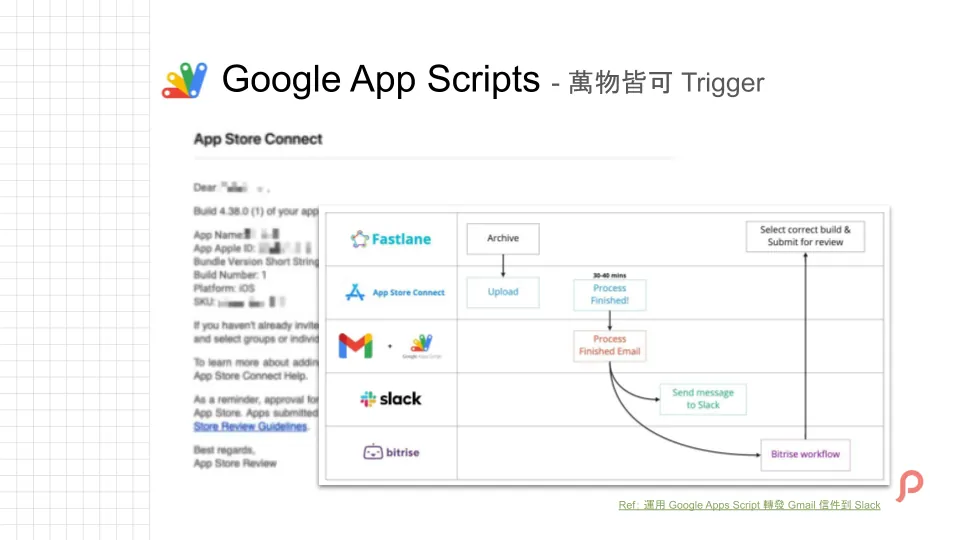
Here we additionally mention the use of Google Apps Scripts. For details, please refer to: 運用 Google Apps Script 轉發 Gmail 信件到 Slack .
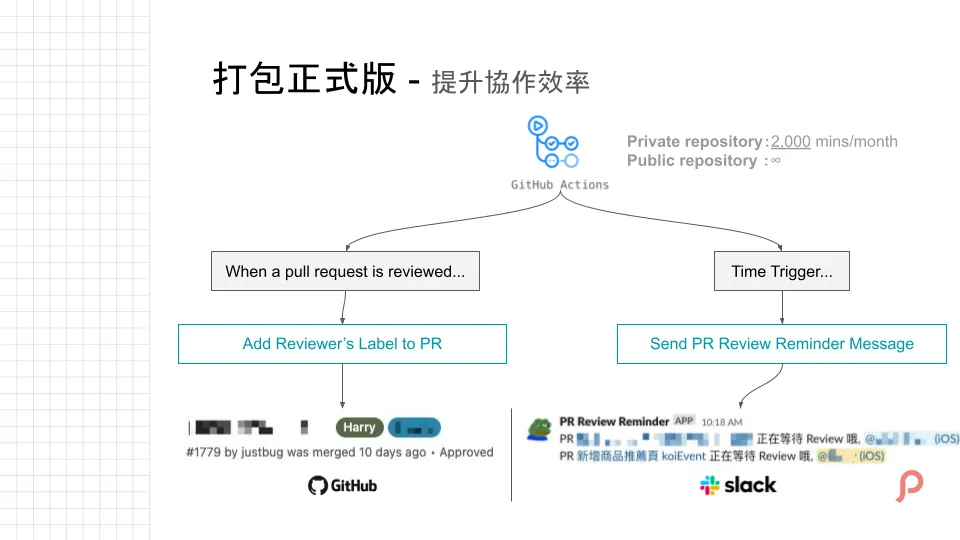
The last one is using Github Action to improve collaboration efficiency (PR Review).
Github Action is Github’s CI/CD service that can be directly linked to Github events. Trigger timings include opening an issue, opening a PR, merging a PR, and more.
Github Actions can be used with any Git project hosted on Github. Public repos have no limits, while private repos get 2,000 free minutes per month.
Here are two features:
-
(Left) After PR Review is completed, the reviewer’s name label is automatically added, allowing us to quickly summarize the PR review status.
-
(On the right) is a message that is organized and sent to the Slack Channel at a fixed time every day, reminding teammates which PRs are waiting for review (modeled after Pull Reminders’ feature).
There are many more automation tasks that can be done with Github Actions. Feel free to use your imagination.
Like the issue bots commonly seen in open source projects:

Automatically closing PRs that have not been merged for a long time can also be done using GitHub Actions.
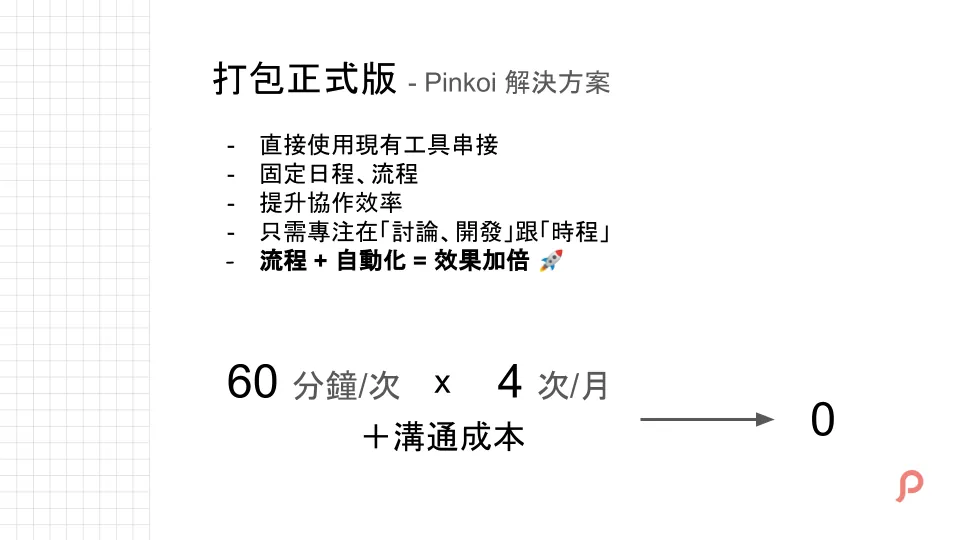
Recap of the automated official build packaging results: we directly used existing tools for integration; besides automation, we also added fixed processes to double work efficiency.
Originally, besides the manual packaging time, there was additional communication time cost for releasing. Now it’s reduced to zero; as long as the release is on schedule, all the time can be focused on “discussion” and “development.”
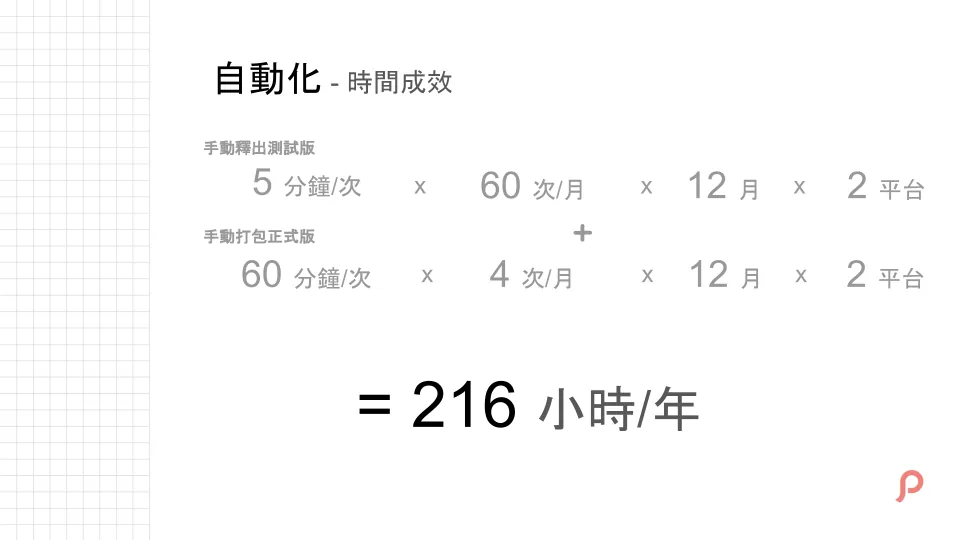
In total, these two automations save 216 work hours per year.
With automation combined with the communication interfaces mentioned earlier, let’s see how much efficiency can be improved by doing these tasks.
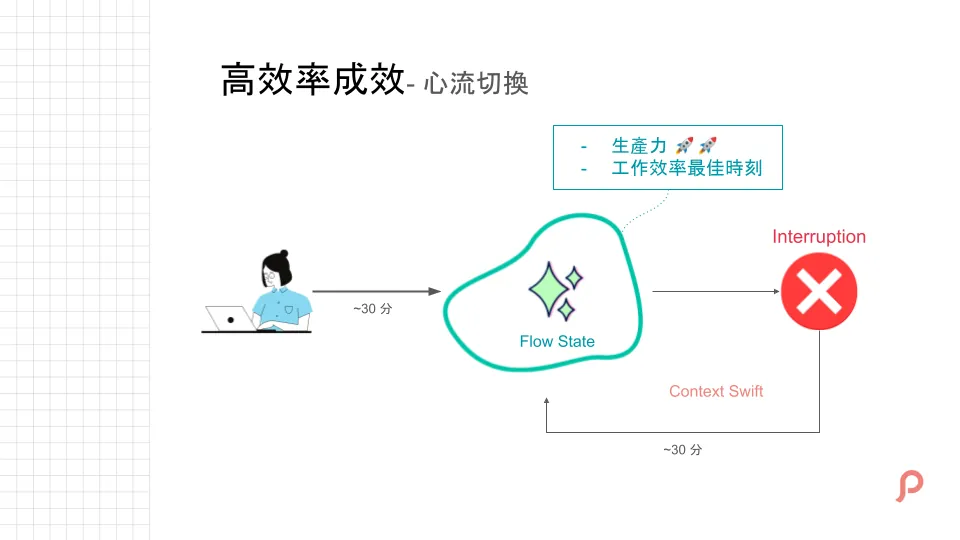
Besides the current project, we also need to evaluate the cost of flow switching. After working continuously for a period, we enter a “flow” state where our thoughts and productivity peak, enabling the most effective output. However, if interrupted by unnecessary tasks (e.g., redundant communication, repetitive work), it takes time to return to flow. Here, we use 30 minutes as an example.
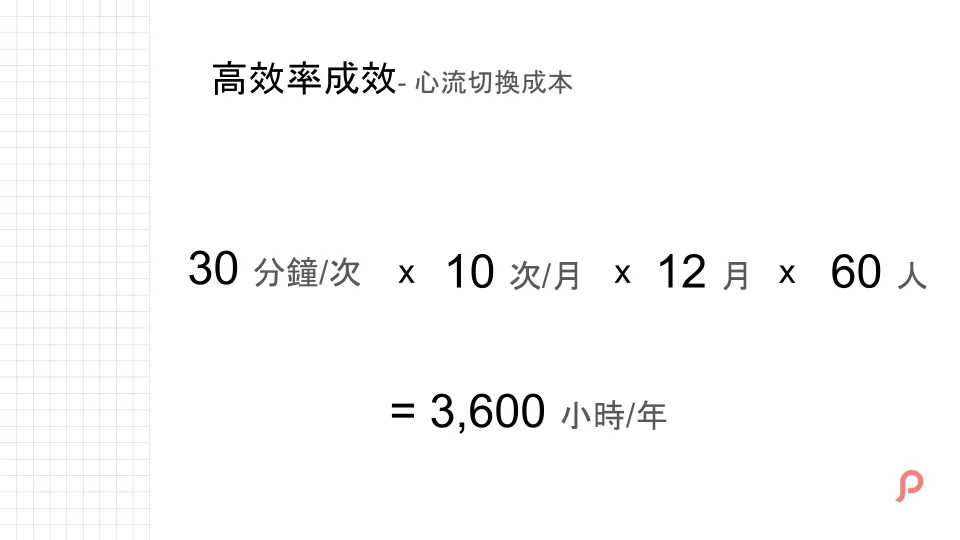
The cost of flow switching caused by unnecessary interruptions should also be considered. Here, we estimate 30 minutes each time, occurring 10 times a month. For 60 people, this wastes an extra 3,600 hours per year.
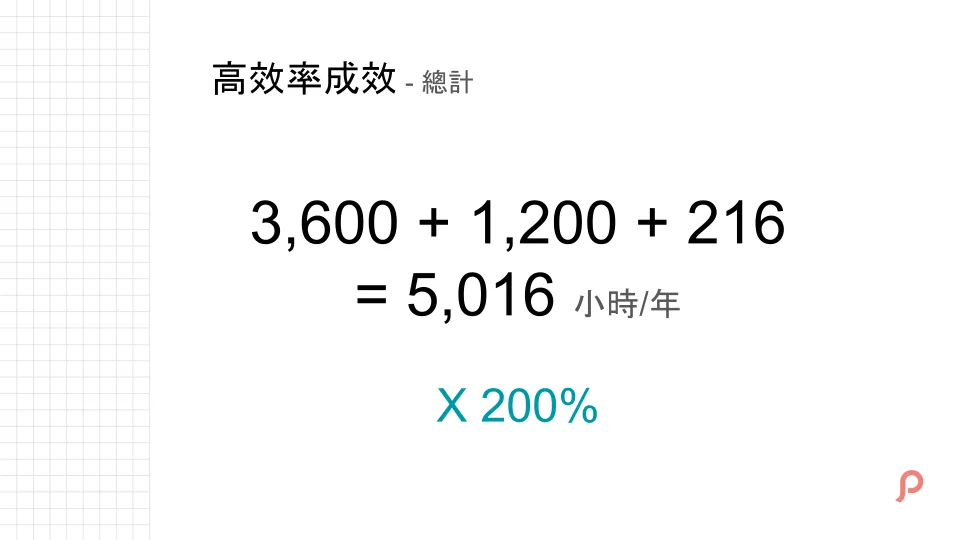
Flow switching cost (3,600) + extra communication due to poor interfaces (1,200) + repetitive tasks solved by automation (216) = over 5,016 hours lost in a year.
The originally wasted work time, once saved, can be invested in other more valuable tasks, so the actual productivity gain should be multiplied by 200%.
Especially as the team size continues to grow, the impact on work efficiency also increases.
The earlier you optimize, the sooner you enjoy; late optimization gets no discounts!!
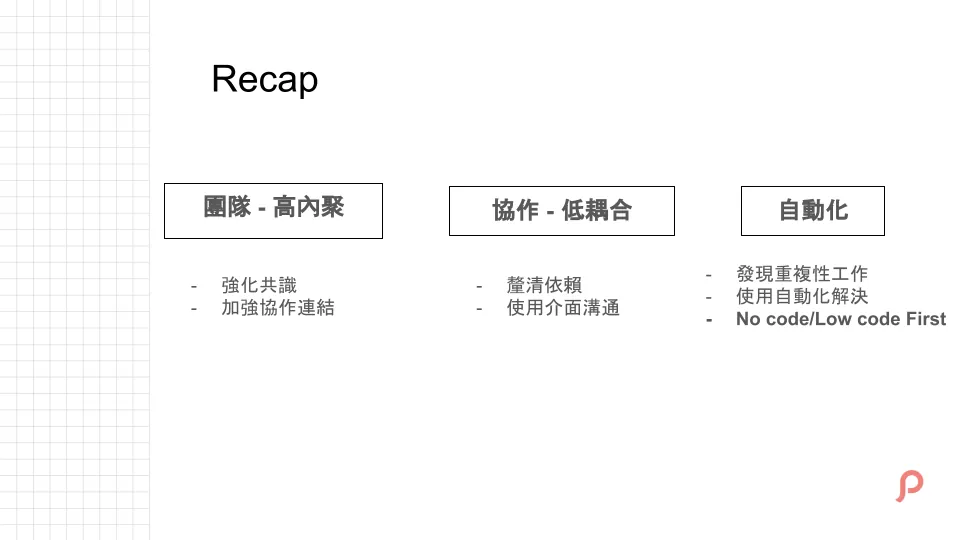
Recap What We Mainly Did to Build a High-Performance Team.
No Code/Low Code First Prioritize integrating existing tools (as shown in this example). Only evaluate the cost of automation and actual savings if no existing tools are available.
Cultural Support
At Pinkoi, Everyone Can Be a Problem-Solving Leader
For solving problems and making changes, most of the time it requires the effort of many teams working together to improve. This is where company culture support and encouragement are crucial; otherwise, pushing forward alone can be very tough.
At Pinkoi, everyone can be a problem-solving leader; it doesn’t have to be a Lead or PM to solve issues. Many of the communication interfaces, tools, or automation projects introduced earlier were discovered by teammates who proposed solutions, and everyone worked together to complete them.
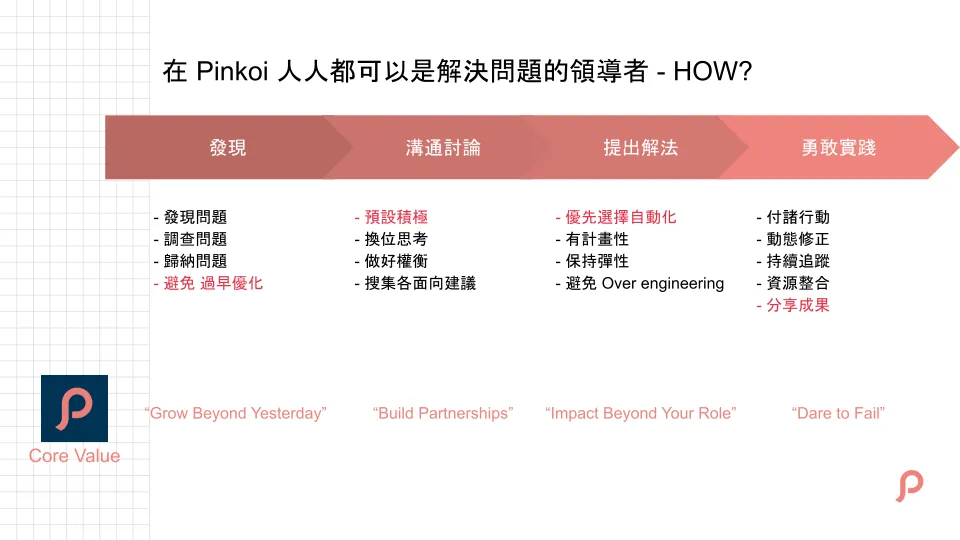
Regarding how team culture supports driving change, the four stages of problem-solving all connect to Pinkoi’s Core Values.
Step One: Grow Beyond Yesterday
-
Good but strive for better. If you find any issues, no matter how small, remember that as the team grows, even minor problems can have amplified effects.
-
Investigate and summarize issues to avoid premature optimization (some problems may be only temporary).
Next is Build Partnerships
-
Actively communicate across all aspects to gather feedback
-
Maintain empathy (since some solutions might be the best option for the other party, careful consideration is needed)
Step 3: Impact Beyond Your Role
-
Leverage Your Own Influence
-
Propose a Problem-Solving Plan
-
If it involves repetitive tasks, prioritize using automation solutions.
-
Remember to maintain flexibility and scalability, avoiding over-engineering
Finally, Dare to Fail!
-
Courageous Practice
-
Continuous Monitoring and Dynamic Adjustment of Solutions
-
After success, remember to share the results with the team to promote cross-departmental resource integration (because the same issue may exist in multiple departments simultaneously)
This concludes the sharing of Pinkoi’s high-efficiency engineering team secrets. Thank you all.
Join Pinkoi now >>> https://www.pinkoi.com/about/careers


Comments