
iOS tintAdjustmentMode Property
Issue with .tintColor on Image Assets (Render as template) Becoming Ineffective When Presenting UIAlertController
Comparison Before and After Fix
No fuss, just straight to the comparison images.
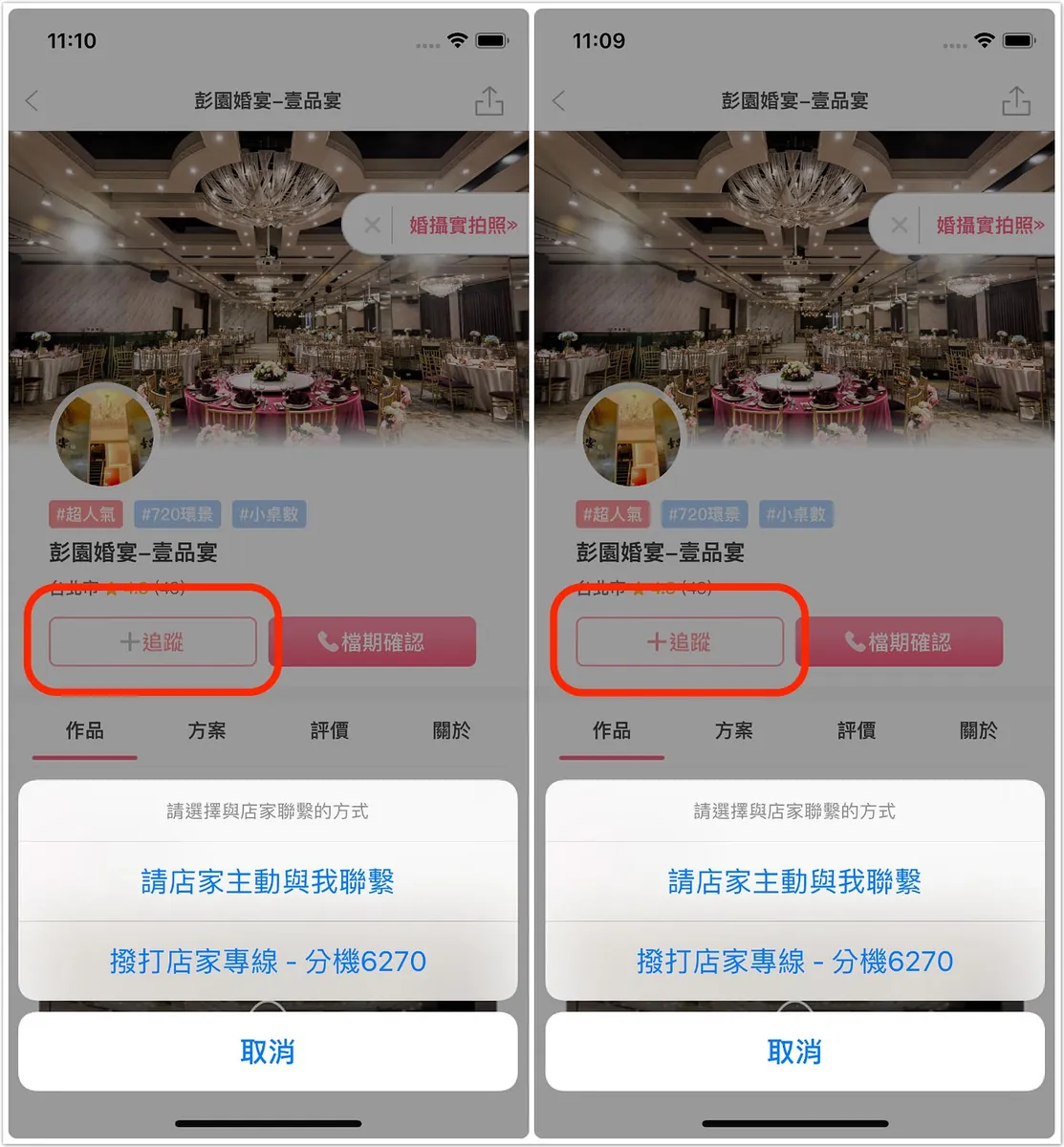
Left: Before correction / Right: After correction
You can see that the tintColor of the icon on the left becomes ineffective when a UIAlertController is presented. However, once the presented window is closed, the tintColor returns to normal and displays correctly.
Issue Fix
First, let’s introduce the tintAdjustmentMode property. This property controls the display mode of the tintColor and has three possible enum values:
-
.Automatic: The view’s tintAdjustmentMode follows the setting of its enclosing parent view.
-
.Normal: Default mode, displays the set tintColor normally.
-
.Dimmed: changes the tintColor to a low saturation, dimmed color (which appears gray!).
The above issue is not a bug but a system mechanism:
When presenting a UIAlertController, the tintAdjustmentMode of the Root ViewController’s view on the current page is set to Dimmed (so technically, the color setting is not “invalid,” it’s just that the tintAdjustmentMode is changed)
However, sometimes we want the ICON color to remain consistent, so we only need to keep the tintAdjustmentMode setting consistent in the UIView’s tintColorDidChange event:
extension UIButton {
   override func tintColorDidChange() {
        self.tintAdjustmentMode = .normal // Always keep normal
    }
}
extension example
Done!
It’s not a big issue, and it works fine without fixing, but it just looks annoying.
Actually, every page sets its view’s tintAdjustmentMode to dimmed when presenting UIAlertController, action sheet, popover, etc., but I only noticed it on this page.
After searching for a while, I found out it is related to this property. Setting it resolved my little doubt.



Comments